Have you ever wondered how Google finds and indexes billions of web pages across the internet? This process is called "crawling," and the "hero" behind this task is Googlebot. But how does Googlebot work, and why is understanding its crawling process so important for your SEO strategy?
Join Markdao as we explore what crawling is and how Googlebot discovers your website, along with how to optimize your site to achieve higher rankings in search results.
What is crawling?
In the context of SEO and technology, crawling is the process by which search engines like Google use automated programs, known as crawlers or spiders, to browse and collect data from websites across the internet.
This task aims to discover, record, and understand the content of web pages, including text, images, links, and other elements. The collected information is sent to the search engine's database, where it is then used to index and rank the website in search results.
Crawling not only helps search engines become aware of a website's existence but also assists in evaluating the relevance, quality, and usefulness of its content. This plays a crucial role in determining whether a website appears in high positions on the search engine results page (SERP).
Understanding the concept of what crawling is is the first step toward optimizing your website's accessibility and visibility on search engines, contributing to the effectiveness of your SEO strategy.
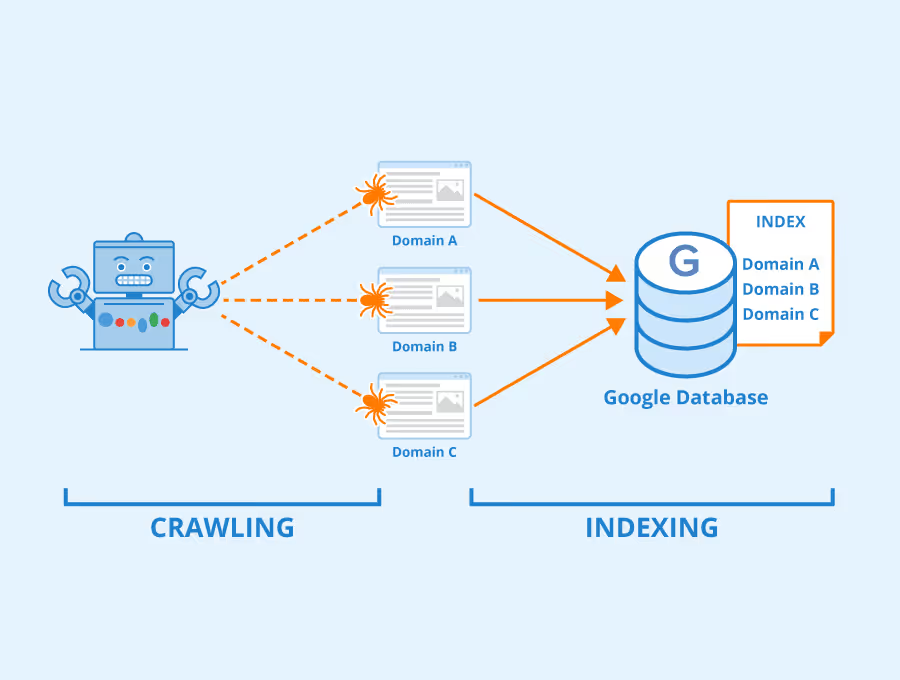
How Googlebot performs the data collection process on your website pages
Google crawls and collects data from both mobile and desktop
Googlebot uses two main types of crawlers to gather information from websites: Googlebot Desktop and Googlebot Smartphone. This allows Google to collect and index content for both desktop and mobile SERPs.
Here is the Googlebot crawling process:
1. Googlebot Desktop vs. Googlebot Smartphone
Previously, Googlebot Desktop was the primary tool for crawling websites. However, with the rapid growth of mobile devices, Google has shifted to using Googlebot Smartphone to prioritize crawling and indexing pages optimized for mobile.
2. Mobile-First Indexing Priority
Google now prioritizes Mobile-First Indexing, meaning the indexing process is based on the mobile version of a website rather than the desktop version. This means that if your site is not optimized for mobile, Google will struggle to crawl and index your content.
3. Non-mobile-optimized pages
If your website is not mobile-friendly, Googlebot Desktop may still crawl and display the page in search results, but this can negatively impact your site's ranking potential.
4. Indexing for both mobile and desktop versions
Although Google prioritizes the mobile version, some pages may still be crawled by Googlebot Desktop to ensure that the content performs well on both desktop and mobile devices.
Rendering content from HTML and JavaScript
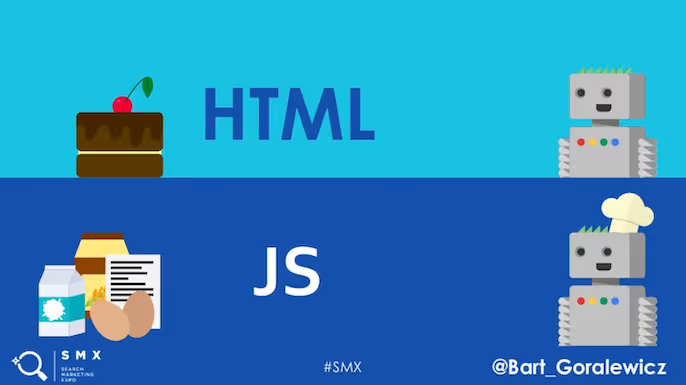
Googlebot crawls information not only from HTML but also from pages that use JavaScript. However, processing complex code can be challenging for the crawler, especially if the site is not optimized. Below are important considerations to ensure Googlebot can effectively render and index your content:
Googlebot's rendering capabilities
- Googlebot may encounter difficulties if the website code is overly complex or not optimized.
- If Googlebot cannot properly render the page content, your website may be viewed as "empty" and fail to be indexed.
JavaScript and Googlebot
- If your website uses JavaScript, you must ensure the code is compatible with Googlebot so the crawler can accurately understand and render the content.
- Note: If JavaScript takes longer than 5 seconds to load, Googlebot may skip the content generated by the script.
How to check for JavaScript issues
You can use Google Search Console to check for and resolve issues related to JavaScript:
- Step 1: Log in to your Google Search Console account.
- Step 2: Select the URL Inspectionfeature.
- Step 3: Enter the URL of the page you want to check and click the “Test Live URL”button.
- Step 4: Review the information under “Resources” and “JavaScript console messages” to identify and resolve errors.
Factors affecting Googlebot's crawlability
The behavior of Googlebot is driven by complex algorithms that allow it to crawl and process information from websites. However, you can influence how Googlebot operates through several key factors, such as:
Internal links and backlinks
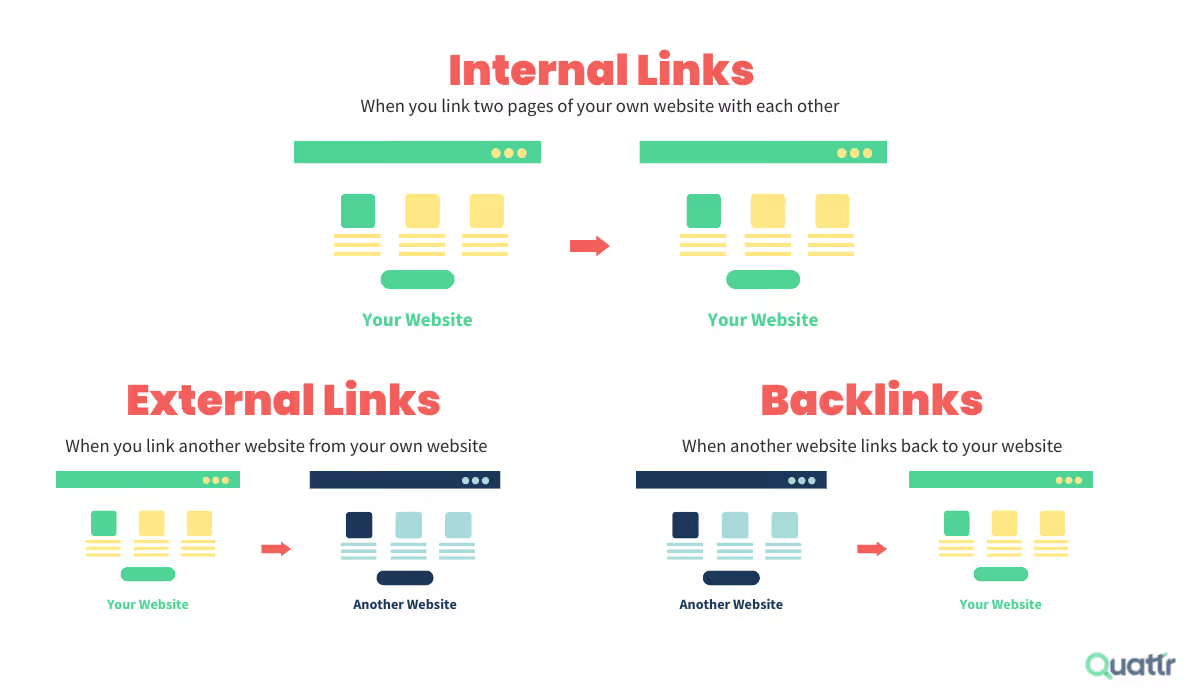
Googlebot uses internal links to discover and navigate between pages on your website. To help Googlebot find new pages quickly, ensure you create links from high-authority pages, such as your homepage or other popular pages on your site. A clear internal linking structure will help Googlebot crawl and index your site more accurately.
Backlinks, or links from other websites, are a key factor in helping Googlebot discover your site faster. You can build backlinks by publishing guest posts, promoting your site on social media, or running marketing campaigns to attract links from reputable websites. Backlinks not only support the crawling process but also improve your search engine rankings.
Sitemap
A sitemap is a file containing a list of the pages you want Googlebot to crawl. It is an essential tool for optimizing Google's crawling process. Here are some key points to keep in mind:
Create and submit a Sitemap:
You can create a sitemap and submit it via Google Search Console.
A sitemap helps Googlebot quickly identify new pages or changes on your website.
SEO support:
While it does not guarantee that Googlebot will crawl every single page, a sitemap is still highly beneficial.
It is especially important for: New websites and large websites with many pages and complex structures.
Robots.txt file
The robots.txt file is a tool used to instruct Googlebot on whether it should crawl specific pages on your website. Googlebot checks this file before it begins crawling and follows the directives contained within it.
If you want to prevent Googlebot from crawling certain pages, you can add restrictive instructions to your robots.txt file. When a page is blocked in this file, Googlebot will ignore it and will not crawl that page.
Click Depth
Click Depth is a metric that indicates the number of clicks required to reach a specific page from the homepage. If a page is buried too deep within your website's structure (requiring many clicks), Googlebot's crawling process will be slower.
To optimize this, you should ensure that every important page on your website can be reached in a maximum of three clicks from the homepage.
You can use tools like WebSite Auditor to check the click depth of each page. For pages with a high click depth, consider reorganizing your internal linking structure to improve accessibility.
Common Google crawling errors
URL structure errors
Causes: URLs are unclear, excessively long, contain special characters, or lack consistency.
Consequences: Googlebot may struggle to understand and index the content.
Solutions:
- Use concise URLs that accurately describe the page content.
- Avoid special characters and ensure a consistent URL structure throughout the website.
Duplicate content errors
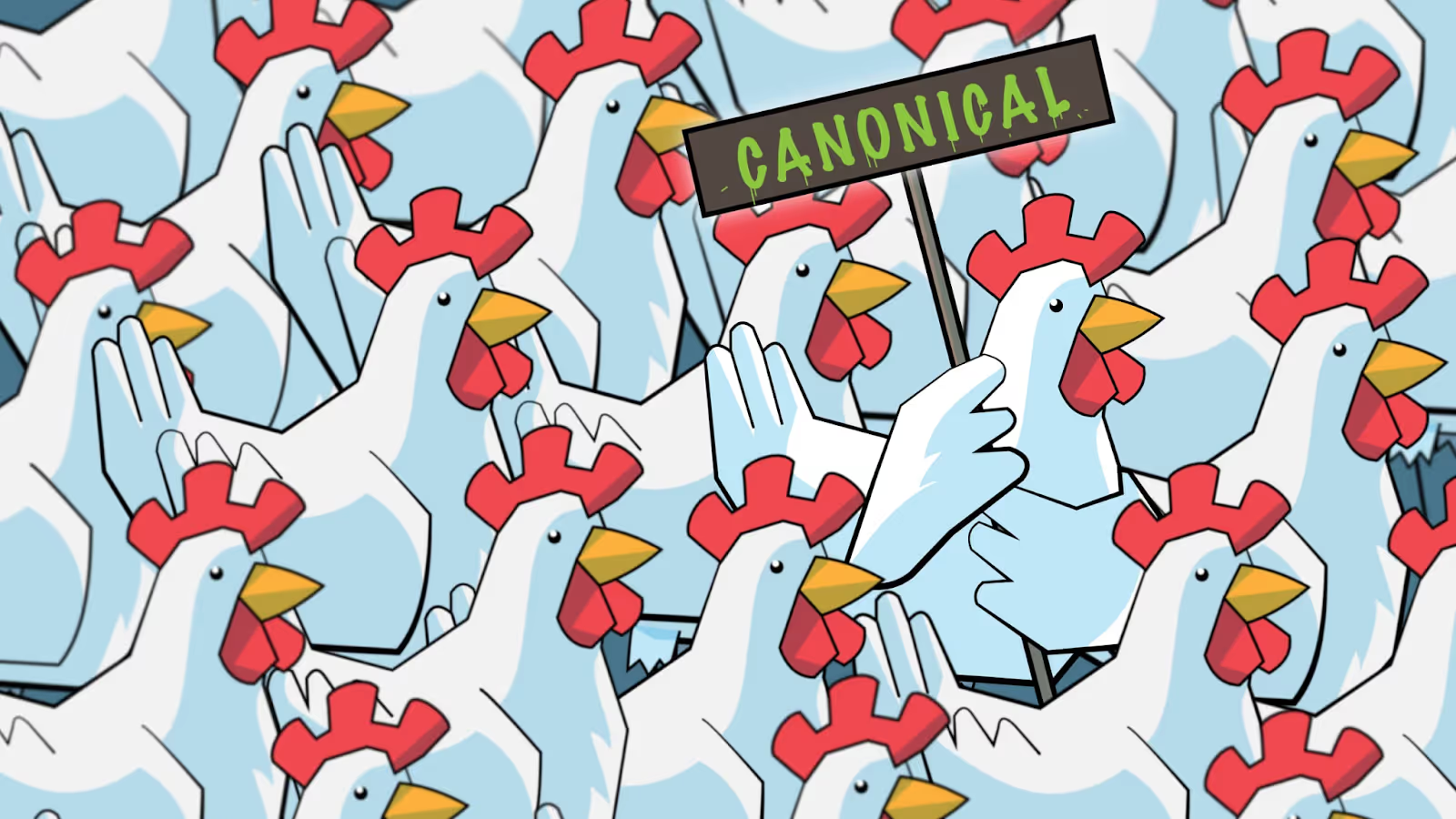
Causes: Identical or similar content appears on multiple URLs, making it difficult for Googlebot to determine the primary version.
Consequences: The website may experience a drop in SERP rankings or fail to be indexed.
Solutions:
- Use the canonical tag to specify the primary URL for duplicate content.
- Identify and remove duplicate content using tools such as Screaming Frog or Google Search Console.
Conclusion
Understanding what crawling is and how Googlebot works is a crucial first step toward improving your website's SEO performance. By optimizing elements such as internal linking, URL structure, and page load speed, you not only help Googlebot work more efficiently but also provide a better experience for your users.
Don't forget to regularly check and improve your website to ensure it remains Googlebot-friendly and achieves the SEO results you're looking for!