Ever feel frustrated by the one-link limit on your social media profiles? Don't worry—a Link in Bio is the perfect solution! This small but powerful tool lets you gather all your important links in one place, optimizing your connectivity and creating a professional impression. Let's join Markdao to explore what a Link in Bio is and how to create a free, simple, and standout Link in Bio to elevate your personal brand.
What is a Link in Bio?
Imagine having a master key that opens the door to all the important information about you or your brand. A Link in Bio is exactly that key!
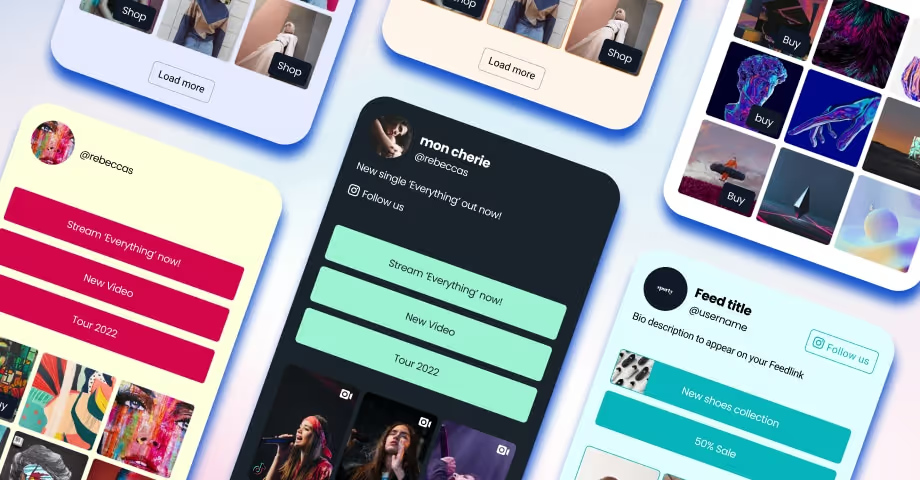
Simply put, a Link in Bio is a single URL placed in the bio section of social media platforms like Instagram, Facebook, TikTok, or Twitter. When users click this link, they are directed to a landing page containing all the other links you want to showcase, such as your website, blog, online store, or featured content. This allows you to make the most of the limited space on social media to connect with your audience effectively.
What are the benefits of using a Link in Bio?
Instead of having to choose just one piece of information to highlight on social media, a Link in Bio lets you include everything you want on a single page. Whether it's your personal website, latest blog post, featured products, or other social channels, everything is connected with just one click. A Link in Bio not only saves space but also turns your social media profile into a versatile and convenient information hub.
- Optimize your connectivity: You no longer need to worry about choosing just one link to share. With a Link in Bio, you can put everything that matters in one place, from new articles and featured products to sales pages or contact information.
- Enhance professionalism: A neatly organized, aesthetically pleasing Link in Bio leaves a better impression on your audience. It’s an effective way to demonstrate professionalism and creativity to potential customers or partners.
- Easily attract potential customers: When information is presented clearly and is easy to access, users are more likely to explore further. This not only increases traffic to your linked pages but also boosts the conversion rate of potential leads into actual customers.
- Convenient and free: A major plus of Link Bio is that you can use free tools to create and customize it to your needs. This is perfect for both individuals and small businesses looking to expand their online presence without a large budget.

Have you ever wished you could showcase everything in just a single link? Link Bio is the perfect solution to do just that.
Guide to creating a free Link Bio
Creating a free Link Bio is not only simple but also helps you easily manage and optimize your featured content. Below is a detailed guide on how to create a TikTok or Instagram Link Bio using popular tools such as ATP Link, Simple Page, Canva and Beacons.
ATP Link: A powerful localized tool
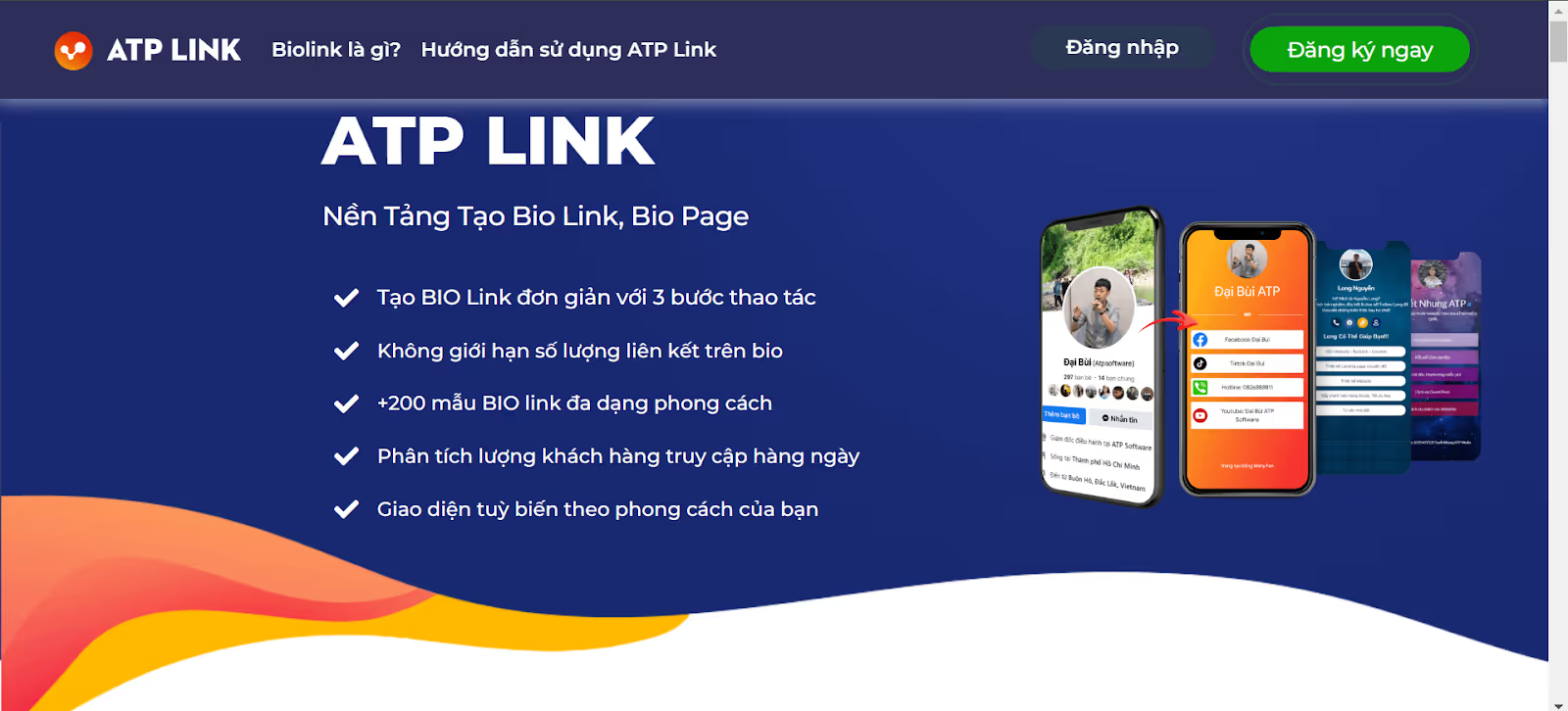
ATP Link is a platform specifically designed for users in Vietnam. This tool is not only easy to use but also integrates features like click tracking and link optimization.
How to create a Link Bio using ATP Link
- Visit the website ATP Link.
- Sign up for a free account or log in with an existing one.
- From the main dashboard, select Create new Link Bio.
- Enter the required information: title, description, and the links you want to add.
- Customize the interface using available templates or design it yourself to your liking.
- Copy your Link Bio URL and paste it into the bio section of your social media profiles.
Pros
- Simple, user-friendly interface, fully available in Vietnamese.
- Offers many features suitable for small businesses or individuals.
- Includes click tracking and performance analytics.
Cons
- Limited interface customization options.
- Minimal support for multiple languages.
Target audience: Individuals or small businesses in Vietnam looking for a simple, free solution.
Simple Page: Professional and flexible
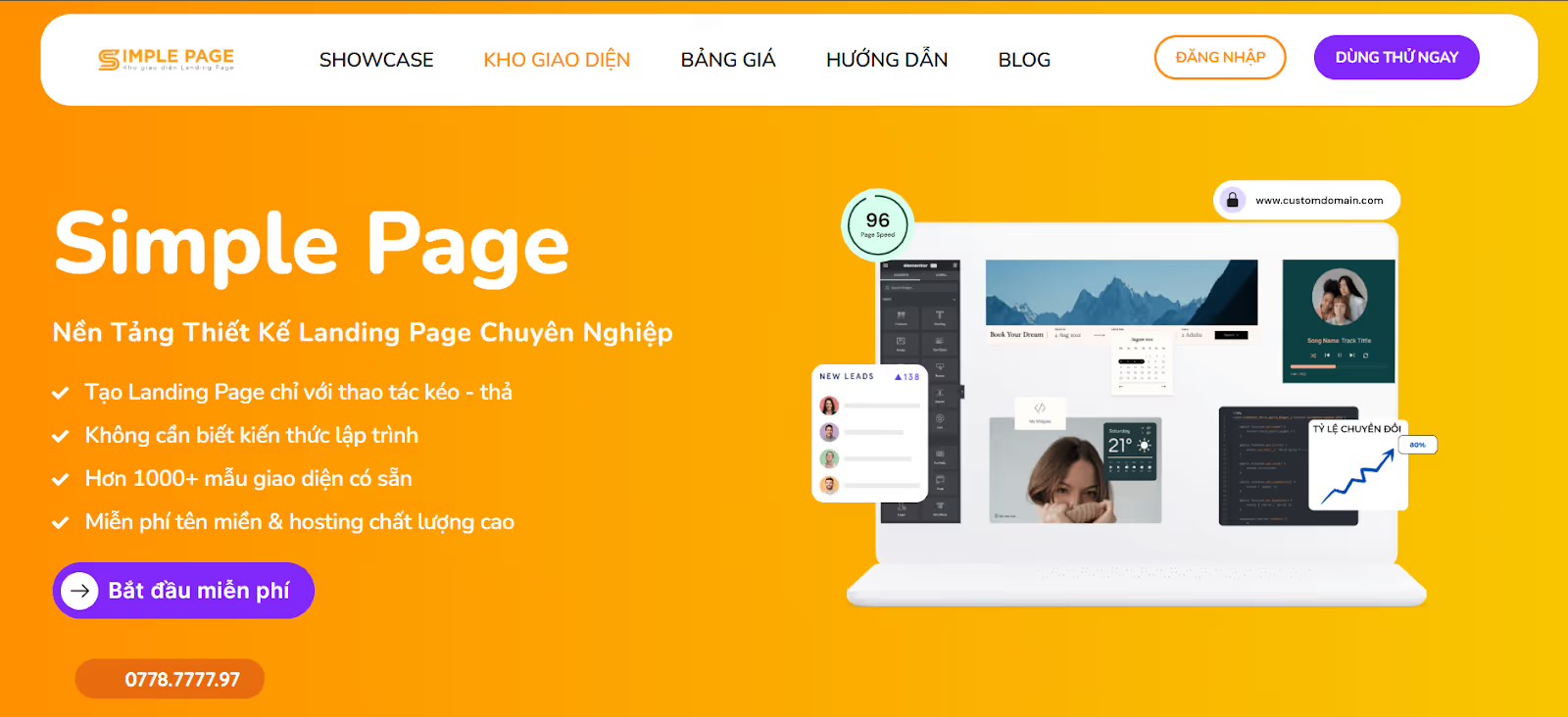
Simple Page is a popular platform favored for its intuitive, convenient drag-and-drop functionality. It is an ideal choice for those who want a beautiful, feature-rich Link Bio page.
Simple Page highlights: Simple Page not only supports Link Bio creation but also integrates powerful marketing tools like contact forms and e-commerce links, making it easy for businesses to engage with customers.
How to create a Link Bio with Simple Page
- Visit the website Simple Page.
- Register for an account or log in via Google/Facebook.
- Choose a pre-made Link Bio template or create one from scratch.
- Add necessary links such as your website, products, or social media profiles.
- Customize the interface using the drag-and-drop tool, adding suitable colors and images.
- Publish and copy the link to your bio section.
Pros
- Drag-and-drop support for flexible interface customization.
- Integrates with various platforms like Messenger, Zalo, and contact forms.
- Offers professional templates suitable even for large enterprises.
Cons
- The free plan has limited features and includes Simple Page branding at the bottom of the page.
Target audience: Businesses or individuals looking for an attractive and professional Link Bio.
Canva: Highly creative customization
Canva is more than just a graphic design tool; it also helps you create unique Link Bios that reflect your personal brand.
Who is Canva for? It is the ideal tool for content creators or businesses looking to have an aesthetic, professional, and fully personalized Link Bio.
How to create a Link Bio with Canva
- Visit the Canva website and sign up for a free account.
- Search for the keyword Link Bio in the template library.
- Choose your favorite Link Bio template and customize it as you wish.
- Add links by embedding hyperlinks into text or buttons.
- Publish your design as a clickable PDF or upgrade to Canva Pro to generate a direct link.
Pros
- Offers thousands of diverse and beautiful design templates.
- Fully customizable to match your personal or business brand.
- Allows for the integration of images and videos to make it more engaging.
Cons
- Basic design skills required.
- Does not update automatically if you want to change the content.
Beacons: A modern tool for e-commerce
Beacons is designed for those who want to combine a Link in Bio with commerce features like payments, order forms, or video integrations.
Why choose Beacons? Beacons offers a modern interface and powerful data analytics, helping you better understand customer behavior.
How to create a Link in Bio with Beacons
- Visit the website Beacons.
- Sign up for a free account or log in using Google/Facebook.
- Choose from a library of modern Link in Bio templates.
- Add links, images, and customize your content.
- Integrate advanced features such as contact forms, payment links, or videos.
- Save and share your Link in Bio URL on social media.
Pros
- Modern, user-friendly interface.
- Supports in-depth data analytics and integrates with multiple platforms.
- Includes a wide range of advanced features like e-commerce.
Cons
- Some advanced features require a paid subscription.
- The default interface does not support Vietnamese.
With the tools above, creating a free Link in Bio has never been easier. Choose the tool that best fits your needs to not only optimize your social media space but also elevate your brand in the eyes of your customers!
Things to keep in mind when using Link in Bio
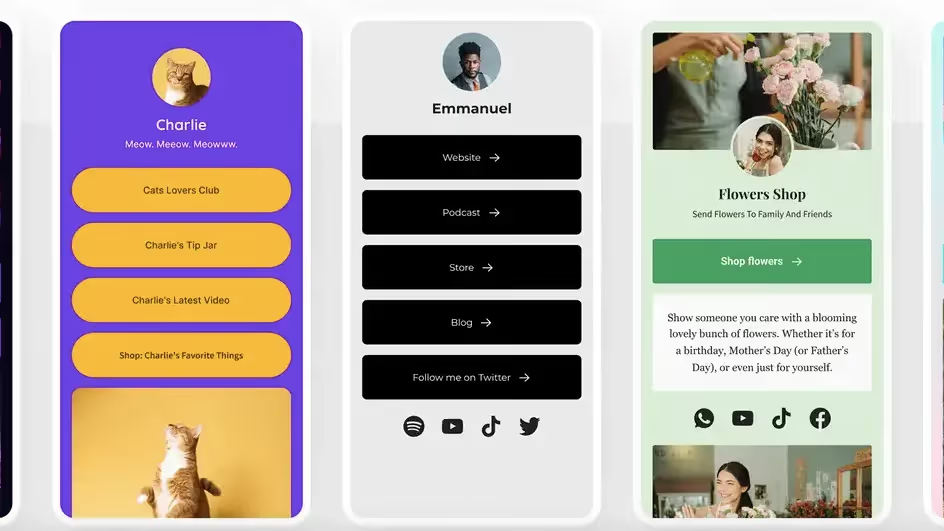
Link in Bio is a powerful tool to help you optimize your online presence, but to get the best results, you should keep the following important points in mind:
Optimize your link content
A Link in Bio is more than just a collection of links; it is a gateway for users to learn more about you or your business. Therefore, you should:
- Prioritize your links: Place important links at the top (such as your main website, featured products, or services).
- Use concise descriptions: Include a short introduction for each link to increase click-through rates.
- Update regularly: Remove outdated links and add new content in a timely manner.
Optimize interface and user experience
The user experience on your Link in Bio will significantly impact your retention rate. Keep these points in mind:
- Keep the design simple: An intuitive, easy-to-read, and easy-to-navigate interface will create a better impression on users.
- Align with your brand identity: Use colors, fonts, and images that match your personal or brand style.
- Mobile-friendly: Ensure your Link in Bio works smoothly on mobile devices, as the majority of users will access it via their phones.
Track performance
Tools like Beacons or ATP Link often include built-in analytics. Use them to:
- Check click-through rates: Monitor which links get the most traffic to optimize your content.
- Understand user behavior: Identify trends and browsing habits to adjust your outreach strategy.
Avoid overusing your Link in Bio
While a Link in Bio helps consolidate multiple links in one place, adding too many can be cluttered and reduce effectiveness. Keep in mind:
- Limit the number of links: Only include essential links to avoid distracting your users.
- Avoid spam: Do not include irrelevant links or anything that might annoy your users.
Ensure safety and credibility
Users are increasingly cautious about online links. Therefore, you should:
- Use a trusted domain: If possible, customize your Link in Bio domain to enhance professionalism.
- Check links regularly: Ensure that links are working properly and do not lead to outdated or deleted content.
Conclusion
A beautiful and effective Link in Bio is more than just a convenience; it is a compelling invitation that guides viewers from curiosity to a deeper experience of who you are and what you offer. It is a tool that helps you express your personality, strengthen connections, and optimize your digital space without requiring excessive time or effort.
Think of your Link in Bio as a dynamic business card—a creative space where you can easily share everything from articles and products to unique stories. Don't just stop at creating a link; make it a highlight that people will want to return to again and again.