In today's digital age, online information security is a top priority. SSL (Secure Sockets Layer) is a security technology that encrypts data and protects websites from threats. However, many businesses have yet to install an SSL certificate on their websites, leading to a host of potential risks such as loss of customer trust, cyberattacks, and lower Google rankings. Let's join Markdao to explore what SSL is and the serious consequences of not using SSL for your website.
What is SSL?
Definition and importance of SSL
What is SSL? SSL (Secure Sockets Layer) is a standard security protocol designed to establish a secure connection between a server and a web browser. This protocol ensures that data exchanged between users and the website is encrypted, preventing unauthorized access by third parties.
As the internet continues to evolve, protecting personal information and sensitive data on websites has become a top priority. What is an SSL certificate? It is a digital data file issued by reputable organizations (Certificate Authorities - CAs) to verify a website's identity and enable data encryption.
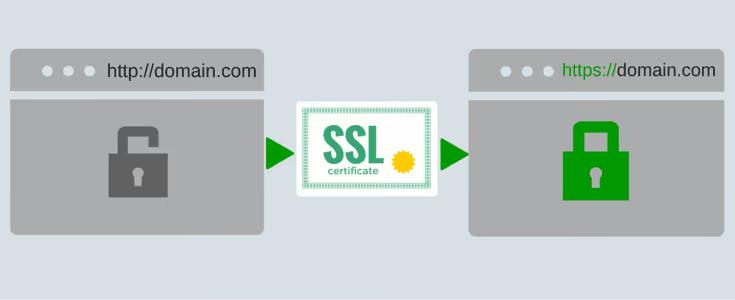
Using SSL security goes beyond just protecting information; it also builds trust with users. Websites with an SSL certificate display a padlock icon in the browser's address bar, signaling that the site is trustworthy.
Note: Ensure your website is protected by installing an SSL certificate to enhance your credibility, security, and business performance in the online environment.
Distinguishing between SSL and HTTPS
Many people often confuse SSL and HTTPS, but they have different roles and meanings:
- SSL is a security protocol that helps encrypt data transmitted between a browser and a server to prevent unauthorized access.
- HTTPS (Hypertext Transfer Protocol Secure) is the secure version of the HTTP protocol, in which SSL is integrated to protect data.
When a website uses SSL, the address will display as “https://” along with a padlock icon in the browser's address bar, signaling that the connection is secure and trustworthy.
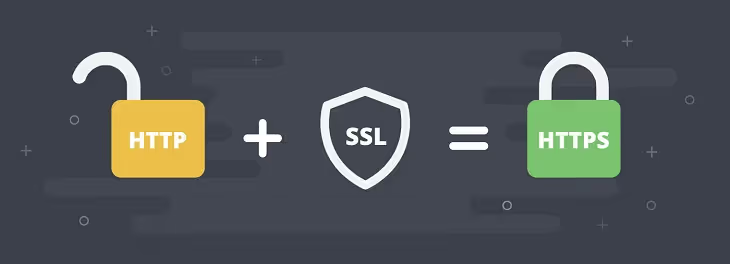
In short, SSL is the security foundation, while HTTPS is the application of SSL in website communication.
What happens if you haven't installed an SSL certificate for your website?
Not using SSL can have serious consequences for your website's reputation, security, and performance. Here are the risks if you haven't installed an SSL certificate:
Loss of customer trust
When a website does not use What is SSLsecurity, the browser will display a "Not Secure" warning in the address bar. This makes users feel uneasy and they tend to leave the site immediately.
An untrustworthy website will struggle to retain customers, especially when they are required to enter personal information.
Risk of cyberattacks
No SSL means that data transmitted between the user and the server is not encrypted, creating opportunities for cyberattacks such as:
- Man-in-the-Middle (MITM) attacks: Hackers intercept and steal data as it travels over an insecure connection.
- Theft of sensitive information: Data such as passwords and payment information can easily fall into the wrong hands, causing significant losses for both businesses and customers.
Impact on SEO, leading to a drop in Google rankings
Since 2017, Google has confirmed that SSL is an important factor in ranking websites in search results. Websites using SSL are prioritized for higher rankings because Google wants to ensure user information security. Installing an SSL certificate not only protects privacy but also directly affects your search engine rankings.
Currently, businesses in Vietnam are focusing on using SSL to enhance their reputation and security, building trust with customers.
Brand impersonation, affecting the business
In today's era of rapid Internet growth, website brand impersonation is no longer uncommon. However, with EV and OV SSL certificates, your website will have its business information verified within 5-7 days, ensuring authenticity and security. This helps customers easily identify the "official" website and distinguish it from "fake" sites.
Websites that do not use SSL easily become targets for brand impersonation, causing serious damage to the business.
Types of SSL certificates
When learning about what SSL is, you will realize that there are many types of SSL certificates designed to meet different security needs. Below is detailed information about common types of SSL certificates and their applications.
Domain Validated SSL (DV SSL)
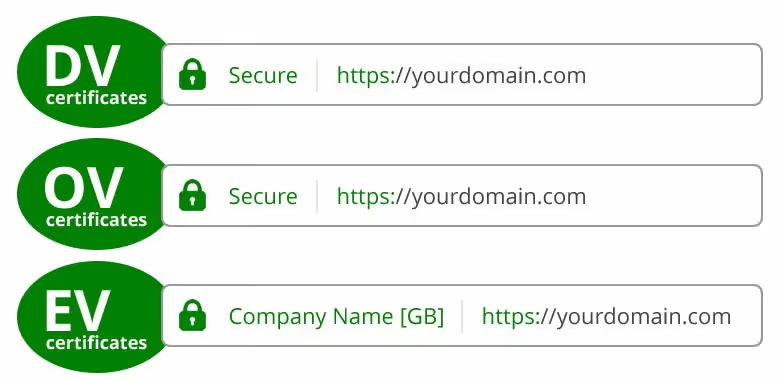
This is the most basic type, requiring only verification of domain ownership. DV SSL is suitable for personal websites or small businesses that do not handle sensitive data.
- Pros: Quick issuance time for website SSL certificates and low cost.
- Cons: Does not provide much information about the organization; only ensures basic SSL security.
Organization Validated SSL (OV SSL)
OV SSL provides a higher level of security because it requires verification of the identity of the organization that owns the website. Business information is displayed in the certificate, which helps increase user trust.
- Applications: Corporate websites that need to demonstrate credibility.
- The installation process for this SSL certificate takes longer than DV SSL due to the need for organizational verification.
Extended Validation SSL (EV SSL)
EV SSL is the highest-tier certificate, providing maximum security and credibility. When using EV SSL, browsers display a green address bar or prominent business information.
- Suitable for: E-commerce websites, banks, or financial institutions.
- The issuance time for website SSL certificates is longer, but it provides the highest level of reliability.
Wildcard SSL Certificate
A Wildcard SSL protects a primary domain and all of its subdomains. It is the ideal solution for businesses with multiple sub-sites.
- Advantages: Saves time and money compared to purchasing multiple certificates.
- Example: Protects both "example.com" and "blog.example.com".
Multi-Domain SSL Certificate (MDC SSL)
This type of certificate allows you to secure multiple different domains under a single certificate. It is suitable for large enterprises that own several websites with unrelated domain names.
- Example: Protects both "example.com" and "anotherdomain.com".
Code Signing SSL Certificate
This certificate does not protect a website but is used to authenticate software or applications released by a business. It ensures that the software has not been altered or tampered with.
Choosing the right SSL certificate depends on your security needs and budget. To ensure a smooth process, work with reputable organizations that issue SSL certificates for websites.
How to securely install SSL for your website?
Once you have selected the appropriate SSL type, you need to follow these steps to ensure your website is secure and easily ranked highly by Google.
Choosing the right SSL certificate
Before proceeding with the installation, you need to choose the SSL certificate type that fits your website's needs. There are several common types of SSL certificates:
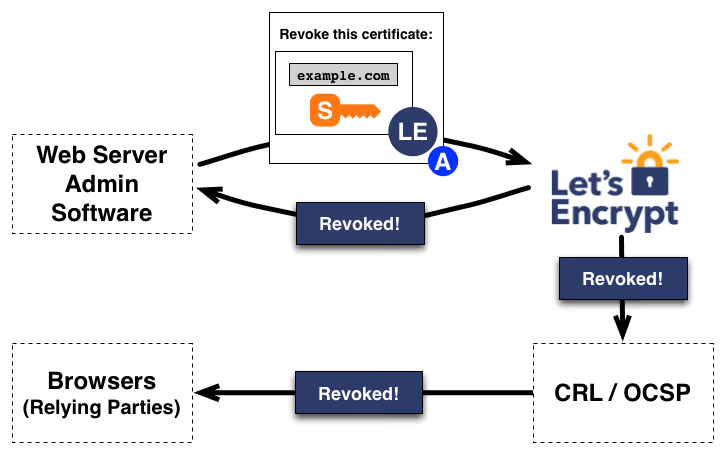
- Free certificates: Let’s Encrypt is a popular choice that provides SSL security at no cost.
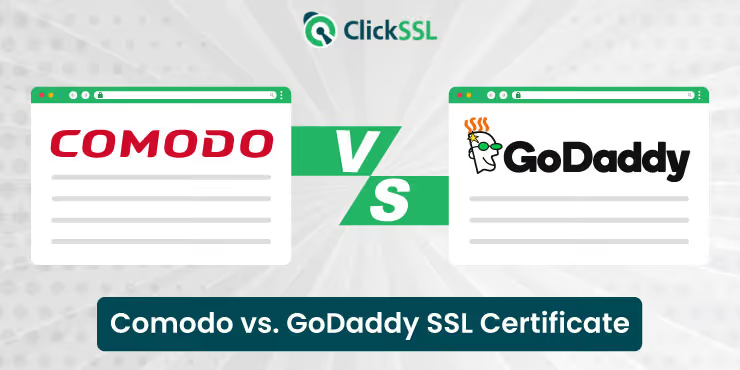
- Paid certificates: DigiCert, Comodo, and GoDaddy are reputable SSL certificate providers offering advanced security features.
- Choose an SSL type: You can choose between SSL types such as DV (Domain Validation), OV (Organization Validation), and EV (Extended Validation), depending on the level of security and business verification you require.
Installation steps
Once you have selected the appropriate SSL certificate, you need to proceed with the installation:
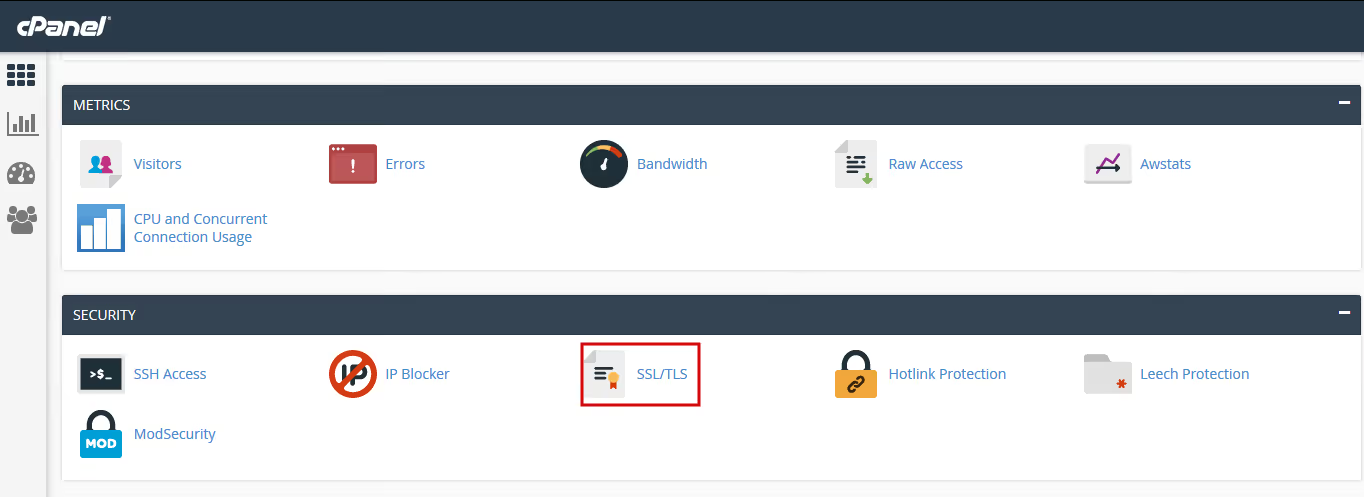
- Using cPanel: If your website uses cPanel, you can easily install SSL through this interface.
- Contact your hosting provider: If you are not technically inclined, contact your hosting provider for assistance with installing the SSL certificate for your website.
- Verification and confirmation: After installation, verify and confirm that the SSL is working correctly. Your website address should display "https://" and a padlock icon in the browser's address bar.
Checking your website after SSL installation
After completing the SSL certificate installation, you need to check if your website is properly secured:
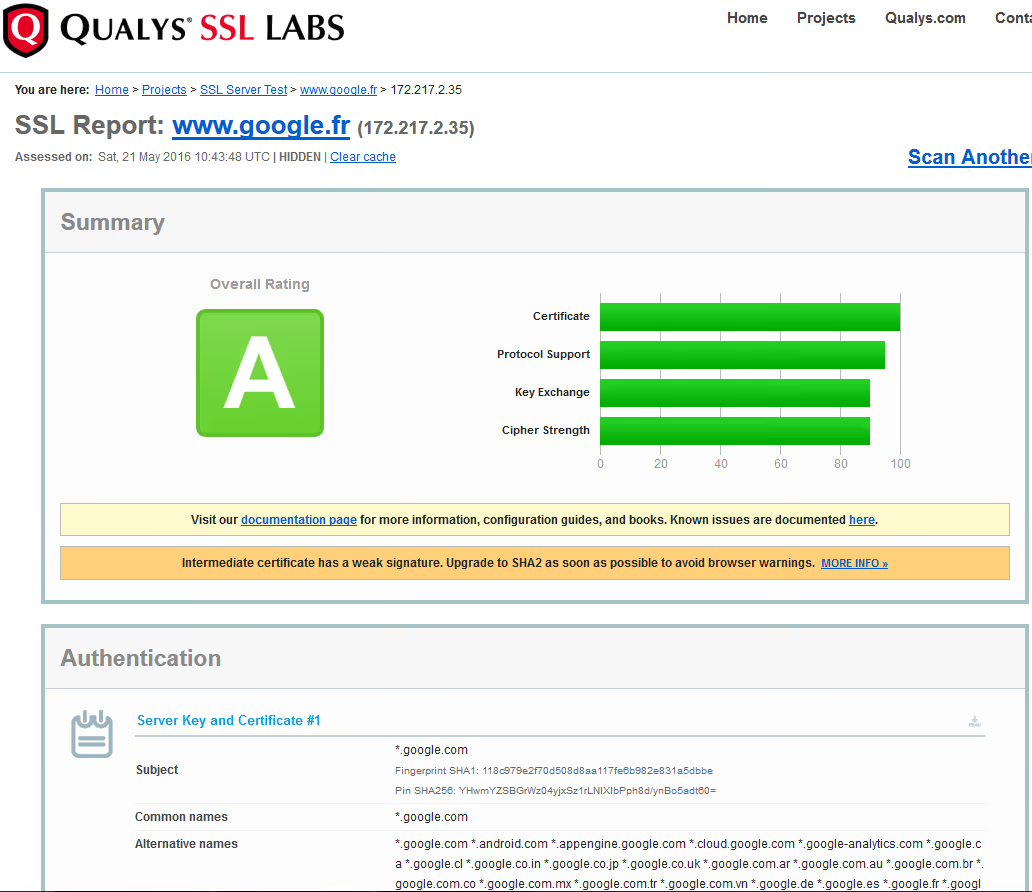
- Use testing tools: Tools such as SSL Labs helps you check your website's SSL, assess its security level, and detect any errors.
- Fixing mixed content errors: Sometimes, after installing SSL, some website content (such as images or scripts) may still load via HTTP instead of HTTPS. You need to fix these mixed content errors to ensure your entire website is fully secure.
Properly installing an SSL certificate not only helps protect user information but also boosts your credibility and improves your Google search rankings, contributing to the long-term success of your website.
Conclusion
Understanding security What is SSL not only helps protect user information but also increases customer trust and improves your website's search engine rankings. If you haven't secured your website with SSL, you are leaving it vulnerable to cyberattacks, risking customer loss, and potentially harming your SEO performance. Don't overlook this essential step to protect your website and stay competitive in the market.