Understanding user search trends has become a critical factor in optimizing SEO and marketing strategies. Google Trends is a powerful tool that helps you not only track search trends but also analyze data to identify potential opportunities. But Google Trends what is it, and how can you use it effectively? This article by Markdao will provide you with detailed instructions on how to maximize this tool and build compelling content strategies based on the latest search trends.
What is Google Trends?
Defining Google Trends
Google Trends is a free tool provided by Google that allows users to track and analyze search trends on Google. By displaying search data over time and by location, this tool helps you better understand user interest in specific keywords or topics.
3 main functions of Google Trends
1. Track keyword search volume over time and by location
Google Trends helps you gauge the level of interest in a keyword or topic over a specific period, ranging from a few days to several years. You can also analyze this data by region, city, or country to understand geographical differences.
2. Compare interest levels between keywords
This tool allows you to compare multiple keywords simultaneously, helping you determine which ones are searched more frequently and are attracting greater user attention.
3. Identify real-time or long-term search trends
Google Trends provides real-time trend data, allowing you to capture "hot" topics of the day. Additionally, you can use long-term data to discover stable and sustainable trends over time.
Why is Google Trends important for SEO and Marketing?
- Optimize your keywords: Google Trends is a powerful tool for keyword research. You can identify keywords that are rising or falling in popularity to adjust your SEO strategy accordingly.
- Identify trending topics to create engaging content: Thanks to real-time trend features, you can discover the topics users are most interested in and quickly create content that drives traffic.
- Develop a customer outreach strategy aligned with trends: With the ability to analyze search data by location and time, Google Trends helps you better understand user behavior in specific regions. From there, you can establish more effective marketing strategies to meet customer needs.
Open the Google Trends website here: Google Trends and start exploring the latest search trends today. Google Trends is not just a keyword research tool; it is a powerful companion for guiding your SEO and marketing strategies.
5 steps to identify new search trends using Google Trends
Effectively using Google Trends will help you create engaging content, optimize SEO, and build an effective marketing strategy. Below are the detailed steps to identify new search trends using Google Trends.
Step 1: Access Google Trends and set your initial parameters
Access Google Trends:
- To get started, open the Google Trends website at: https://trends.google.com.
- This is where you can track trending search queries globally or by specific region.
Set the necessary parameters:
- Region: Select the country or region you want to analyze, for example: Vietnam, the United States, or worldwide.
- Time range: Choose a time frame that suits your goals, such as "past 7 days," "past 30 days," or "past 5 years."
Example: If you want to analyze long-term trends, select a time frame of 1 year or more.
- Search type: Google Trends allows you to analyze different types of searches:
- Web search
- Image search
- News
- YouTube
- Google Shopping
- Setting the correct parameters will help you obtain data that is most relevant to your analysis needs.

Step 2: Use the "Trending Searches" feature
Explore trending topics:
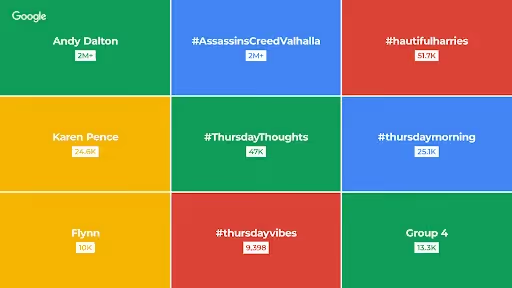
- The "Trending Searches" section displays topics that are hot in real-time.
- You can choose to view daily or real-time trending searches for a specific country or worldwide.
Practical application:
Example: If "Google AI" is a trending topic for the day, you could create related content such as "What is Google AI?" or "Applications of Google AI in marketing."
→ By leveraging trending topics, you can capture current user demand and quickly create engaging content.
Step 3: Compare keywords to identify potential trends
Use the "Compare" feature:
- This feature allows you to compare the interest levels between keywords.
- How to do it: Enter up to 5 keywords into the search box to compare their trends.
Illustrative example:
Compare keywords "AI content" and "SEO tools" over the past 12 months.
→ Result: If the keyword "AI content" shows a more stable growth trend, you should focus on creating content related to this topic.

Step 4: Analyze by seasonality and region
Analyze by time (seasonality):
Google Trends allows you to detect seasonal trends based on time.
Example: Keyword Tet gifts typically see a sharp increase in search volume in December and early January.
Regional analysis:
This tool helps you identify search trends by specific location or country.
For example: The keyword "Street food" may be more popular in Ho Chi Minh City than in the northern provinces.
→ Based on regional data, you can adjust your marketing strategy or content to reach the right audience.
Step 5: Use the "Related Topics/Queries" feature
Find related topics and keywords:
- The "Related Topics" and "Related Queries" sections suggest secondary keywords or related topics that are currently being searched.
- These keywords can be opportunities to expand your content or discover new trends.
Application:
For example: When searching for "what is Google Trends," you might see related keywords like "google search trends" or "open google trends website."
→ Leverage these keywords to build a detailed content strategy and attract more traffic.

Identifying new search trends with Google Trends is a vital skill in SEO and marketing. By following the steps above, you can utilize Google Trends to track user behavior, capture emerging trends, and optimize your content.
Tips for using Google Trends to identify trends from Markdao
Here are some great tips from Markdao to help you use Google Trends effectively, ensuring you identify trends accurately and build a successful content strategy.
Don't rely solely on Google Trends
While Google Trends provides useful information about search trends, you should combine it with other tools for a more comprehensive view:
- Google Keyword Planner: Use this to determine average monthly search volume and keyword competition. Google Trends can indicate trends, but Google Keyword Planner will help you assess the actual value of those keywords.
- Ahrefs or SEMrush: These tools provide in-depth keyword insights, including related keywords, backlinks, and overall SEO performance.
- Combine with real-world data: Compare results from Google Trends with other tools to verify accuracy before applying them to your SEO or marketing strategy.
Example: If Google Trends shows that the keyword "AI content" is growing, use Ahrefs or SEMrush to see if it has high competitive potential before investing in content.

Choose a timeframe that aligns with your research goals
Time is a critical factor in trend analysis. Selecting the right timeframe will help you better understand how a trend is evolving.
- Short-term: Select a timeframe like "past 7 days" or "past 30 days" to analyze real-time trends. This is useful when you want to quickly capitalize on emerging trends.
Example: Search for "2025 Tet discounts" over the past 30 days to optimize holiday marketing campaigns.
- Long-term: A timeframe of "past 5 years" or "from 2004 to present" helps you identify sustainable, long-term trends.
Example: Analyze the keyword "marketing automation" over the past 5 years to identify industry growth trends.
Ensure that the timeframe you choose aligns with your objectives: whether you are pursuing short-term trends or focusing on long-term strategies.
Verify the accuracy and sustainability of a trend
Before investing time and resources into content or a campaign based on a trend, you need to verify:
- Trend accuracy: A trend may appear quickly but does not always reflect actual demand. Use tools like Google Keyword Planner to confirm the average monthly search volume for a keyword.
- Sustainability: Analyze long-term trends to ensure you aren't just chasing short-lived "hot trends" while ignoring topics with lasting value.
Example: The keyword "tech gifts" might be popular for a short time, but the keyword "smart technology" has long-term growth potential.
- In-depth analysis via trend charts: Review the trend chart from Google Trends to evaluate the stability and growth of a keyword over time.
Combine with local and industry-specific factors
Google Trends not only helps you track global trends but also provides data by region. This is extremely useful if you want to focus on a specific target audience.
- Local analysis: Use the "region" option to understand search interests in specific countries, cities, or areas.
Example: The keyword "Hanoi cuisine" may be more popular in Northern Vietnam than in the South.
- Focus on industry: Google Trends also supports analysis by specific categories, such as searches on YouTube, Google Shopping, or news. This helps you optimize content tailored to each platform.
To identify new search trends effectively, Google Trends is indispensable, but you should also combine it with other SEO tools to ensure accuracy and comprehensiveness. Always select the appropriate timeframe, check the sustainability of the trend, and leverage local factors to optimize your SEO and marketing strategy.
Conclusion
Google Trends is not just a tool for tracking search trends; it also supports content strategy optimization, enhances SEO effectiveness, and helps you reach your customers' actual needs. By setting reasonable parameters, analyzing trends over time, comparing keywords, and integrating other tools, you can quickly identify new market opportunities. Start exploring Google Trends today to stay ahead in capturing demand and creating content that delivers real value!