What is A/B TestingIt is a crucial testing method that helps businesses evaluate and optimize the performance of their websites, advertisements, and marketing campaigns. By comparing two different versions of an element (such as a headline, CTA button, or web interface), A/B Testing identifies which version performs better based on real data. In this article, we will explore A/B Testing in detail, how to implement it, and key considerations for achieving optimal results.
What is A/B Testing?
What is A/B TestingA/B Testing is a method of comparing two different versions of an element on a website, advertisement, or marketing campaign to determine which one performs better. These two versions are typically referred to as:
- Version A (Control): The original version with no changes.
- Version B (Variation): The version with changes to one or more elements to test their impact on performance.
This method helps businesses optimize content, user interface (UI/UX), and increase conversion rates.
How A/B Testing works
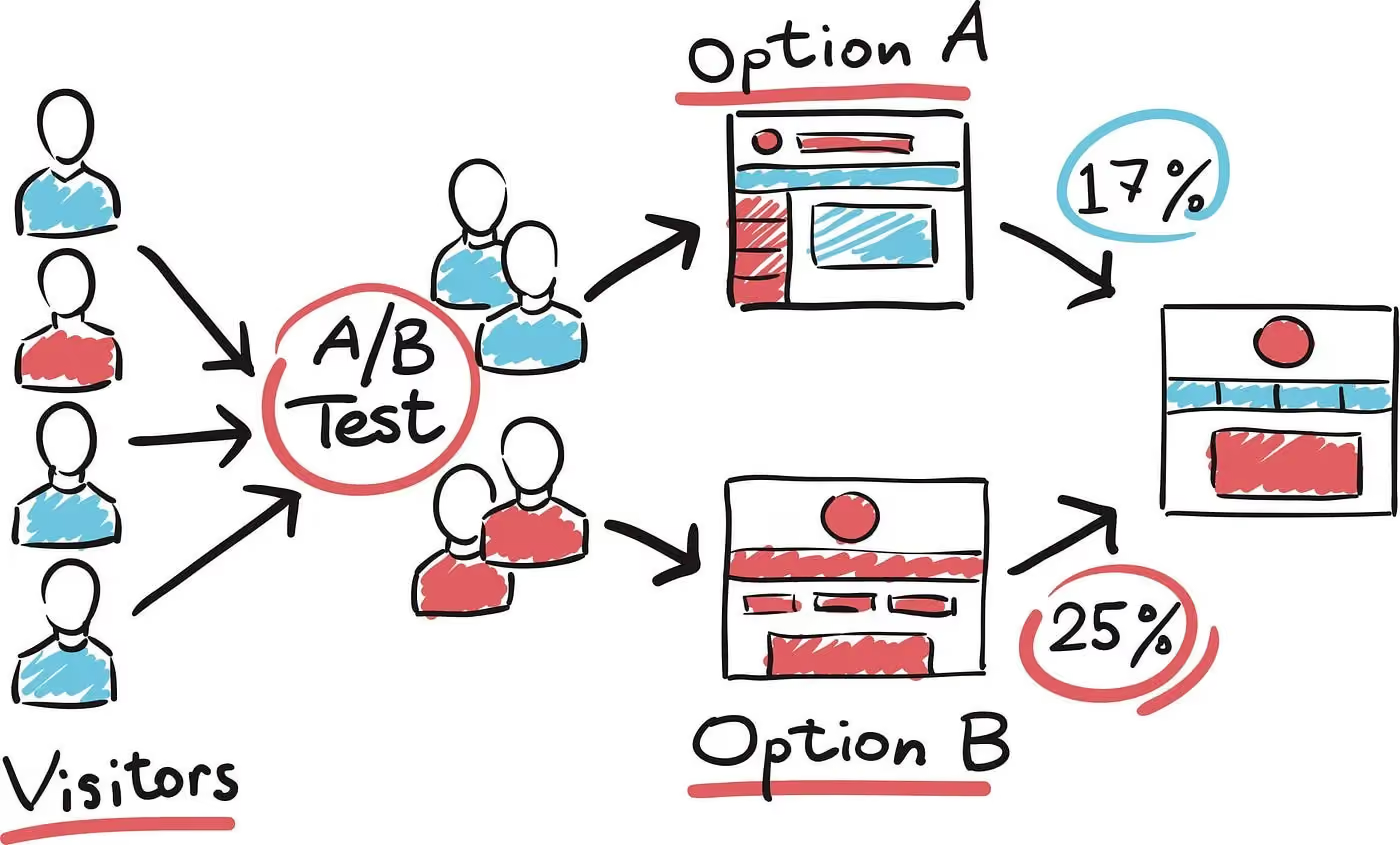
A/B Testing operates on the principle of comparing two versions under the same conditions to evaluate which one yields better results. The process is as follows:
1. Identify the element to test: Choose a specific component to change (headline, CTA button color, image, ad copy, etc.).
2. Create two versions: Version A remains unchanged, while Version B includes the modification.
3. Split the user groupUsers are randomly assigned to two groups, with each group seeing a different version.
4. Data collectionThe system tracks performance metrics such as click-through rate (CTR), conversion rate (CR), time on page, and more.
5. Analyzing resultsThe version with better metrics is selected for official implementation.
A simple, easy-to-understand example of A/B Testing
For example, a business wants to increase the click-through rate for a button "Buy Now" on their product page. They decide to test two versions of the CTA button:
- Version A: A blue button with the text "Buy Now".
- Version B: A red button with the text "Order Now".
After a period of testing, the data shows that version B has a 20% higher click-through rate than version A. Consequently, the business can use version B to optimize performance.
The importance of A/B Testing
1. Helps optimize website performance and marketing campaigns
A/B Testing helps businesses determine which version of content, design, or advertising delivers the best performance. This is especially important for optimizing user experience (UX/UI), email marketing content, and PPC advertising (Google Ads, Facebook Ads).
2. Improves Conversion Rate Optimization (CRO)
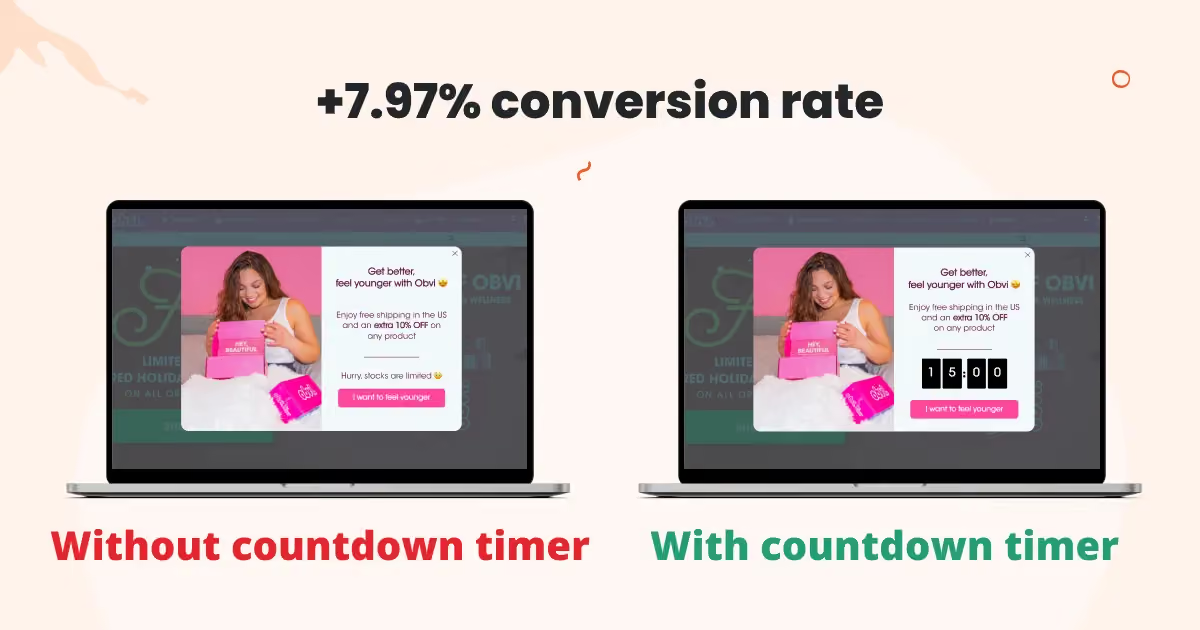
One of the primary goals of A/B testing is to increase conversion rates. Whether it is improving ad click-through rates, growing email sign-ups, or boosting sales, continuous testing helps maximize performance.
For example: Simply changing a landing page headline to be more relevant can increase conversion rates by up to 30-40%.
3. Eliminate guesswork and make decisions based on real data
Instead of making decisions based on intuition or speculation, A/B testing allows businesses to make decisions based on actual data. This minimizes the risk when implementing major changes to a website or marketing campaign.
Example: If a business changes its entire website interface without prior testing, it could lead to a decrease in conversion rates rather than an increase. Conducting A/B testing before making changes helps identify the most optimal approach.
Basic components of A/B testing
To conduct A/B testing effectively, you need to clearly understand the basic components of this process.
Version A (Control) and Version B (Variation)
A/B testing works by comparing two versions of an element to see which one delivers better results.
- Version A (Control): This is the original version, with no changes made. It is the version that users are currently interacting with before the test begins.
- Version B (Variation): This is the version that includes changes intended to test how those modifications impact performance.
Example:
- Version A: CTA button is blue with the text "Sign up now".
- Version B: CTA button is red with the text "Join now".
If version B has a higher click-through rate (CTR) than version A, the business can adopt this version to optimize the user experience.
Elements that can be tested in A/B Testing
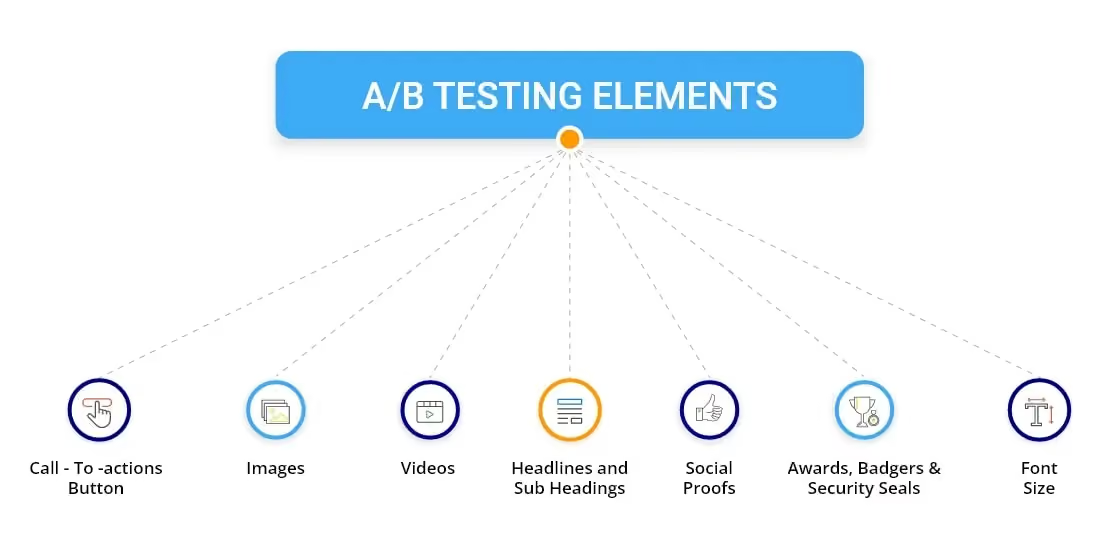
During the A/B testing process, many elements can be tested to improve the performance of websites, advertising campaigns, or email marketing. Below are the key elements:
1. Website interface
The website interface and design have a direct impact on user experience (UX) and conversion rates. Some elements that can be tested include:
- Website colors: Test background colors, text colors, or CTA button colors.
- Call to Action (CTA) buttons: Test the button's position, size, color, and content.
- Page layout: Arrange content in different positions to see which one yields the highest conversion rate.
Example: An e-commerce website might test two versions of a product page, where:
- Version A: Displays larger and more detailed product images.
- Version B: Displays more products on the same page to give customers more options.
If version B helps increase the purchase rate, the website can apply this layout across the entire site.
2. Content
Content is one of the most important factors influencing user decisions. Some elements that can be tested include:
- Article headlines: Test whether more compelling headlines attract more readers.
- Product descriptions: Test whether concise or detailed product descriptions, or the use of powerful language, performs better.
- Call-to-Action (CTA): Test different variations such as “Buy Now” vs. “Order Today.”
Example:
- Version A: The article title is “5 ways to increase revenue quickly”.
- Version B: The article title is “The secret to increasing revenue by 50% in 30 days”.
If version B attracts more clicks, you can apply this headline style to future articles.
3. Advertising (Ads)
A/B testing in advertising helps optimize marketing campaigns and reduce ad spend. Some elements you can test include:
- Ad imagery: Test different creative visuals and colors to see their impact on click-through rate (CTR).
- Ad headlines: Compare two different headlines to see which one attracts customers better.
- Ad copy: Test length, tone, and writing style to optimize customer response.
Example:
- Version A: Facebook ad with the headline “Get 20% off when you order today!”
- Version B: Ad with the headline “Special offer – Save 20% now!”
If version B gets more clicks, you can apply this headline to future ads.
4. Email Marketing
Email marketing is a key channel for reaching potential customers. Some elements you can test in A/B testing include:
- Email subject line: Test which subject line yields a higher open rate.
- Email content: Test concise content versus detailed content.
- Email send time: Test which time of day or day of the week results in the highest open rate.
Example:
- Version A: The email subject line is “An offer just for you – Get your 30% discount code now”.
- Version B: The email subject line is “30% Flash Sale – Only for 24 hours!”
If version B has a higher open rate, the business can use this subject line style for future email campaigns.
What is A/B testing? It is a testing method that helps businesses optimize marketing campaigns, websites, and ad content by comparing two different versions. Key components of A/B testing include version A (Control) and version B (Variation), along with testable elements such as website interface, content, advertisements, and email marketing.
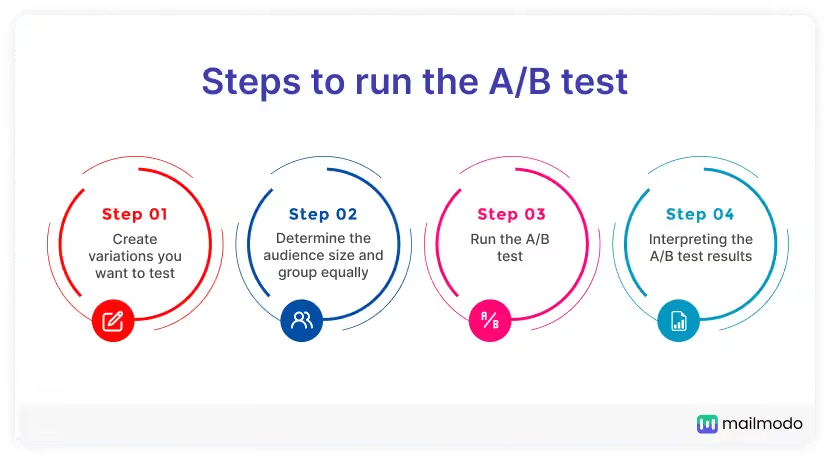
5 detailed steps to perform A/B testing
To perform A/B testing effectively, you need to follow the 5 important steps below.
Define your testing goal
Before starting A/B testing, you need to define specific goals that you want to achieve. Some common A/B testing goals include:
- Increasing the click-through rate (CTR) for the "Buy Now" button on product pages.
- Reducing the bounce rate by changing the website layout.
- Increasing email sign-ups by testing different subject lines.
Example: An e-commerce site wants to test whether a red or blue CTA button will attract more clicks. The test goal would be to increase the CTA button click-through rate.
Choose the element to test
In each test, you should only change a single element to ensure accurate results. If you change too many elements at once, you won't know which one influenced the outcome.
Some common elements you can test:
- CTA buttons: Color, size, placement, and copy.
- Article or email headlines: How you write your headline has a major impact on your open rate.
- Website layout: Test which content arrangement leads to better user engagement.
- Ad imagery: Changing the image can affect your click-through rate.
Example:
- Version A: A blue CTA button with the text “Sign up now”.
- Version B: A red CTA button with the text “Get the offer now”.
If version B has a higher click-through rate, it proves that the color and text of the CTA button have a significant impact on user behavior.
Define your target audience and distribute traffic
After selecting the elements to test, you need to segment your users in a way that is fair and random to ensure accurate results.
Split users into two random groups:
- 50% of users will see version A (Control).
- 50% of users will see version B (Variation).
Use A/B testing tools:
- Google Optimize – A free tool from Google to help run tests on your website.
- VWO (Visual Website Optimizer) – Supports testing across various different elements.
- Optimizely – A professional solution for data testing and analysis.
Example: An e-commerce website wants to test whether product page headlines affect purchase rates. They use Google Optimize to segment customers and display two different headlines.
Collect and analyze data
After running the test for a sufficient period, you need to analyze the data to see which version performs better. Key metrics to track:
- Click-Through Rate (CTR): Determine which version attracts more clicks.
- Conversion Rate (CR): See which test helps increase sales or sign-ups.
- Time on page: Check which version keeps users on the page longer.
- Bounce Rate: If the new version helps reduce the bounce rate, it proves it provides a better experience.
Data analysis support tools:
- Google Analytics – Track website performance.
- Hotjar – Display heatmaps to see how users interact with your website.
Example: After 2 weeks of testing, the data shows:
- Version A (green button) has a CTR of 4.5%.
- Version B (red button) has a CTR of 6.2%.
→ These results indicate that version B performs better.
Conclusion and implementation of the winning version
After analyzing the data, you can make a decision:
- If version B performs better, you can officially implement it to improve your website or marketing campaign performance.
- If the results are inconclusive or show no significant difference, you can run the test again with a different variation or test a different element.
Example: If testing CTA button colors doesn't make a significant difference, you can move on to testing the copy on the CTA button to see which element has a greater impact.
By conducting A/B testing correctly, you can optimize conversion rates, improve website performance, and make decisions based on real data rather than guesswork.
A/B testing tips from Markdao
Use popular A/B testing tools
1. Google Optimize – A free tool that integrates well with Google Analytics, suitable for small and medium-sized businesses.
2. VWO (Visual Website Optimizer) – Features a user-friendly interface and includes Heatmap functionality to help track user behavior.
3. Optimizely – A powerful tool for large enterprises, supporting testing across websites, mobile apps, and email.
4. Crazy Egg – Provides user behavior tracking via Heatmaps, helping you identify which areas of your website attract the most interaction.
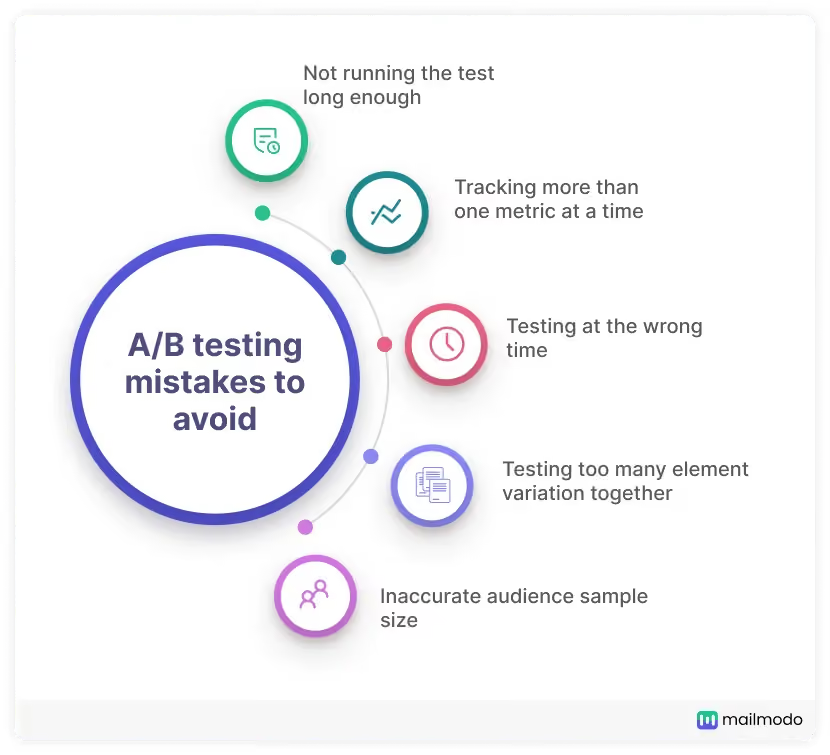
Mistakes to avoid when A/B testing
→ Stopping the test too early
- One of the most common mistakes is ending a test before sufficient data has been collected, which leads to inaccurate results.
- A minimum of 1,000 visits or at least 1-2 weeks is required to ensure meaningful results.
→ Testing too many elements at once
- If you change too many elements (headlines, colors, content, etc.), it will be difficult to determine which one actually influenced the results.
- Test each element individually or use Multivariate Testing if you want to check multiple variables.
→ Improper distribution of test groups
- Users should be randomly split into two groups (50% seeing version A, 50% seeing version B) to ensure objectivity.
- If the test groups are uneven, the results may be skewed.
→ Not checking the statistical significance of results
- Sometimes the difference in conversion rates between two versions is just random chance, with no practical value.
- Use tools like A/B Test Calculator to check for Statistical Significance, ensuring a confidence level of 95% or higher.
Conclusion
A/B testing not only helps businesses eliminate guesswork during the optimization process but also enables data-driven decision-making. When executed correctly, A/B testing can improve conversion rates (CRO), boost marketing campaign performance, and enhance user experience. To achieve the best results, choose the right tools, be patient in collecting data, and analyze your findings carefully. Start applying A/B testing today to elevate the performance of your website and campaigns!