In the world of digital marketing, tracking and analyzing data play a crucial role in optimizing campaign performance. That is why tracking has become an indispensable tool, especially for Facebook advertisers.
Tracking helps businesses understand customer behavior, measure advertising effectiveness, and optimize costs accurately. But how do you implement tracking effectively? Which tools best support Facebook Ads tracking? Let's join Markdao to explore the details in this article.
What is tracking in marketing?
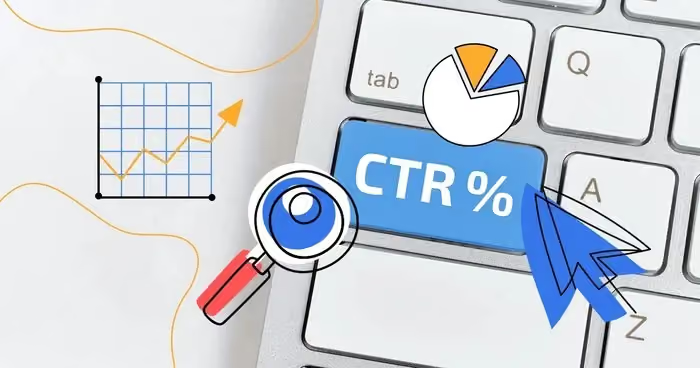
Tracking in marketing is the process of collecting, analyzing, and monitoring data on user behavior as they interact with advertising campaigns or media channels. This data can include clicks, time on page, purchase actions, bounce rates, and many other factors.
Tracking helps businesses better understand how customers respond to ads, allowing for appropriate adjustments to improve campaign performance. This is the foundation for optimizing marketing strategies and ensuring that advertising budgets are used most effectively.
Why is tracking important in marketing?
1. Measuring campaign effectiveness: Not every advertising campaign delivers the expected results. Tracking helps businesses know exactly which channels are performing well and which ones need optimization or should be eliminated.
2. Understanding customer behavior: Tracking provides data on customer interests, browsing habits, and shopping behavior. From there, businesses can create personalized content, improve user experience, and increase conversion rates.
3. Optimizing advertising costs: By leveraging tracking data, businesses can allocate budgets more reasonably, avoid wasting money on ineffective campaigns, and focus on the channels that generate the highest returns.
4. Improving remarketing strategies: With tracking data, businesses can retarget customers who have interacted but have not yet made a purchase. This increases the chances of conversion without having to attract new customers from scratch.
5. Supporting data-driven decision making: Instead of relying on intuition, tracking helps marketers make decisions based on real data, thereby building more accurate and effective marketing strategies.
Tracking is not just a measurement tool; it is a foundation that helps businesses optimize every aspect of their marketing campaigns, from advertising to customer care. In an increasingly competitive market, effective use of tracking creates a significant advantage for businesses.
What is Facebook Ads tracking?
Facebook Ads tracking is the process of monitoring, collecting, and analyzing data on user behavior as they interact with ads on Facebook. Through tracking tools, advertisers can understand how their ads are performing, who clicked on them, who converted, and how to optimize budgets for maximum efficiency.
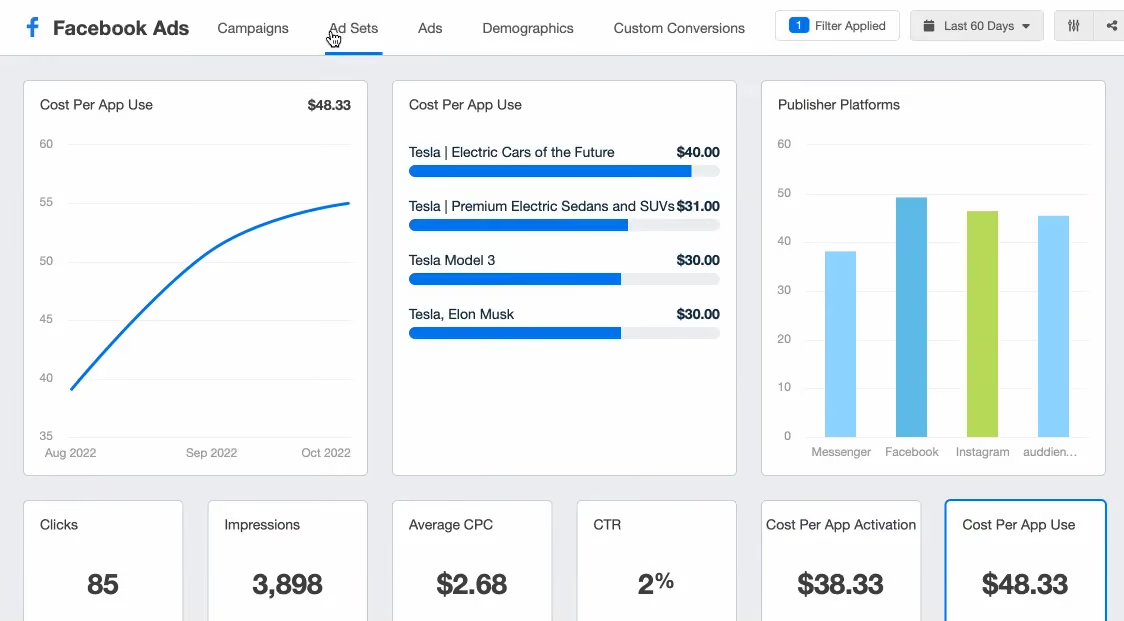
Facebook provides various tracking methods to help businesses accurately measure ad performance. Popular tools include Facebook Pixel, Conversion API, UTM Tracking and other data analytics solutions.
How Facebook Ads tracking works
Facebook Ads tracking works by collecting data from users as they interact with ads. This data can be recorded in the following ways:
1. Facebook Pixel
- A JavaScript code snippet installed on a website to track user behavior after they click on a Facebook ad.
- Helps measure ad performance, optimize conversions, and create custom audiences for remarketing.
2. Facebook Conversion API (CAPI)
- Sends data directly from the business's server to Facebook's server, enabling more accurate tracking even when users employ cookie blockers.
- Mitigates the impact of new privacy policies like iOS 14.5, helping to ensure accurate measurement data.
3. UTM Tracking
- These are parameters added to ad URLs to track traffic sources from Facebook Ads in Google Analytics.
- Allows for detailed performance analysis of individual campaigns, ad sets, and specific ads.
4. Facebook Ads Manager & Event Manager
- Provides detailed reports on impressions, clicks, conversion rates, cost per action (CPA), and many other metrics.
- Helps advertisers easily evaluate campaign effectiveness and optimize budgets.
Why use Facebook Ads tracking?
- Accurately measure ad performance, helping businesses identify which campaigns are generating the highest revenue.
- Optimize advertising budgets, focusing spending on high-potential customer segments.
- Create effective remarketing campaigns, targeting customers who have previously interacted or made a purchase.
- Minimize the impact of privacy policies, helping to maintain critical data even when browsers restrict cookie collection.
Facebook Ads tracking is an indispensable part of any online advertising strategy. Properly implementing tracking tools will help businesses maximize the potential of the Facebook platform and achieve higher returns from their advertising campaigns.
6 effective tools for Facebook Ads tracking
Tracking Facebook Ads plays a crucial role in measuring and optimizing ad performance. Below are the most effective tracking tools to help advertisers monitor data accurately and optimize their advertising budgets.
1. Facebook Pixel
Facebook Pixel is the most popular tracking tool provided by Facebook, helping to monitor user behavior when they visit your website after clicking on an ad.
- How it works: Facebook Pixel is a snippet of JavaScript code embedded into your website that tracks actions such as page views, adding products to the cart, completing purchases, and more.
- Benefits:
- Accurately measure ad performance.
- Create Custom Audiences for remarketing campaigns.
- Optimize campaigns based on actual conversion data.
2. Facebook Conversion API (CAPI)
Facebook Conversion API is a tool that sends data directly from your business server to Facebook, rather than relying on browser cookies like the Pixel.
.avif)
- How it works: It operates through a server-to-server connection between your website and Facebook to send event data in real-time.
- Benefits:
- Helps maintain accurate tracking even when users employ ad blockers or browse in private mode.
- Mitigates the impact of privacy policies such as iOS 14.5.
- Improve conversion data accuracy to optimize your ads more effectively.
3. UTM Tracking
UTM (Urchin Tracking Module) parameters are snippets of code added to ad URLs to track traffic sources in Google Analytics.
- How it works: When a user clicks on an ad with UTM parameters, Google Analytics records the traffic source as coming from your Facebook Ads campaign.
- Benefits:
- Helps accurately identify traffic sources from Facebook Ads.
- Supports performance analysis for specific campaigns, ad sets, and individual ads.
- Integrates with Google Analytics to measure user behavior after they click on your ads.
4. Google Analytics 4 (GA4)
Google Analytics 4 is a powerful tool for tracking and analyzing user behavior across multiple sources, including Facebook Ads.
.avif)
- How it works: Google Analytics collects data from your website or app and provides detailed reports on user behavior.
- Benefits:
- Provides detailed analysis of how users interact with your website after clicking on Facebook ads.
- Supports omnichannel tracking, helping you evaluate the role of Facebook Ads within your overall marketing strategy.
- Combines with UTM Tracking to measure the effectiveness of your advertising campaigns.
5. Google Tag Manager (GTM)
Google Tag Manager helps manage and deploy Facebook Pixel, Conversion API, Google Analytics, and many other tracking tools without needing to directly edit the website source code.
- How it works: Allows you to add, edit, and manage tracking codes through an intuitive interface without needing to touch the website's code.
- Benefits:
- Makes tracking implementation easier without requiring a developer.
- Manages multiple tracking codes simultaneously, preventing conflicts between scripts.
- Supports testing and debugging tracking before official deployment.
6. Facebook Ads Manager & Event Manager
Facebook Ads Manager and Event Manager are two native Facebook tools that help manage advertisements and track conversion events.
- Facebook Ads Manager:
- Provides performance reports on ads, such as impressions, clicks, conversion rates, and cost per action (CPA).
- Supports budget optimization and ROI measurement for advertising campaigns.
- Facebook Event Manager:
- Helps track and manage events sent from the Facebook Pixel or Conversion API.
- Supports verifying that tracking events are functioning correctly.
Tracking Facebook Ads is a crucial factor in helping businesses optimize advertising campaigns and increase profitability. Using a combination of tools such as Facebook Pixel, Conversion API, UTM Tracking, Google Analytics, and Google Tag Manager will help advertisers measure performance more accurately, improve remarketing strategies, and optimize advertising budgets effectively.
3 Ways to optimize tracking for maximum effectiveness
Effective tracking not only helps you collect accurate data but also improves the performance of your Facebook Ads. Below are ways to optimize your setup to make the most of your tracking tools.
1. Fully set up Facebook Pixel and Conversion API
Facebook Pixel is an essential tool for tracking user behavior on your website, while the Conversion API (CAPI) helps send data directly from your server, minimizing data loss caused by cookie blocking. To optimize tracking effectiveness, you should:
- Install Facebook Pixel correctly and verify its activity using Facebook Pixel Helper.
- Integrate Conversion API to ensure data is not lost due to browser privacy policies.
- Configure Aggregated Event Measurement (AEM) to accurately track key events, especially for iOS users.
2. Use UTM Tracking to accurately monitor traffic sources
UTMs help you measure campaign performance by tracking specific traffic sources. By adding UTM parameters to your ad URLs, you can easily analyze data in Google Analytics to identify which campaigns are delivering the best results.
Example of a URL with UTM parameters:
https://yourwebsite.com?utm_source=facebook&utm_medium=ads&utm_campaign=sale_2024&utm_content=ad_version_1
Optimization tips:
- Use the Google URL Builder tool to create standard UTMs.
- Clearly label your campaign names to make performance analysis and comparison easier.
3. Monitor and analyze data regularly
To ensure your tracking is working effectively, you need to monitor data from multiple sources such as Facebook Ads Manager, Google Analytics, and Event Manager. This helps you detect tracking issues early and optimize your advertising strategy. Some key tips:
- Check conversion events in Event Manager to ensure data is not duplicated or recorded incorrectly.
- Compare data from multiple sources (Facebook, Google Analytics, CRM) to ensure accuracy.
- Update your tracking strategy whenever Facebook changes its algorithms or introduces new privacy policies.
By optimizing your Facebook Pixel, Conversion API, and UTM Tracking and monitoring data closely, you can improve your Facebook Ads performance and increase your conversion rates. Regularly check and adjust your tracking system to ensure your ads achieve the best possible results.
Conclusion
Tracking in marketing, especially for Facebook Ads, plays a vital role in collecting data, measuring performance, and optimizing advertising campaigns. Implementing tools such as Facebook Pixel, Conversions API, and UTM tracking along with data analytics solutions will help businesses improve tracking accuracy, thereby increasing conversion rates and optimizing advertising budgets.
To achieve the best results, advertisers should regularly audit their tracking systems, cross-reference data from multiple sources, and update their strategies in line with platform changes. A robust tracking system not only provides deeper insights into customer behavior but is also key to optimizing marketing campaigns effectively and sustainably.