




Google Webmaster Guidelines are a vital set of principles that help websites comply with Google's standards, ensuring sustainable search engine rankings. Optimizing SEO according to Google Webmaster Guidelines not only helps websites avoid penalties but also improves user experience, increases credibility, and boosts search performance.
In this article, we will dive deep into every key element, from Technical SEO and On-page SEO to Off-page SEO and UX/UI improvements, helping you build a comprehensive SEO strategy that aligns with Google's standards.
Google Webmaster Guidelines and their importance in SEO
What are the Google Webmaster Guidelines?
Google Webmaster Guidelines are a collection of official instructions from Google for website administrators. These principles help ensure that a site is properly optimized, search-engine friendly, and provides a great experience for users.
Google Webmaster Guidelines consist of three main categories:
1. Basic Principles: Guidelines on designing user-friendly websites with valuable content that is accessible to Googlebot.
2. Technical Principles: How to optimize website structure, improve page load speed, and ensure the site can be effectively crawled and indexed.
3. Quality Principles: Practices to avoid, such as duplicate content, spam, keyword stuffing, and unnatural links.
Adhering to Google Webmaster Guidelines helps websites achieve higher search rankings and avoid penalties from Google.
Why should you follow Google Webmaster Guidelines?
Following Google Webmaster Guidelines SEO offers many important benefits:
1. Helps your website get indexed and ranked better
Google uses algorithms to evaluate website quality. If your website follows these guidelines, it will be easier for Google to crawl and display your pages in search results.
2. Enhances user experience (UX)
A website that is friendly to Google is also optimized for the user. This helps increase time on page, reduce bounce rates, and improve conversion rates.
3. Protects your website from Google penalties
Google frequently updates its algorithms to remove websites that violate policies, use black-hat SEO, or provide low-quality content. By following Google Webmaster Guidelines, you can avoid these penalties.
4. Creates a sustainable competitive advantage
When your website is optimized according to Google Webmaster Guidelines, you will have an advantage over competitors using unethical SEO tactics. This helps your website grow sustainably in the long term.

Consequences of violating Google's guidelines
Failure to follow Google Webmaster Guidelines can lead to serious consequences:
Your website may suffer a drop in rankings or be removed from search results
- Google may apply an algorithmic penalty if it detects that a website is in violation, which significantly reduces search traffic.
- In severe cases, a website may be de-indexed by Google (removed from search results), causing the site to lose all traffic from Google.
Receiving a warning or a manual action
- Google Search Console will send a notification if a website is penalized for violations such as unnatural links, duplicate content, cloaking, or spam.
- To resolve this, administrators must fix the issues and submit a Reconsideration Request to Google.
Loss of credibility and reduced revenue
- When a website is penalized by Google, traffic drops sharply, impacting revenue from advertising, sales, or services.
- The website may also lose credibility in the eyes of customers and partners.
Google Webmaster Guidelines serve as a roadmap for sustainable website growth, effective SEO optimization, and avoiding Google penalties. Adhering to these principles not only helps improve search rankings but also enhances user experience and protects the website from SEO risks. If you want to build a long-term SEO strategy, you should regularly stay updated on changes from Google.
Guide to SEO optimization according to Google Webmaster Guidelines
Google Webmaster Guidelines serve as a roadmap for optimizing SEO according to Google's standards. Below is a detailed guide on how to optimize your website according to the most important principles in Google Webmaster Guidelines SEO.
Technical SEO
Ensure the website can be crawled and indexed
- Check your robots.txt file to ensure Googlebot can access important pages.
- Create and submit sitemap.xml to Google Search Console to help Google index your site faster.
- Check your website index using the site:yourdomain.com command on Google to determine the number of indexed pages.
Use Google Search Console to check for crawl errors
- Monitor the Coverage report to identify 404, 500, and incorrect redirect errors...
- Check the Crawl Stats report to see how frequently Googlebot crawls your website.
Optimize page loading speed (Page Speed)
Check your website speed using Google PageSpeed Insights and fix issues such as:
- Image compression using WebP and optimized JPG.
- Minify CSS and JavaScript (Minify, Load Async).
- Use a CDN to improve page load performance.
Search engine friendly website structure
- Use breadcrumbs to help users and Google understand the site structure.
- Optimize for SEO-friendly URLs, avoiding long, dynamic URLs.
- Use HTTPS to secure your website and improve Google rankings.

Content optimization (On-page SEO according to Google Guidelines)
Write high-quality content and avoid duplicate content
- Avoid Thin Content (thin, low-quality content) and Duplicate Content (content duplicated across pages).
- Provide valuable, unique content that meets user search intent.
Optimize keywords naturally, avoiding keyword stuffing.
- Insert keywords logically into titles, descriptions, and content without overusing them.
- Use LSI (Latent Semantic Indexing) keywords to diversify your content.
Optimize titles and meta descriptions for SEO.
- Title tag: Engaging, includes the main keyword, and is approximately 50-60 characters long.
- Meta Description: An engaging summary of the content, including keywords, 150-160 characters long.
Clear content structure with H1, H2, and H3 tags.
- Use H1 for the main title (only one H1 per page).
- Use H2, H3 to clearly organize content and make it easier for Google to understand.
Optimize images for SEO
- Use descriptive file names that are meaningful, for example: google-webmaster-guidelines-seo.jpg.
- Use ALT text tags to describe images, helping Google understand their content.
- Compress images using tools like TinyPNG or ImageOptim to reduce file size without sacrificing quality.
Use Schema Markup to help Google better understand your content
- Use Schema Markup to mark up structured data, which helps display rich snippets on Google.
- Common types of Schema include: Article, FAQ, Review, Product, Organization...
Optimize user experience (UX/UI & Core Web Vitals)
Improve Core Web Vitals to optimize page load speed
- Largest Contentful Paint (LCP): Improve the loading time of main content to under 2.5 seconds.
- First Input Delay (FID): Reduce interaction latency on the website to under 100ms.
- Cumulative Layout Shift (CLS): Prevent content from shifting unexpectedly while the page loads.
Responsive website design, mobile-friendly
- Use Google Mobile-Friendly Test to check mobile display performance.
- Optimize interface, fonts, and button spacing to suit mobile devices.
Reduce bounce rate by optimizing UX/UI
- Create an attractive, readable interface, and avoid intrusive ads.
- Use images, videos, and infographics to make content more visual.
Improve time on page by optimizing content
- Use Internal Links to keep users on your website longer.
- Write engaging, easy-to-read content that includes questions, bullet points, and clear CTAs.

Build links according to Google Webmaster Guidelines (Off-page SEO)
Build links naturally and avoid buying or selling backlinks
- Google prioritizes natural backlinksfrom highly credible websites.
- Do not participate in link exchange or buying/selling schemes as you may be penalized.
Effective link-building strategies
- Guest Posting: Write articles for reputable blogs or websites to earn high-quality backlinks.
- Press PR: Publish articles on major news outlets to boost your credibility.
- Content Marketing: Write helpful content to attract natural backlinks.
Avoid link spamming and PBN (Private Blog Network) systems.
- Google may penalize your website if it detects links coming from these networks PBN.
- Only use quality backlinksfrom websites with relevant content.
Identify and remove unnatural links.
- Use Google Search Console → Disavow Tool to disavow toxic backlinks.
- Regularly audit your backlink profile to remove harmful links.
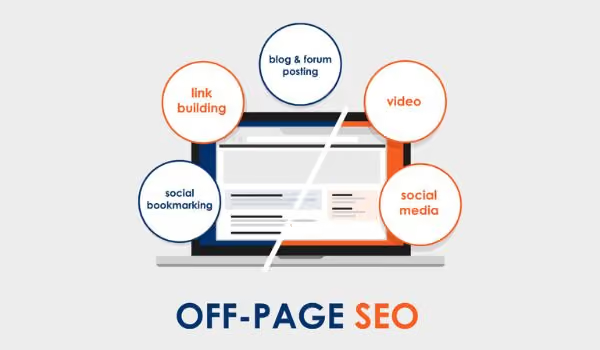
Optimizing SEO according to Google Webmaster Guidelines helps your website grow sustainably, improve search rankings, and avoid Google penalties. Focusing on Technical SEO, On-page SEO, UX/UI, and Off-page SEO will make your site more search-engine and user-friendly. Follow these principles to ensure your SEO strategy achieves the best results.
How to check for and resolve Google Webmaster Guidelines violations
Google Webmaster Guidelines are a set of principles designed to help websites operate correctly and avoid fraudulent behavior or over-optimization that negatively impacts search results. Violating these guidelines can lead to Google penalties, resulting in lower rankings or removal from search indexes. Below is a detailed guide on how to check for and resolve violations according to Google Webmaster Guidelines SEO.
How to check if your website has a manual action using Google Search Console
Google has two main types of penalties: manual actions and algorithmic penalties. Manual actions are assessed and applied by Google's review team.
How to check for manual actions using Google Search Console
- Access Google Search Console at: https://search.google.com/search-console/
- Select the website you want to check.
- Go to Security & Manual Actions → Manual Actions.
- If your website has been penalized, Google will display the reason and provide instructions for resolution.
- If there are no violations, you will see the message: “No issues detected”.

Common types of penalties and how to fix them
Below are some common violations according to Google Webmaster Guidelines and how to address them:
1. Thin Content Penalty
Signs to look for
- The website contains sparse, duplicate, or low-value content.
- Pages consisting only of automatically generated content or content copied from other sites without modification.
- The website has too many pages with incomplete or shallow content.
How to fix
- Remove or improve low-quality content by rewriting it to be in-depth and useful.
- Ensure content is original and not copied from other sources.
- Use Google Search Console → Indexing report to identify thin content pages and optimize them.
- After optimizing, submit a Reconsideration Request for Google to review your website.
2. Unnatural Links Penalty
Signs of detection
- Your website experiences a significant drop in rankings or is removed from search results.
- Receiving a notification in Google Search Console regarding unnatural links.
- Backlinks from spam sites, PBNs (Private Blog Networks), or irrelevant websites.
How to fix
- Use the Google Search Console → Links tool to check your backlink profile.
- Remove low-quality backlinks by contacting website administrators and requesting their removal.
- Use the Google Disavow Tool to disavow bad links.
- After taking action, submit a Reconsideration Request to Google.
3. Cloaking & Hidden Text Penalty (Displaying different content to Google and users)
Signs of detection
- Google is displaying a warning about Cloaking & Deceptive Content in Google Search Console.
- The content shown to users differs from what Googlebot sees.
- The website is using hidden text, hidden keywords, or sneaky redirects to manipulate rankings.
How to fix it
- Check your website using the Google URL Inspection Tool to see the content Googlebot is crawling.
- Remove all hidden content, such as CSS display:none, font-size:0, or white text on a white background.
- Review your source code to ensure there are no sneaky redirects or the use of JavaScript to deceive Googlebot.
- After making adjustments, submit Reconsideration Request for Google to review.
How to submit a Reconsideration Request if your website has been penalized
Once you have addressed the violations, you need to submit a Reconsideration Request for Google to review and lift the penalty.
Step 1: Access Google Search Console
- Go to Google Search Console → Manual Actions.
- Check for violations and ensure they have been fully resolved.
Step 2: Write your reconsideration request
- Specifically describe the violations your website committed.
- Explain in detail the steps you have taken to fix the issues.
- Commit to following Google Webmaster Guidelines SEO in the future.
Step 3: Submit the request and wait for a response
- Click Request a Review to submit your request.
- Google will review it within a few weeks and respond via Google Search Console.
- If Google approves, the penalty will be removed, and your website's rankings may gradually recover.
Violating Google Webmaster Guidelines can cause your website to drop significantly in rankings or be removed from search results entirely. Regularly checking Google Search Console, adhering to SEO best practices, and promptly addressing violations will help your website maintain stable rankings and achieve sustainable growth on Google.
Conclusion
Optimizing SEO according to Google Webmaster Guidelines is an ongoing process that requires regular updates and strict adherence to Google's principles. By focusing on high-quality content, technical optimization, improving user experience, and building natural backlinks, you can help your website achieve high rankings on Google without the risk of penalties. Use Google Search Console to monitor your website's SEO performance and ensure you stay on the right track with your search optimization strategy.


