



A content audit is more than just an assessment tool; it is the "golden key" to optimizing your website and achieving breakthroughs in your SEO strategy. In an era where content is king, regularly auditing and improving content performance helps you maintain your search rankings, enhance user experience, and maximize ROI. So, what exactly is a content audit, and how can you execute this process effectively? Let Markdao explore the details in the article below!
What is a content audit?
A content audit is a comprehensive process of evaluating all content on a website, including articles, images, videos, product pages, and other documents. This process focuses not only on analyzing performance but also on checking how well the content aligns with business goals and user needs.
A content audit is often considered a crucial step in SEO and content management, helping businesses identify which content is performing well, which needs improvement, and which should be removed. For example, an article might attract significant traffic but have a low conversion rate, or an outdated post may no longer be relevant to current trends and require a refresh.

Furthermore, a content audit helps you answer critical questions such as:
- Which content is performing well?
- Which articles are failing to engage readers?
- Is there any duplicate or obsolete content?
- How can the effectiveness of the entire content ecosystem be improved?
In other words, a content audit is your tool for "filtering" and optimizing your entire content library, helping your website operate more effectively and professionally.
Why is a content audit necessary?
1. Optimizing SEO performance
Content is the backbone of SEO, and conducting a content audit helps you identify the strengths and weaknesses of your strategy. You can pinpoint underperforming articles and then re-optimize keywords, titles, meta tags, and improve your internal linking structure.
For instance, if an article that once had high traffic is seeing a decline, you can update it with fresh content, add relevant information, or adjust your keyword strategy to boost its Google ranking. A content audit ensures that every piece of content provides value and contributes to your overall strategy.
2. Enhancing user experience (UX)
Users visit your website to find useful, accurate, and easily accessible information. If a site is cluttered with outdated, irrelevant, or confusing content, it negatively impacts the user experience.
Performing a content audit helps you remove unnecessary content, reorganize information architecture, and provide content that meets your readers' needs. As a result, bounce rates decrease, time on page increases, and users feel more satisfied when interacting with your website.
.avif)
3. Optimize content ROI
Every article, image, or video represents an investment of time and resources. However, not all content delivers the expected value. A content audit helps you evaluate the performance of each piece of content so you can focus on high-potential assets while removing or repurposing underperforming ones.
For example, an article with low traffic but a high conversion rate should be optimized and promoted further. Conversely, ineffective content can be refreshed or combined with other pieces to increase its value.
4. Identify outdated and duplicate content
Long-standing websites often contain outdated or duplicate content, which wastes resources and negatively impacts SEO. A content audit helps you review and identify posts that need to be updated or removed.
For example, an article on "Marketing Trends 2020" may no longer be relevant, but you can repurpose it by updating it to "Marketing Trends 2025." This not only keeps your website fresh but also optimizes SEO performance.

5. Support long-term content strategy development
The data collected from a content audit is a valuable resource for building a long-term content strategy. You will learn which content resonates with your target audience, allowing you to plan production and optimize content more effectively.
For example, if articles related to "SEO Basics" receive high engagement, you can expand on this topic by writing follow-up pieces like "Advanced SEO Guide" or "SEO Trends 2025."
6-step process for conducting a website content audit
To conduct an effective content audit, you need to follow a systematic and clear process. Below are the specific steps:
1. Define the goals of your content audit
Before you begin, clearly define the reasons and goals you want to achieve through the content audit. Each goal will determine how you approach the process:
- Improve SEO: Focus on optimizing content, keywords, and internal links.
- Increase conversion rates: Evaluate content related to customer touchpoints.
- Optimize user experience: Analyze the website's content structure and usability.
- Remove ineffective content: Aim to identify outdated, duplicate, or low-value content.

For example: If your goal is to improve SEO rankings, you should focus on analyzing keywords, meta descriptions, and content quality.
2. Collect and inventory existing website content
Once you have defined your goals, you need to collect all existing content on your website. This process includes:
- Create a URL list: Use tools like Screaming Frog, Google Analytics, or SEO plugins to gather all URLs from your website.
- Categorize content: Group content into specific categories such as blog posts, product pages, about pages, videos, images, etc.
- Create a tracking sheet: Set up a spreadsheet (Google Sheets, Excel) to track all key information for each piece of content, for example:
- URL
- Article Title
- Publication Date
- Word Count
- Traffic
- Bounce Rate
- Conversion Rate
Creating a detailed list will give you an overview and make it easier to analyze the performance of each piece of content.
3. Evaluate current content performance
This step is the core of the Content Audit process, where you analyze each piece of content based on performance metrics. Here are the factors to consider:
SEO performance:
- Is the article optimized for the main keyword?
- Is the meta description engaging and relevant?
- Are the internal links sufficient and logical?
- Is the URL search engine friendly?
User performance:
- Does the content meet the reader's needs?
- Is the article easy to understand, engaging, and does it provide real value?
- Does the content have spelling errors, grammatical mistakes, or poor formatting?
Business performance:
- Does this content contribute to increasing the conversion rate?
- Are the Calls-to-Action (CTAs) effective?
- Does the content encourage users to take actions such as signing up, making a purchase, or getting in touch?
You can use tools like Google Analytics, SEMrush, or Ahrefs to evaluate metrics such as traffic, bounce rate, time on page, and backlinks.

4. Categorize and make decisions for each piece of content
After evaluating, categorize your current content into 3 groups:
- Keep: High-performing content that fully meets SEO, UX, and business objectives.
- Update: Content with potential that requires keyword optimization, new information, or structural improvements.
- Delete: Outdated, duplicate, or irrelevant content that no longer aligns with current strategy.
Example: An article on "Tech Trends 2020" could be updated to "Tech Trends 2025" with the latest data and insights.
5. Optimize and implement necessary adjustments
For content in the "Update" category, make edits to improve quality and performance. Key adjustments include:
- Adding or updating primary and related keywords.
- Improving titles, meta descriptions, and content to make them more engaging.
- Correcting spelling, grammar, and formatting errors.
- Adding images, videos, or supporting materials as needed.
- Optimizing page load speed and internal linking structure.
For content that needs to be removed, consider:
- Setting up 301 redirects to similar articles to avoid traffic loss.
- Deleting it entirely if the content no longer holds value or relevance.
6. Monitor and evaluate after the Content Audit
Once finished, monitoring the results is a step you cannot skip. You need to continuously check the performance of the optimized content and make adjustments as necessary. Use SEO tools to measure effectiveness over time, such as:
- Has traffic increased?
- Has the conversion rate improved?
- Is the content ranking higher on Google yet?
A content audit is not a one-time task; it should be performed periodically (every 3-6 months) to ensure your website content remains up-to-date and effective.
6 tools to support your content audit
To conduct an effective and time-efficient content audit, you cannot overlook the help of specialized tools. Below are popular and powerful tools to help you analyze, evaluate, and optimize your website content:
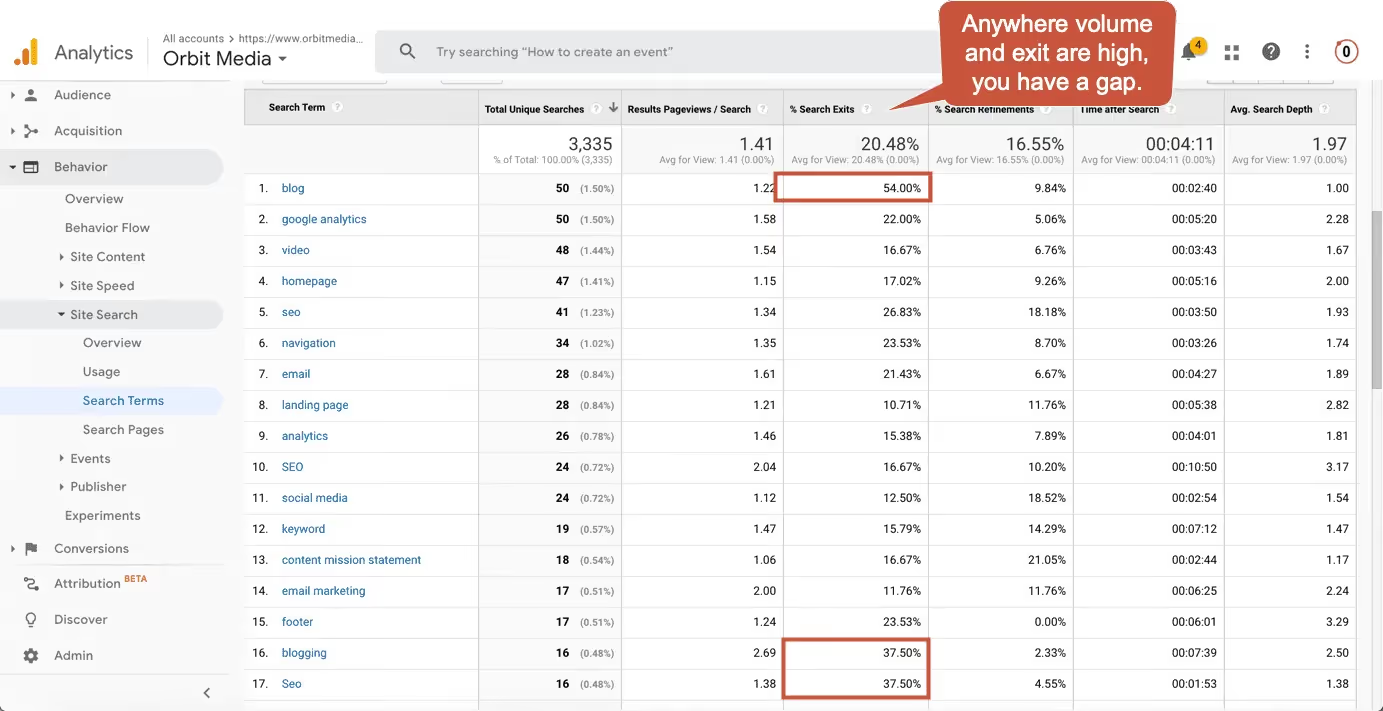
1. Google Analytics
Google Analytics is the most popular free tool for tracking website content performance.
- Key functions:
- Analyze traffic, time on page, and bounce rate.
- Track user behavior on the website.
- Identify which content pages generate the most traffic and conversions.
- Benefits:
- Helps you understand which articles are performing well and which ones need improvement.
- Make decisions based on actual data.
Example: You can see which articles have a high bounce rate to adjust the content or optimize your Call-to-Action (CTA).
2. Screaming Frog SEO Spider
Screaming Frog is an in-depth tool for crawling and analyzing your entire website's content.
- Key features:
- Crawl all URLs on your website.
- Check internal link status, 404 errors, and redirects.
- Analyze meta tags, titles, and content structure.
- Benefits:
- Save time on URL mapping and identifying technical SEO issues.
- Ideal for large websites with thousands of pages.
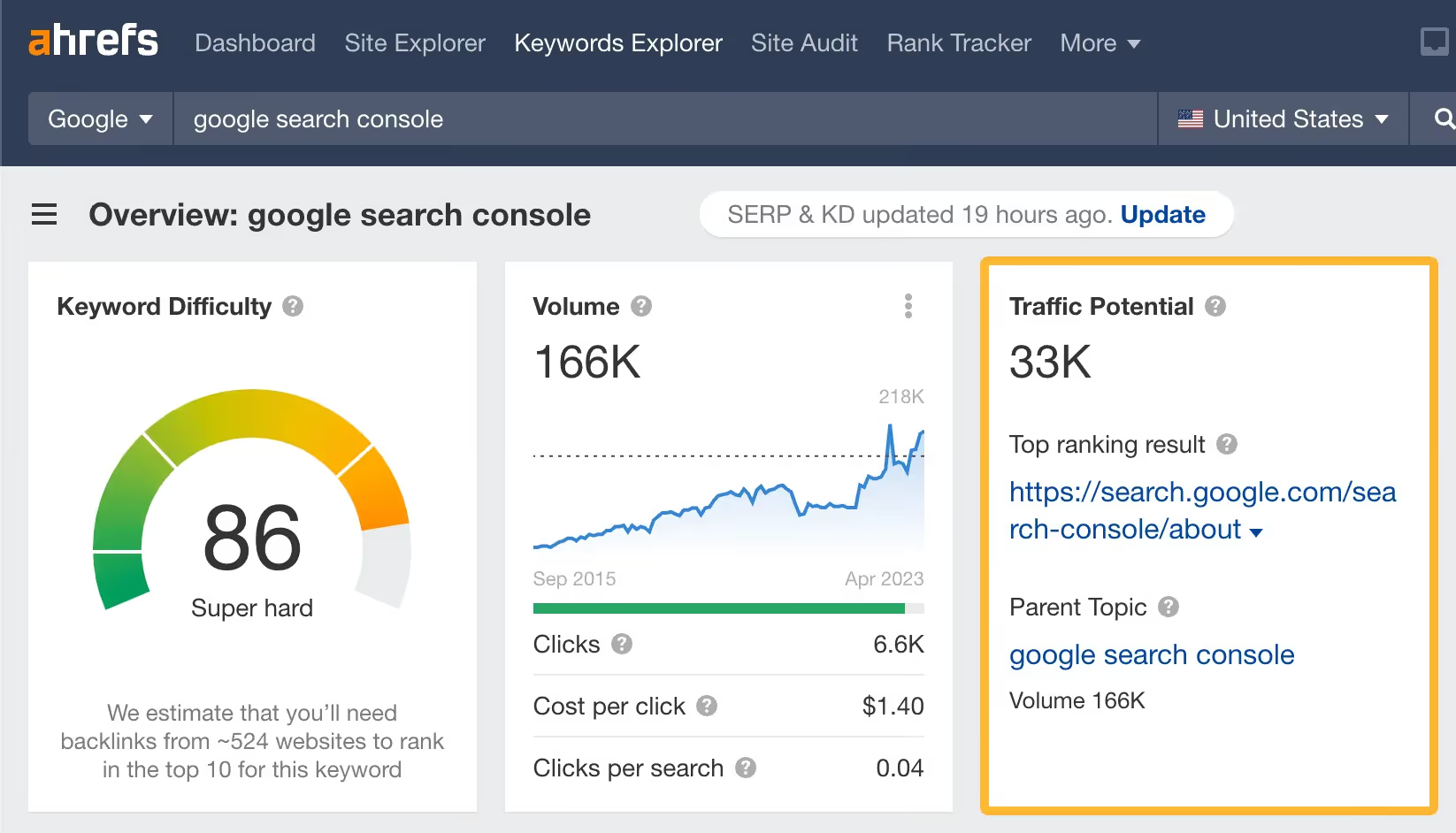
3. Ahrefs
Ahrefs is a powerful SEO tool that supports content and link analysis.
- Key features:
- Analyze keywords, backlinks, and content performance.
- Track search engine rankings for your articles.
- Evaluate traffic to individual articles.
- Benefits:
- Helps you identify which content has high-quality backlinks so you can continue to optimize it.
- Supports competitor analysis to improve your content strategy.
For example, you can compare your competitors' keywords and content to create superior articles.
4. SEMrush
SEMrush is an all-in-one tool that provides comprehensive SEO and content analysis.
- Key features:
- Evaluate traffic, keywords, and content performance.
- Perform SEO health checks and detect website errors.
- Suggest new keywords and topics for content development.
- Benefits:
- Helps you track content improvements following a Content Audit.
- Identify keyword optimization opportunities to boost article rankings.
5. Google Search Console
Google Search Console is a free tool from Google that helps you monitor content performance in search results.
- Key features:
- Track impressions, clicks, and CTR (Click-Through Rate) for your articles.
- Analyze which keywords are driving traffic.
- Detect technical errors on your website.
- Benefits:
- Helps you understand how Google evaluates your content.
- Provides necessary adjustments to improve SEO rankings.
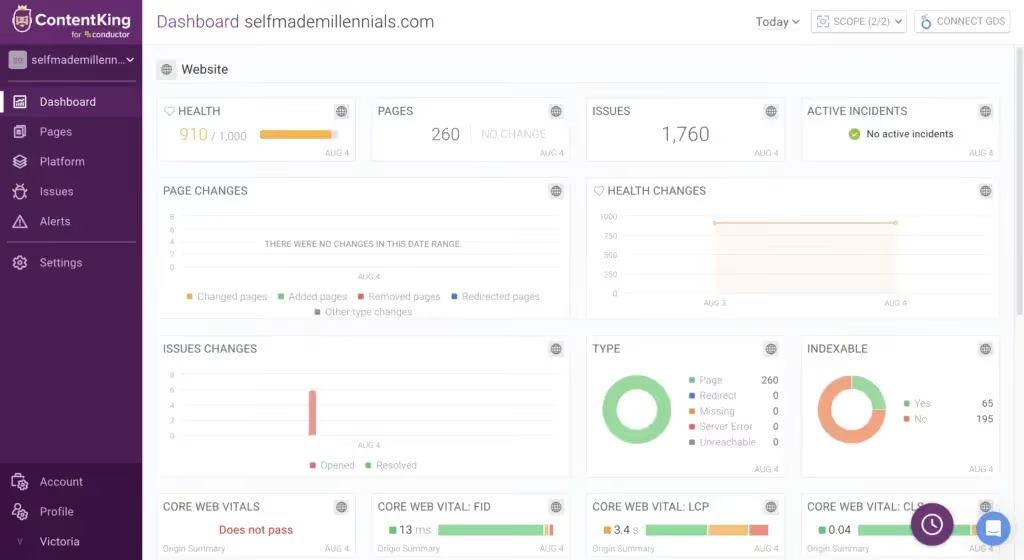
6. ContentKing
ContentKing is a specialized tool for monitoring and optimizing website content.
- Key features:
- Real-time website content monitoring.
- Detects sudden changes on your website.
- Provides content and SEO optimization suggestions.
- Benefits:
- Useful for detecting issues immediately for timely fixes.
- Continuous optimization without waiting for results from periodic audits.
Choosing the right tool will save you time and increase efficiency during your content audit. Depending on your specific goals and website scale, you can combine multiple tools to achieve the best results.
Conclusion
A content audit is not only a crucial step in a content optimization strategy but also the key to improving website performance. By following a structured audit process and using the right supporting tools, you can easily evaluate, optimize, and enhance content quality. This not only helps your website attract more traffic but also improves user experience and boosts conversion rates.
Remember that a content audit is not a one-time task. It is a process that needs to be repeated periodically to ensure your content remains relevant, valuable, and highly effective. With the knowledge and tools mentioned in this article, you can start implementing an effective content audit today to take your website to the next level!


