



In the world of SEO, there is one tool that no professional can afford to overlook – Google Search Console (GSC). It is the "secret weapon" that helps you discover how Google crawls and displays your website in search rankings.
GSC not only helps detect technical errors but also provides crucial insights for optimizing SEO performance. In this article, Markdao will explore Google Search Console and its standout features for SEO professionals. Get ready to take your SEO strategy to the next level!
What is Google Search Console?
Google Search Console (GSC) is a completely free tool provided by Google for anyone managing a website who wants to improve their search rankings.
Think of GSC as a roadmap that shows you exactly how Google "sees" and crawls your website. With GSC, you no longer have to guess—everything from traffic and keywords to technical errors is clearly displayed so you can optimize your site effectively.
Benefits of using Google Search Console
Using Google Search Console not only helps you understand how Google "treats" your website but also offers many practical benefits. Here are some highlights:
- Provides search performance reports: You will know exactly how many impressions and clicks your website receives, and which keywords are driving the most traffic. This makes it easy to identify areas for improvement to boost your Google rankings.
- Detects technical and security issues: GSC helps you quickly identify indexing errors, blocked URLs, or security issues like site hacks. This is vital for ensuring your website remains stable and secure.
- Improve your SEO rankings: By leveraging data collected from GSC, you will know exactly what needs to be optimized, from refining content to enhancing user experience. As a result, your website will more easily climb to higher positions in search rankings.

Key Google Search Console features for SEO professionals
1. Performance Report
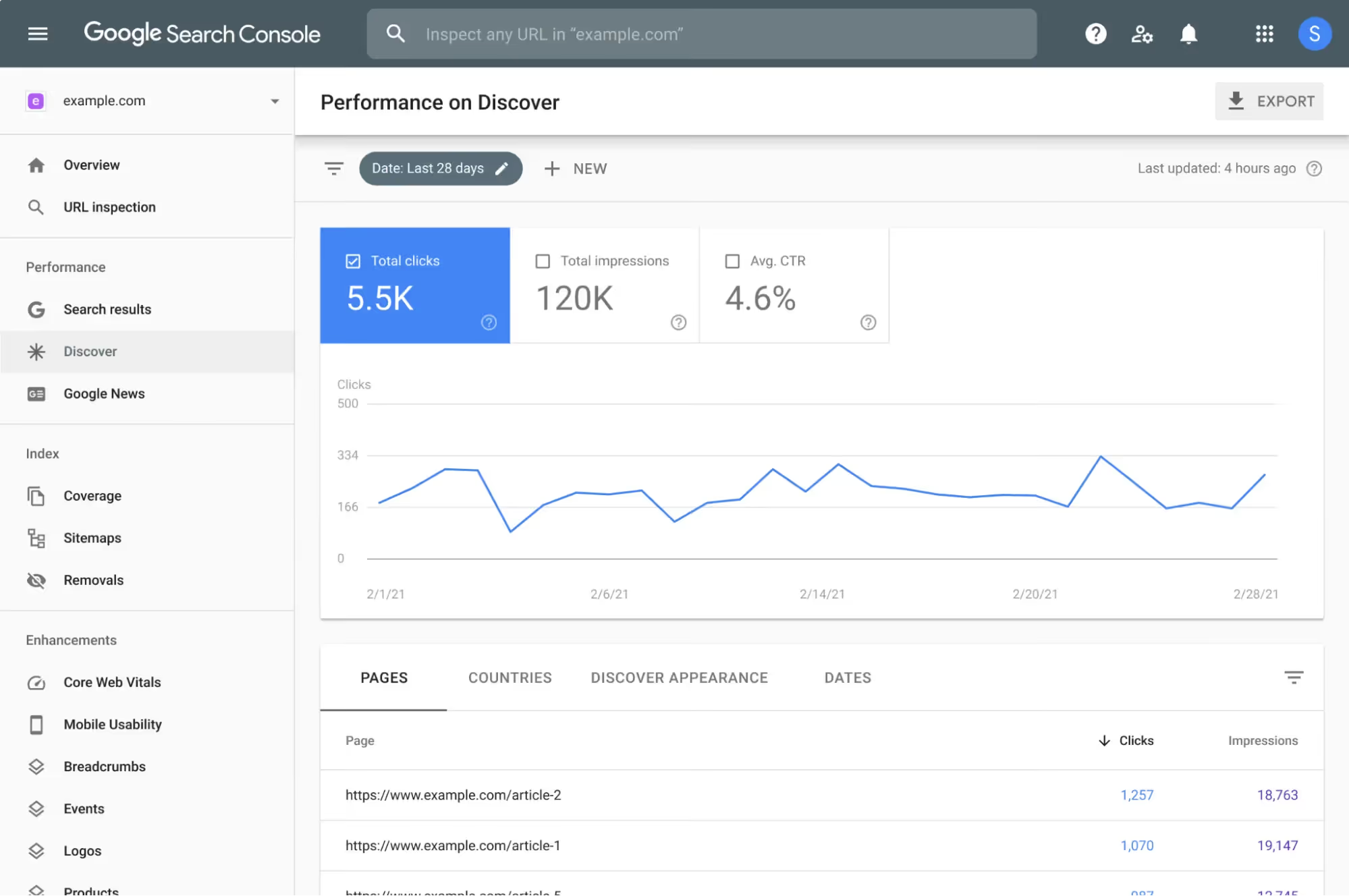
This is a feature that every SEO professional should "study" daily. The performance report provides a comprehensive overview of key metrics such as impressions, clicks, click-through rate (CTR) and average position for the keywords your website is ranking for.
Through these features, you can easily identify which keywords are performing well and which ones need improvement. Regular monitoring will help you adjust your SEO strategy in a timely manner to boost keyword rankings and increase traffic.
2. Index Coverage Check
As an SEO professional, you don't want any pages on your website to be missed when Google crawls and indexes your site. Index Coverage is a feature that helps you check whether all your pages have been "seen" and indexed by Google.

Beyond that, it also helps detect and alert you to index errors such as page not found (404), pages blocked by robots.txt, or other issues affecting search engine visibility. With this feature, you can address technical problems promptly to ensure every page is ready to be indexed by Google.
3. URL Inspection Tool
Want to know exactly how Google crawls a specific URL? The URL Inspection Tool is an essential resource. It allows you to see exactly how Googlebot crawls and indexes each URL, as well as detect any errors or potential issues that might be hindering your site's SEO performance.
Additionally, if you have updated your page content and want to request that Google re-index it, this tool also supports requesting re-indexing so Google can update your new content faster.
4. Core Web Vitals
A website needs more than just quality content; it must also provide a great user experience (UX). Core Web Vitals is a feature that helps you measure and optimize key factors related to user experience, such as loading time, interactivity and visual stability.
These are factors that Google increasingly prioritizes when ranking websites, so utilizing Core Web Vitals to improve UX will make your site more user-friendly and boost your rankings.
5. Links Report
Links have always been a crucial factor in SEO. Links Report allows you to track all internal links and external links pointing to your website. This helps you determine the quality and quantity of your backlinks—a key element in enhancing your site's authority and credibility on search engines.

You can also use this feature to identify low-quality or unwanted links and take action to remove them if necessary.
>> Read more: Common mistakes when building backlinks
6. Sitemap submission feature
If your website is a house, then sitemap is the map that helps Google understand every corner of your site. The sitemap submission feature in Google Search Console allows you to submit a sitemap directly to Google, helping the indexing process happen faster and more efficiently. This is especially important when you update or add a lot of new content, as the sitemap helps Google better understand your website structure and ensures that all your content is indexed in a timely manner.
How to use Google Search Console for beginners
1. Sign up for a Google Search Console account
To start using Google Search Console, you need a Google account. If you don't have one, you can sign up for free. Once you have an account, visit the official Google Search Console website and follow the steps to log in with your Google account.
- Step 1: Visit Google Search Console.
- Step 2: Select "Start Now" and log in with your Google account.
- Step 3: Add your website to GSC by selecting "Add Property" and entering your website URL.

2. Verify website ownership
To use the full range of Google Search Console features, you need to verify that you are the authorized owner of the website. Google offers several verification methods; you can choose the one that works best for you:
- HTML file upload: Download the HTML file from Google and upload it to your website's root directory. Once finished, return to GSC and click “Verify”.
- Google Analytics: If you have already installed Google Analytics on your website, you can verify ownership by linking your Google Analytics account to GSC.
- Google Tag Manager: If you are using Google Tag Manager, you can also choose this method to verify website ownership.

3. Submit your website sitemap
A sitemap is a file that lists the pages on your website and helps Google better understand your site structure. Submitting a sitemap helps Google crawl your site more efficiently, especially if you have many pages or frequently update your content.
- Step 1: Create a sitemap using tools like Yoast SEO or Screaming Frog.
- Step 2: In Google Search Console, go to the "Sitemaps" section.
- Step 3: Enter your sitemap URL (usually yourwebsite.com/sitemap.xml) and click "Submit".
4. Check page indexing status
One of the key functions of Google Search Console is checking indexing status for web pages. You need to ensure that Google has crawled and indexed all the important pages on your website.
- Step 1: Go to the "Coverage" section in Google Search Console.
- Step 2: Review the report to see if any pages have indexing errors. If so, Google will provide details on the errors and suggest how to fix them.
- Step 3: Use the "URL Inspection Tool" to check specific URLs and request that Google recrawl them if necessary.
5. Monitor website performance
The performance report in Google Search Console helps you track the keywords your site is ranking for, as well as key metrics like impressions, clicks, and your website's average position on Google.
- Step 1: Go to the "Performance" section in GSC.
- Step 2: View metrics such as impressions, clicks, CTR, and average position for each keyword.
- Step 3: Based on the data from the performance report, you can adjust your SEO strategy by focusing on keywords that are performing well or improving those with low rankings but high potential.
How to optimize your website with Google Search Console
1. Analyze performance data to adjust your SEO strategy
One of the most important features of Google Search Console is its ability to provide detailed data on website performance. You can track metrics such as impressions, clicks, CTR (click-through rate) and average position for each keyword. This helps you:
- Identify which keywords are driving the most traffic.
- Find opportunities for improvement by adjusting content and keyword strategies for keywords with low CTR but high potential.
- Track ranking trends and performance over time to evaluate the impact of your ongoing SEO campaigns.
2. Fix indexing errors and improve page load speed
Google Search Console helps you detect errors related to website indexing. These errors can significantly impact your site's search engine rankings.
- Resolve indexing errors: Regularly check the "Index Coverage" report to ensure all important pages are indexed correctly. If there are errors such as 404, 5xx, or soft 404, fix these issues immediately to ensure your website displays correctly on Google.
- Improve page load speed: Use data from the Core Web Vitals report to check metrics regarding page load speed, interactivity, and visual stability. Optimizing these factors not only improves SEO rankings but also enhances user experience, helping to reduce bounce rates.

3. Leverage backlink data to build a quality link-building strategy
Backlinks (links from other websites to your site) play a crucial role in improving Domain Authority and SEO rankings. With the Links Report in Google Search Console, you can:
- Monitor the quantity and quality of backlinks: See which websites are linking to you and ensure these backlinks come from reputable sources.
- Build a quality link-building strategy: Use this data to reach out to potential websites and develop guest posting or link exchange strategies to improve your backlink profile.
- Remove toxic links: If there are low-quality links or links from spam sources, you can use the tool Disavow Links to request that Google ignore those links when calculating your rankings.
Conclusion
Google Search Console is a powerful, completely free tool that every SEO professional should leverage. By making the most of GSC's features, you can monitor, adjust, and optimize your website's performance effectively.
From analyzing performance data and fixing technical issues to building an effective link strategy—everything can be accomplished with the help of Google Search Console. Don't hesitate to explore and apply this tool to take your SEO strategy to the next level!


