Google Trends is a free tool from Google that helps you track and analyze search trends from all over the world. By providing detailed data on shifts in user needs and interests, Google Trends is an invaluable resource for anyone involved in SEO, marketing, and content development.
In this article, Markdao will share how to use Google Trends effectively, from analyzing search trends to optimizing your content and SEO strategies. By leveraging the powerful features of this tool, you will be able to enhance your competitiveness and reach your target audience more accurately than ever before.
What is Google Trends?
Google Trends is a free tool from Google that allows users to track search trends globally in real-time. This tool provides data on the frequency with which a keyword or topic is searched on Google over a specific period.
Through Google Trends, users can easily compare the popularity of keywords, identify emerging trends, and predict shifts in user behavior.
Benefits of Google Trends:
- Analyze search trends: Google Trends helps you identify search trends that are rising or falling over time. This is extremely useful for optimizing SEO and content strategies, helping you determine which keywords to focus on in your marketing campaigns.
- Search information by region: This tool allows you to view the popularity of keywords by country, region, or city. This is a key feature if you want to optimize content for a specific audience or conduct local market research.
- Compare keywords: Google Trends allows users to compare the popularity of multiple keywords simultaneously. You can compare keywords related to your products or services, thereby selecting the best ones for your SEO strategy.
- Predict market trends: By analyzing changes in search trends, Google Trends helps you anticipate shifts in consumer demand, allowing you to make informed strategic decisions for your business or marketing campaigns.
- Filter by search typeGoogle Trends not only provides data on web searches but also allows you to analyze search trends across images, videos, and news. This helps you determine the right content strategy for each platform.
Key features of Google Trends
Google Trends is a powerful tool for tracking and analyzing search trends. Its standout features not only help you better understand user interest but also support the optimization of your SEO and marketing strategies. Here are three key features of Google Trends you should know:
Analyze search trends over time:
- Google Trends allows you to track the level of interest in a topic over a specific period. You can easily identify the peaks and declines in keyword interest, thereby gaining a better understanding of shifts in user search behavior.
- This is extremely useful when you want to identify seasonal trends or specific events, helping you prepare content or marketing campaigns at the right time.
Compare keywords:
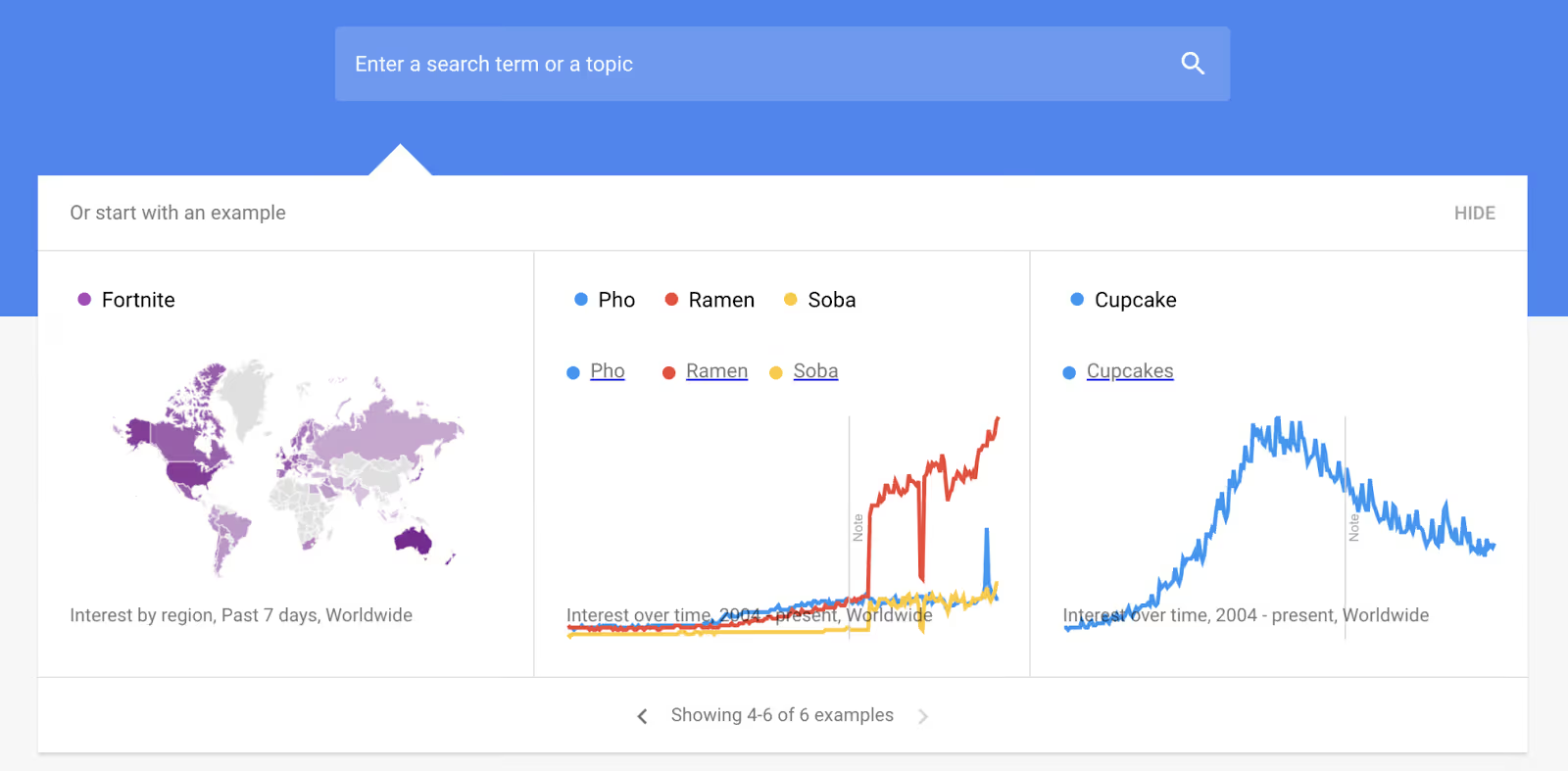
- The comparison feature in Google Trends allows you to compare the popularity of multiple keywords simultaneously. You can easily make decisions about which keywords to prioritize in your SEO or advertising campaigns.
- This comparison not only helps you optimize your strategy but also helps you discover new opportunities that your competitors have not yet tapped into.
Track related queries:
- One of the most useful features of Google Trends is its ability to display related queries. This feature allows you to discover keywords and topics that users search for when they are interested in a specific subject.
- This can help you expand your keyword scope, identify potential opportunities, and create richer content, thereby increasing the effectiveness of your SEO strategy.
Explore by search type (Web, Image, News, Video, etc.):
- Google Trends is not limited to analyzing web searches; it also provides the ability to analyze search trends across various content types such as images, news, and videos.
- This helps you better understand which types of content are attracting user interest and optimize your content for each specific channel.
Track searches by device: Google Trends also allows you to track differences between search devices (desktop, mobile, tablet). This is very useful for better understanding how users access search trends across different platforms, thereby optimizing your website and marketing strategy accordingly.
Trend Predictions functionality: Google Trends can provide forecasts for future trends based on current searches. While not always 100% accurate, this feature can help you identify emerging trends early, allowing you to capitalize on opportunities in your content and marketing strategies.
How to use Google Trends effectively
Google Trends is a powerful tool that helps you track and analyze search trends, thereby optimizing your SEO, marketing, and content strategies. Below is a detailed guide on how to use Google Trends effectively:
Step 1: Access Google Trends
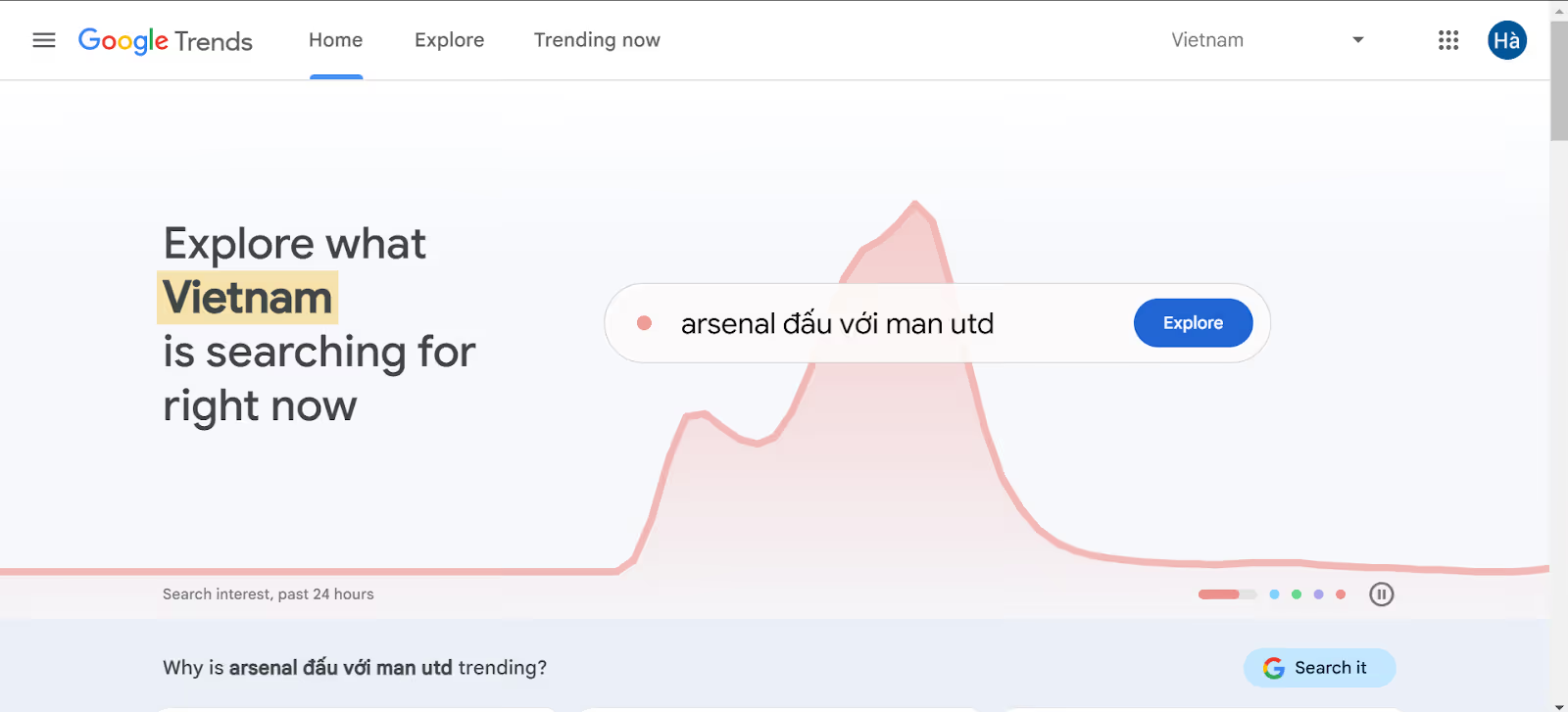
Access instructions: To get started, you need to visit the official Google Trends website at https://trends.google.com.
Select language and country: Once you have accessed the website, you can easily language customization and country to match the region you want to analyze. This helps you receive search trend information that is accurate and relevant to the local market you are interested in.
Step 2: Search for keywords or topics
Search for keywords: On the main interface, you will see a search box where you can enter the keyword or topic you want to research. This is the starting point for exploring search trends and evaluating the popularity of that keyword.
Select region and time: After entering a keyword, you can select the timeframe (from 1 day, 7 days, 30 days, up to 5 years) or view by real-time. You can also select geographic regions to research search trends in specific countries or areas.
Step 3: Analyze the trend chart
Read the chart:
- X-axis (or horizontal axis): Represents time.
- Y-axis (or vertical axis): Represents the keyword's popularity, ranging from 0 to 100 (0 being the least popular, 100 being the highest level of popularity).
Chart meaning:
- The highest point on the chart shows when the keyword reached its peak search volume, indicating the time when users searched for this keyword the most.
- The lowest point represents periods when the keyword had little interest, helping you avoid "off-peak" times so you don't waste your efforts.
Practical application: Analyzing the chart helps you identify the golden time to publish posts, execute marketing campaigns, or run advertisements. If you choose a time with a high search trend, you can achieve maximum effectiveness.
Step 4: Compare keywords
Enter comparison keywords: Google Trends allows you to compare up to 5 keywords at the same time. Simply add the keywords to the search box and select "Compare".
Analyze results: After comparing, you can see the changes in popularity for each keyword over the same period. This helps you understand which keyword is currently dominant.
Regional trends: A powerful feature of Google Trends is its ability to analyze popularity by geographic region. You can see which keywords are popular in specific countries or regions, helping you reach your target audience effectively.
Step 5: Use the “Related Topics” and “Related Queries” features
Related Topics: This feature displays related topics that are trending, helping you identify emerging sub-topics with growing interest. This allows you to broaden your research scope and develop creative content strategies.
Related Queries: This feature lets you see related queries that users are searching for, especially those with significant recent growth (“Rising” queries). This is a great opportunity to discover new keywords with the potential for increased search volume in the future.
Step 6: Filter results by category and search type
Categories: Google Trends allows you to filter search results by various categories such as sports, technology, health, shopping, etc. This helps you focus on specific areas and conduct deeper analysis of trends within those industries.
Search Type: You can choose to filter results by search types such as:
- Web Search: Analyze search trends on the web.
- Image Search: For image-related campaigns, helping to optimize image SEO.
- YouTube Search: This feature is very useful when you are doing video marketing, helping you identify trends on the YouTube platform.
- News Search: Explore search trends related to news, helping you stay on top of current events and build a content strategy based on trending topics.
Step 7: Build a content plan using Google Trends
Content scheduling: Based on search trend charts, you can schedule your content calendar for when keywords peak. This helps your content easily capture attention and achieve maximum traffic.
Incorporate related keywords: Google Trends helps you identify related keywords. Integrate these keywords into your content to broaden your reach and increase your visibility on search engines.
Run advertising campaigns: You can use Google Trends to run more effective Google Ads by selecting trending keywords, helping your ads reach more customers.
Step 8: Integrate with other tools
Google Keyword Planner: Combine Google Trends with Google Keyword Planner to analyze search volume for specific keywords and create a more effective keyword strategy.
Google Analytics: Use Google Analytics to track the performance of campaigns based on keywords discovered via Google Trends, allowing you to adjust your marketing and SEO strategies accordingly.
Ahrefs or SEMrush: Tools like Ahrefs or SEMrush can help you find additional potential keywords and analyze competitors, helping you optimize your overall SEO strategy.
Conclusion
Google Trends is a powerful tool that helps you better understand global search trends, allowing you to optimize your marketing, SEO, and content strategies. With features for keyword analysis, trend comparison, and identifying the "golden" timing for campaign launches, Google Trends is an excellent companion for seizing opportunities and optimizing your marketing strategy.
By applying these effective usage steps, you can not only predict potential trends but also build relevant content, develop strategic keywords, and optimize your advertising. Start leveraging Google Trends today to boost your productivity and achieve your desired results.
If you need further detailed guidance and marketing strategy support, don't hesitate to contact Markdao for solutions to optimize your SEO and build an effective marketing strategy!