



Have you just published a new post or updated important content on your website, but are worried that Google hasn't picked it up yet? Don't let the wait time cost you potential customers. Submit URL to Google is a simple and effective solution to help your content get indexed quickly, increasing its visibility in search results. Join Markdao as we explore a detailed guide in this article to optimize the process with just a few basic steps!
What is Google URL submission?
Google URL submission is the process of proactively sending a specific web address to Google through supporting tools, such as Google Search Console. The goal is to notify Google of the existence or changes to a URL, thereby accelerating the indexing process and its appearance in search results.
When Google indexes a URL, the search engine stores information about the page's content and structure in its database. This gives the page a chance to appear when users search for relevant keywords.

Why do you need to submit URLs?
Shorten the time it takes for Google to recognize new content
Google uses bots (Googlebot) to crawl websites automatically, but this process can take anywhere from a few days to several weeks. Submitting a URL allows you to notify Google directly that there is new or updated content, thereby prompting the bot to visit and index it faster.
Ensure Google indexes the right important URLs
In cases where Googlebot cannot discover a URL due to a complex website structure or a lack of internal links, submitting the URL is how you can fix it. This is especially important for:
- New landing pages.
- Articles that update or revise important information.
- URLs containing exclusive content that needs to be prioritized by Google.
Enhance competitiveness in search results
In a highly competitive online market, appearing early on Google gives you an edge over your rivals. This is especially essential when you want to:
- Develop strategic content based on trends.
- Boost SEO rankings with key keywords.
- Increase website traffic in a short period.
Resolve slow or unsuccessful indexing issues
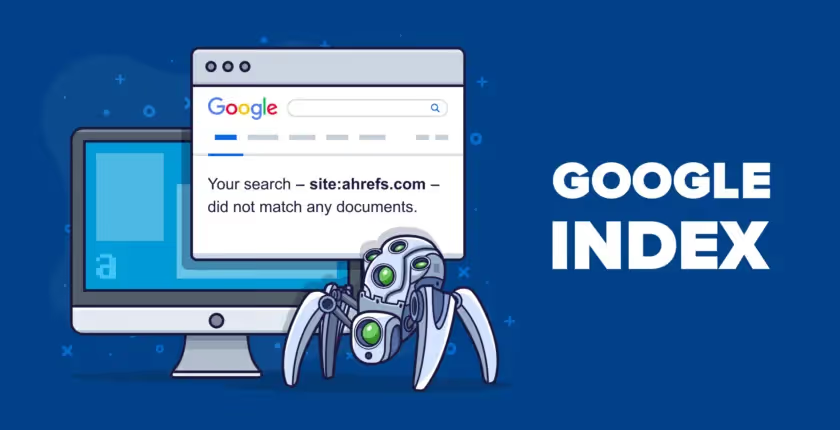
There are many reasons why Google may not automatically index your URL, such as:
- Errors in the robots.txt file or sitemap.
- The website is experiencing speed or structural issues.
- Content is detected as duplicate or does not meet Google's standards.
Submit URL allows you to resolve this situation by requesting that Google re-index it immediately.
Optimize SEO performance and increase visibility opportunities
Whenever a URL is indexed quickly, it not only increases user reach but also improves rankings on search result pages. This serves as a stepping stone for you to attract more traffic, improve conversion rates, and build website credibility.
Guide on how to Submit URLs to Google
The act of Submit URL submitting to Google is a fast and effective way to ensure your content is indexed promptly, increasing your visibility in search results. Below are simple, detailed steps to help you get started.
How to use Google Search Console to submit a URL
Google Search Console is a free, official tool from Google that helps you monitor, manage, and optimize your website's presence in search results.
Steps to follow:
- Step 1: Access Google Search Console and sign in with your Google account.
- Step 2: Add and verify ownership of your website (if you haven't already).
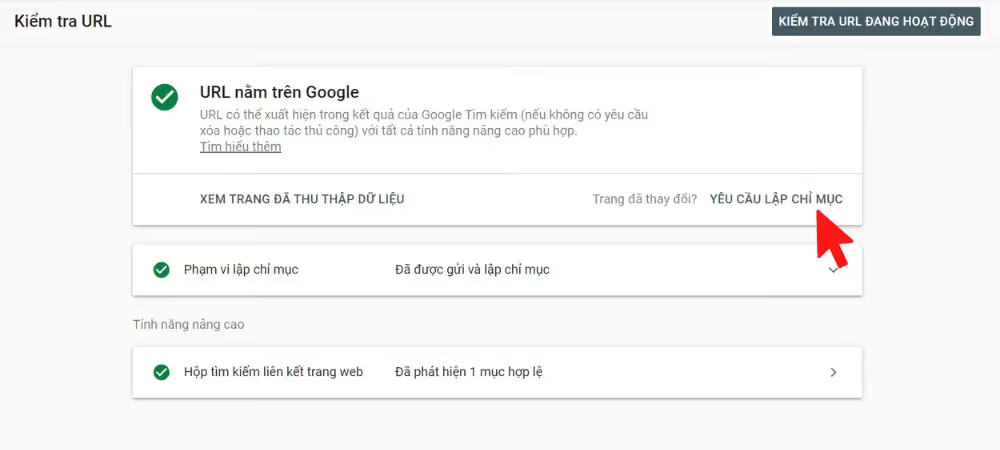
- Step 3: On the main dashboard, enter the URL you want to submit into the "URL inspection" bar at the top.
- Step 4: If the URL is not yet indexed, you will see the message "URL is not on Google". Click "Request indexing" to send your request to Google.
- Step 5: Wait a few minutes for the process to complete, or check the URL status again after a few hours.
Using an XML Sitemap
An XML Sitemap is a file containing a list of all the website URLs you want Submit URL for Google to index. This is the most efficient way to submit multiple URLs at once.
How to do it:
- Step 1: Create an XML Sitemap: Use tools like Yoast SEO (on WordPress), Screaming Frog, or online sitemap generators.
- Step 2: Log in to Google Search Console.
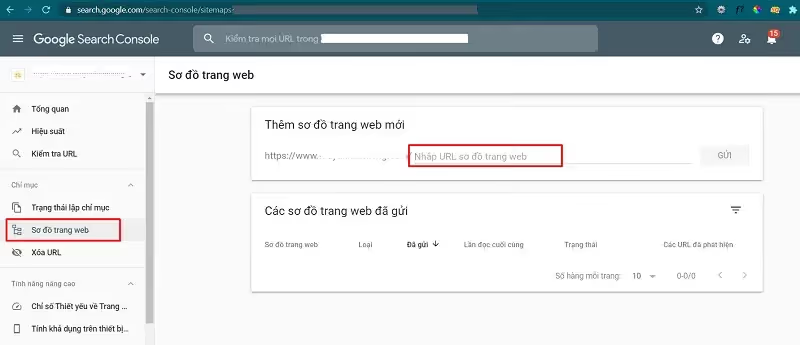
- Step 3: Go to the "Sitemaps" section in the left-hand menu.
- Step 4: Paste your XML Sitemap link (e.g., https://example.com/sitemap.xml) into the input field and click "Submit".
- Step 5: Monitor the sitemap processing status to check how many URLs have been indexed.
Other URL submission tools
In addition to Google Search Console, you can use third-party support tools to submit URLs, which helps save time and improve SEO efficiency.
Some popular tools:
1. Pingomatic: A free tool to notify search engines that your website has new content.
- Visit Pingomatic, enter your URL, and click "Send Pings".
2. IndexNow: A service supported by Microsoft Bing, which can also be applied to Google.
- Generate an API Key from IndexNow, then configure it to automatically submit URLs whenever content is updated.
3. Ahrefs and SEMRush: Professional SEO platforms that allow you to check indexing status and submit URLs optimally.
Note: These tools are supplementary; Google Search Console remains the most important tool.
5 Ways to Check the Index Status of a Website or URL
To find out if a website or a specific URL has been indexed by Google, you can use the following methods:
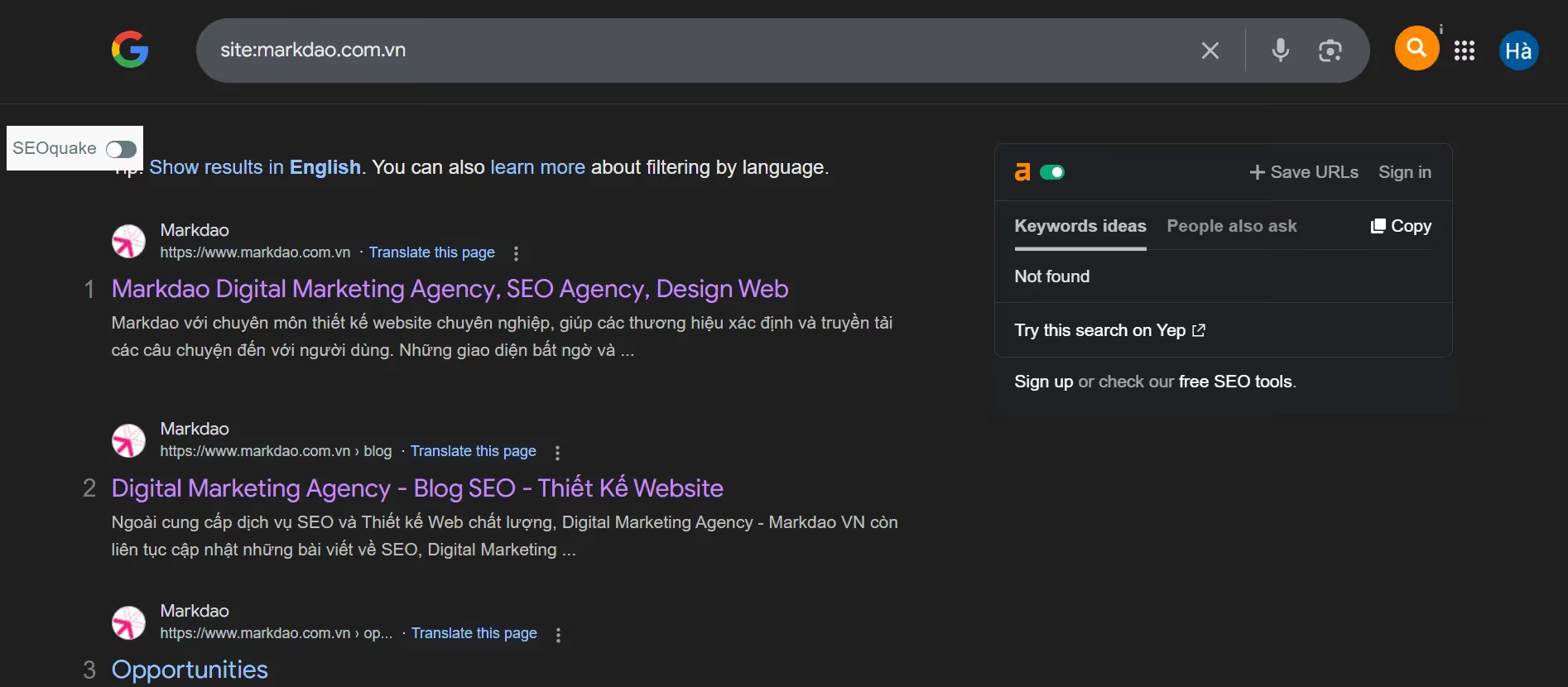
1. Use Google Search
The fastest way to check index status is by using the Google search engine:
- Step 1: Open Google and enter the search query using the syntax: site:yourdomain.com or site:yourdomain.com/your-page.
- Step 2:
- If the search results return your URL, it means the page has been indexed.
- If you do not see the URL, the page may not have been indexed by Google yet.
2. Check via Google Search Console
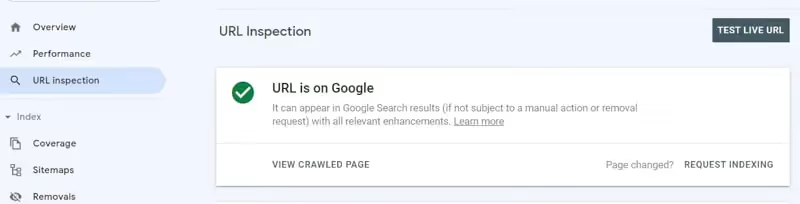
Google Search Console is a dedicated tool for checking and monitoring the index status of your URLs.
- Step 1: Log in to your Google Search Console account.
- Step 2: Select the website you want to check.
- Step 3: Paste the URL you want to check into the "Inspect URL" bar at the top.
- Step 4: Check the status:
- If it displays "URL is on Google", it means the URL has been indexed by Google.
- If it displays "URL is not on Google", you need to Submit URL to request indexing from Google.
3. Check via Sitemap
If your website has an XML Sitemap submitted to Google Search Console:
- Go to the "Sitemaps" section in Google Search Console.
- Check the status of URLs in your Sitemap:
- Successfully indexed: These URLs have been indexed.
- Pending: The URL has not been indexed; you should monitor it further or request that Google re-index it.
4. Use the HTTP Header Response check command
This method is for technical users:
- Use tools such as cURL, Screaming Frog, or online HTTP Header checker websites.
- Check the HTTP status code:
- 200 OK: The page can be indexed by Google.
- 404 Not Found: The page does not exist and must be fixed before you Submit URL.
- 301/302 Redirect: For redirects, ensure Google can index the destination URL.
5. Use third-party tools
Some tools to help quickly check indexing status:
- Ahrefs Site Explorer: Check if a URL appears in the Google index.
- SEMRush: Analyze the indexing status and SEO optimization of a URL.
- Index Checker: An online tool to check the indexing status of multiple URLs at once.
Important notes when checking indexing status and submitting URLs
- Quality content: Google only indexes URLs with useful content that complies with their policies.
- URLs in an error state: URLs with 404 errors, server errors (5xx), or those blocked by a robots.txt file will not be indexed.
- Waiting time: It may take Google a few days or weeks to index new URLs, depending on the website's priority.
Fixing website indexing issues
When your website submit URL or is not indexed by Google, it means your content cannot reach users via search engines. This issue significantly impacts your site's visibility and SEO performance. To resolve it thoroughly, you need to understand the root causes and apply the appropriate solutions.
7 Reasons why your website isn't indexed

1. Website or URL blocked by robots.txt file: Your robots.txt file may be accidentally blocking Googlebot from crawling your page.
2. URL not submitted to Google: For new content, if you haven't submitted the URL or don't have internal links pointing to it, Google will struggle to discover your page.
3. Low-quality or duplicate content: Copied or low-value content may be ignored by Google during the indexing process.
4. Technical errors (404, 5xx): URLs returning 404 (page not found) or 5xx (server error) codes prevent Google from accessing your page.
5. Lack of backlinks and internal links: Without backlinks from other sites or internal links, it is difficult for Googlebot to discover and index your URL.
6. Page marked as "Noindex": Your meta robots tag or .htaccess file may contain a noindex directive, instructing Google not to index the page, which causes URL submission to fail.
7. Google penalty for policy violations: Your website may be penalized by Google if it detects spam, keyword stuffing, or other policy violations.
How to fix
1. Check and edit your robots.txt file
- Access your robots.txt file at https://yourdomain.com/robots.txt.
- Ensure there are no "Disallow: /" commands or blocks on the URL you want to index.
Example of a standard robots.txt file:
User-agent: *
Allow: /
Sitemap: https://yourdomain.com/sitemap.xml
2. Check meta robots tags and noindex configurations
Open the page's HTML source code and search for the <meta name="robots" content="noindex"> tag.
If present, replace it with:
<meta name="robots" content="index, follow">
3. Submit the URL to Google Search Console
Perform a URL submission or update your XML sitemap to notify Google about new content.
4. Fix technical errors
Use tools like Google Search Console, Screaming Frog, or Ahrefs to check for:
- 404 errors: Restore the URL or set up a 301 redirect.
- 5xx errors: Check and fix your server.
5. Content optimization
Ensure your page content is unique, useful, and original. Optimize keywords naturally and avoid keyword stuffing.
Update content regularly to keep it fresh and engaging.
6. Strengthen internal linking and backlinks
Link to related articles within your website.
Build quality backlinks from reputable websites so that Googlebot can easily find your URLs and the URL submission process to Google is faster.
7. Verify that your website is not penalized
Go to Google Search Console and check the "Manual actions" section to see if your website has been penalized.
If penalized, fix the issues and submit a reconsideration request to Google.
A website that is not indexed not only reduces user reach but also severely impacts SEO performance. Identifying the exact cause and applying the solutions above will help your website get indexed more quickly and effectively.
Conclusion
The URL submission process to Google is a crucial step in helping your content reach users quickly and optimizing SEO performance. With simple methods such as using Google Search Console, creating an XML sitemap, or leveraging other support tools, you can ensure that every important URL on your website is indexed by Google in a timely manner.
Regularly check your website's index status, optimize content, and fix technical errors to maintain stability in your SEO strategy. When done correctly, you will not only improve your search engine rankings but also attract more potential customers.


