



In today's digital world, billions of messages compete for attention, so how do you make yours stand out? That’s where infographics—a sharp and compelling tool for conveying information—come into play.
With the ability to transform complex data into easy-to-understand and engaging visuals, infographics have become a "weapon" for delivering messages effectively and impressively. But what exactly is an infographic, how many types are there, and how do you design one that captures every gaze? Let’s join Markdao to dive deeper and take your story to the next level!
What is an infographic?
An infographic, also known as information graphics, is a combination of images, charts, and data used to convey information concisely and visually. Instead of using lengthy text, infographics help condense key points, turning complex data into visuals that are easy to understand and engaging.
Today, infographics are widely used in various fields such as marketing, education, and media to optimize the delivery of information to the audience.

What are the benefits of using infographics?
Infographics are not just visually appealing images; they also offer many practical benefits:
- Convey information quickly: Viewers can grasp the main content in just a few seconds, saving time and increasing communication efficiency.
- Increase retention: Information in visual form is easier to store in memory compared to plain text, helping viewers remember it for longer.
- Attract and retain viewers: A beautiful and smart infographic creates a strong impression, capturing the viewer's attention and making content easy to share.
- Boost social media engagement: Infographics have high viral potential due to their aesthetic appeal and conciseness, helping to increase interactions and shares across online platforms.
Popular types of infographics today
Infographics can be designed in various formats to meet different user needs and objectives. Below are the most popular types of infographics and how to use each one effectively:
1. Static Infographics
Static infographics are non-animated images that are easy to share and widely used on social media platforms, blog posts, and documents. They help highlight information and keep readers focused on the core content. Here are the main types of static infographics:
1.1. Informational Infographics
Description: This type of infographic provides condensed, concise information about a specific topic. It usually summarizes basic concepts or knowledge, combined with images and icons to help viewers grasp information easily.
Application: Commonly used to explain concepts, share basic knowledge, or provide instructions to viewers.
1.2. List Infographics
Description: This format presents information in items or lists, making it easy for viewers to follow and remember. The list format helps organize information point-by-point without the complexity of data or images.
Application: Useful when you want to present key points, quick tips, or lists of benefits.

1.3. Timeline Infographics
Description: This type of infographic presents information along a timeline, allowing viewers to easily follow progress and events in chronological order. Information is arranged sequentially, helping viewers understand the development process.
Applications: Suitable for content regarding company history, product development, or significant milestones.

1.4. Comparison Infographic
Description: Comparison infographics place information side-by-side so viewers can easily identify differences or similarities. Contrasting elements are presented clearly, helping viewers make decisions more easily.
Applications: Ideal when you want to analyze pros and cons or compare product/service options.

1.5. Map Infographic
Description: This type of infographic uses maps or geographical charts to convey location-based information. It often includes icons, colors, and varying sizes to represent regional differences.
Applications: Useful for content related to locations, travel, or market analysis.
1.6. Statistical Infographic
Description: This type of infographic focuses primarily on statistics, data, and charts to illustrate key information. Through visual charts and figures, viewers can easily grasp numbers and trends.
Applications: Typically used to present survey data, research, or report analysis.

1.7. Process Infographic
Description: A process infographic describes the steps to take or the sequence of a series of actions. The steps are clearly divided and typically use arrows or paths to connect them, making it easy for viewers to follow the order.
Application: Useful for instructional content or explaining workflows.

1.8. Hierarchical Infographic
Description: This type of infographic uses visuals to organize information by rank from high to low or from general to detailed. It is often designed as a pyramid, organizational chart, or hierarchical system.
Application: Used to describe organizational structures, hierarchical systems, or business strategies.
1.9. Anatomical Infographic
Description: An anatomical infographic "breaks down" an object into its individual parts and explains each one in detail. This type usually includes detailed illustrations and brief descriptions for each component.
Application: Suitable for explaining product structures, technical diagrams, or complex details.
2. Animated Infographics
Animated infographics are a more modern format featuring motion elements, allowing viewers to not only see but also "interact" with and experience the information. This type of infographic creates strong engagement and keeps viewers interested for longer.
- Description: Animated infographics include elements such as motion graphics, short animation effects, or interactive features. The movement of these elements helps highlight key information and makes the content easier to understand.
- Applications: Highly effective for advertising, online presentations, or whenever you want to increase viewer retention. Animated infographics add vibrancy, making them ideal for conveying complex information in an engaging and accessible way.
What is the process for designing an effective infographic?
Designing an infographic requires a combination of logical thinking, website design skills, and the ability to convey information in an engaging way. Here is a basic 5-step process to help you create an effective infographic:
1. Research and planning
Define your goals: Before you start designing, clearly define the purpose of your infographic. What message do you want to convey? Who is your target audience? Clear goals will guide the entire design process and keep the content focused on the main points.
Gather information: Conduct research and collect data from reliable sources. Select information relevant to your goals and remove any unnecessary parts. Ensure that the information is accurate, easy to understand, and can be communicated visually.
Create a content outline: Organize the collected information into a logical outline so that viewers can easily follow along. This outline will serve as the foundation for building the layout of your infographic later on.

Research and planning is the first step to starting the infographic design process
2. Choose a design style
Select an appropriate style: Depending on your target audience and content, you can choose design styles such as minimalist, modern, playful, or professional. The design style should align with your message and resonate with your viewers.
Choose colors and fonts: Colors and fonts significantly impact how viewers perceive your content. Choose harmonious colors and legible fonts. Avoid using too many colors or complex fonts, as these can hinder effective communication.
Maintain a consistent style: Keep colors, fonts, and icons consistent throughout your infographic. This helps create a professional and visually appealing design.
3. Use design tools
Choose the right tool: There are many popular infographic design tools available today, such as Adobe Illustrator, Canva, Piktochart, and Visme. Each tool offers different features, ranging from professional-grade design capabilities to user-friendly options for beginners.
Leverage templates: If you lack design experience, pre-made templates are an excellent starting point. You can customize the colors, images, and content to suit your specific needs.
Use icons and illustrations: To make your infographic more visual, incorporate relevant icons, illustrations, and charts. Ensure these visuals serve a purpose beyond decoration by helping the audience better understand the content.
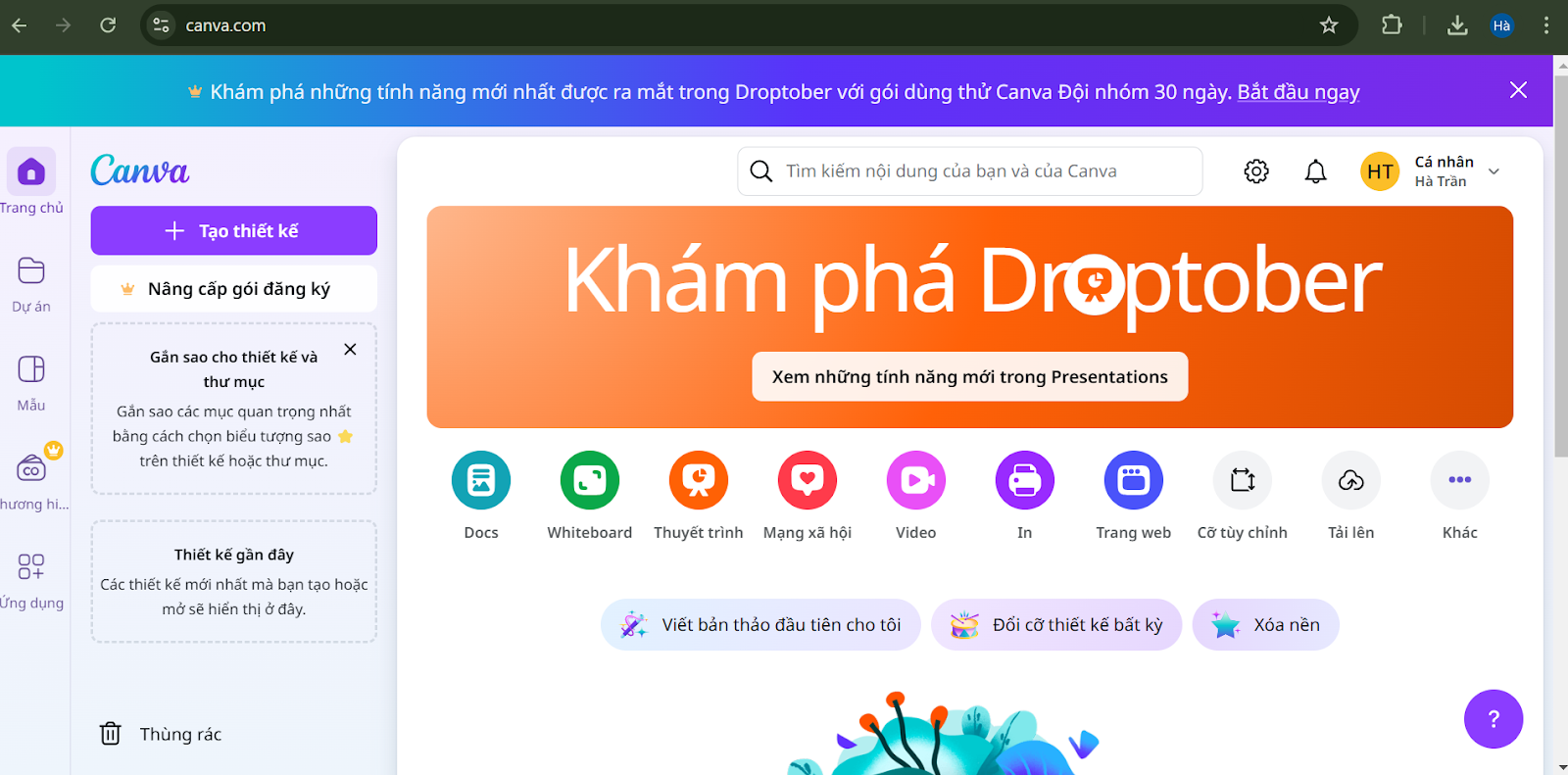
Use design tools to create your infographic
4. Structure and layout
Organize information logically: Build your layout with a natural flow so viewers can easily follow along from start to finish. Place key information in prominent positions, such as at the top or in the center.
Break information into blocks: To avoid overwhelming the viewer with too much information, divide your content into clear, distinct blocks. Each block should focus on a single main idea or specific topic.
Use white space: White space makes your design feel open and readable, helping to highlight important content. Avoid trying to cram too much information into one area.
5. Review and Edit
Review content: Check your content to ensure accuracy and clarity. Make sure information is not repetitive or overly complex, which can make it difficult for viewers to understand.
Check for spelling and grammar errors: These errors can undermine the professionalism of your infographic. Ensure all text is thoroughly proofread.
Refine the design: Review the overall layout, color scheme, and design consistency. Try showing the infographic to others to get feedback and make adjustments if necessary.
Optimize for the publishing platform: Each platform has different size and format requirements. Customize the size and format of your infographic to suit the platform where you intend to share it, such as a website, social media, or print.
Conclusion
We hope this article has helped you better understand the concept of what an infographic is. Infographics are powerful tools that transform complex information into visual content that is easy to understand and remember.
With a variety of infographic types and a structured design process, you can create content that is both engaging and effective at conveying your message. By knowing how to use infographics, you not only improve your visual communication skills but also help your brand stand out to your customers.


