



Page load speed is a critical factor that directly impacts user experience and search engine rankings. Google PageSpeed Insights is a free tool from Google that helps you effectively measure and improve your website's speed. In this article, Markdao will provide a detailed introduction to Google PageSpeed Insights, how to use it, and optimization methods to help your website load faster, enhance user experience, and improve SEO.
What is PageSpeed Insights?
PageSpeed Insights is a free tool developed by Google that helps users evaluate and analyze website load speeds. The tool provides scores for both desktop and mobile versions of a site, while offering specific recommendations to optimize performance and load times.

PageSpeed Insights uses key metrics such as Core Web Vitals (including LCP - Largest Contentful Paint, FID - First Input Delay, and CLS - Cumulative Layout Shift) to measure user experience and website performance. Beyond providing scores, PageSpeed Insights also offers improvement suggestions, such as optimizing images, minifying code (CSS, JavaScript), reducing server response times, and using a Content Delivery Network (CDN).
With this information, website owners can easily understand the factors affecting their site speed and improve them to enhance user experience and SEO.
8 key metrics in Google PageSpeed Insights
In Google PageSpeed Insights, there are several key metrics that help evaluate website performance and user experience. These metrics include:
1. Largest Contentful Paint (LCP)
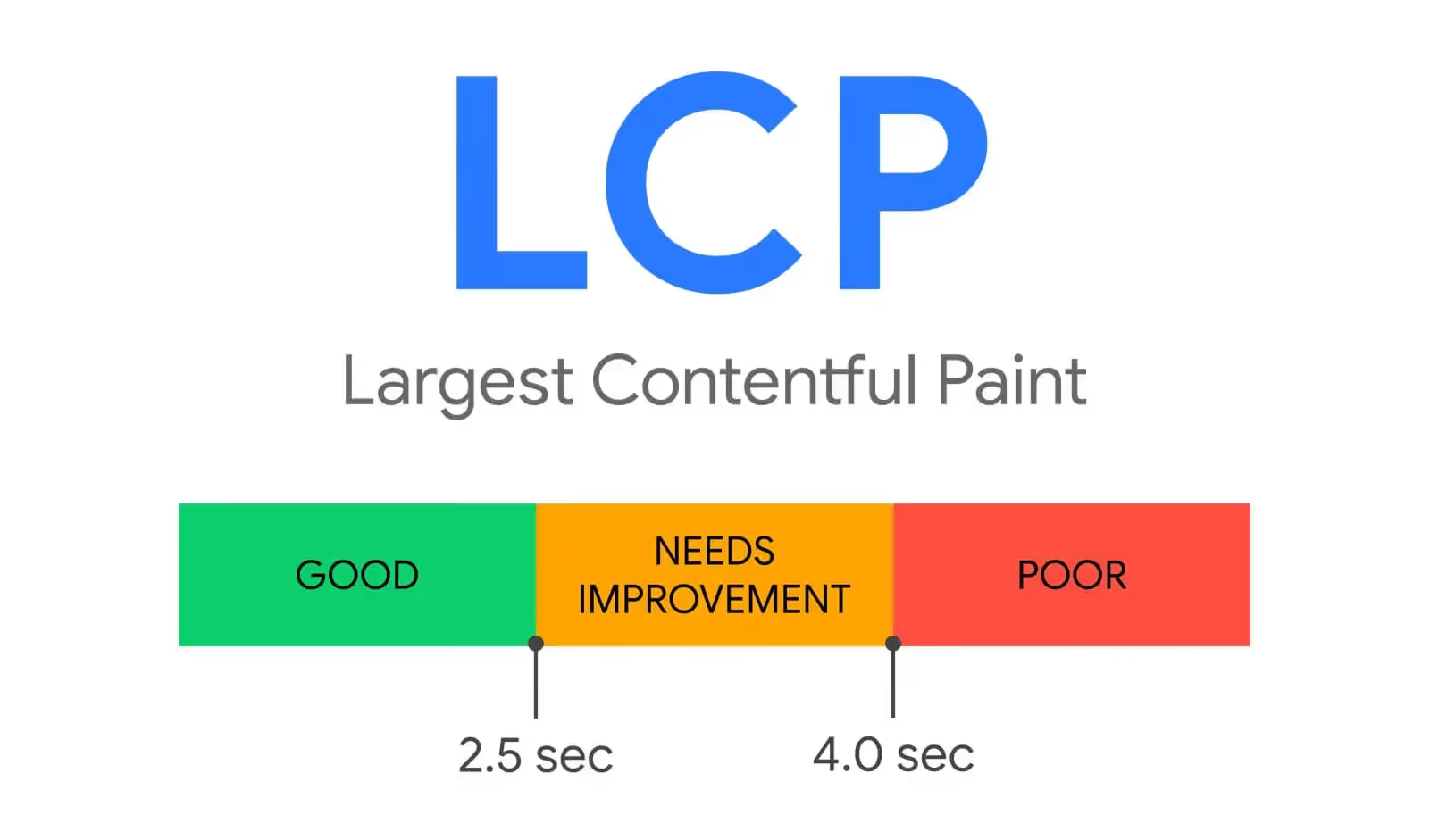
LCP measures the time it takes for the largest content element on the page (such as an image or a large block of text) to fully load and become visible on the screen.
Goal: The ideal LCP is under 2.5 seconds. If it takes longer, users will perceive the website as slow to load.
2. First Input Delay (FID)
FID measures the time from when a user first interacts with the page (e.g., clicking a link or button) to the time when the browser actually responds to that action.
Goal: The ideal FID should be under 100ms. Long delays can make the website feel unresponsive, negatively impacting the user experience.
%20%E2%80%93%20Kh%E1%BA%A3%20n%C4%83ng%20ph%E1%BA%A3n%20h%E1%BB%93i%20khi%20t%C6%B0%C6%A1ng%20t%C3%A1c.avif)
3. Cumulative Layout Shift (CLS)
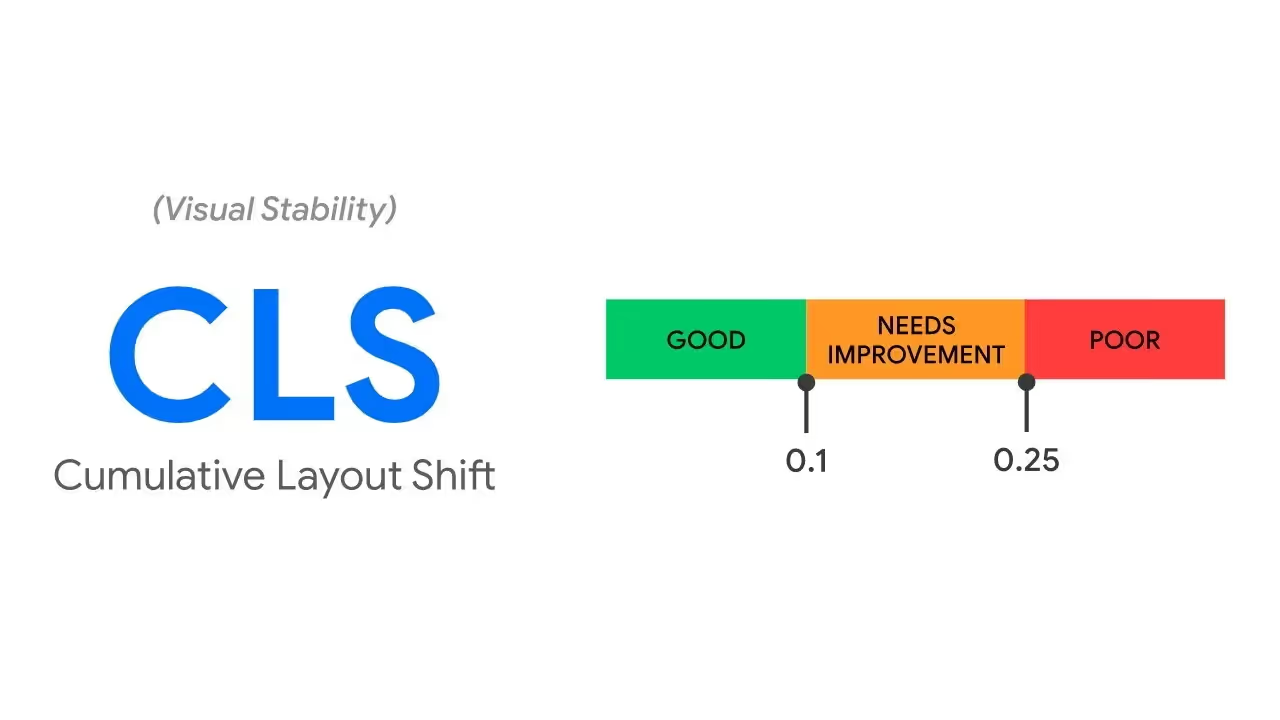
CLS measures visual stability during page loading. This metric reflects how much elements on the page shift position as content finishes loading.
Goal: The ideal CLS is under 0.1. If a page has many unexpected shifts, users may accidentally click the wrong thing or feel that the experience is not smooth.
4. Time to Interactive (TTI)
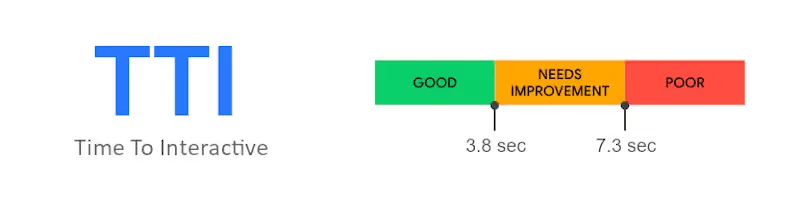
TTI measures the time it takes for a webpage to become fully interactive, meaning the page can respond to user actions without any delay.
Goal: The TTI should be as short as possible, ideally under 5 seconds.
5. Total Blocking Time (TBT)
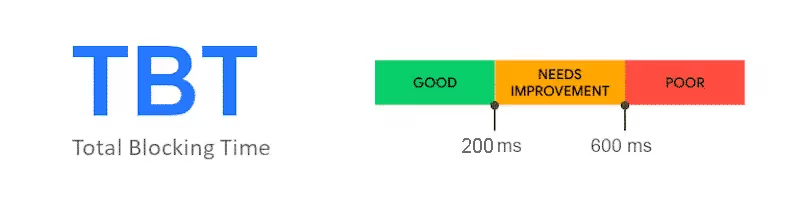
TBT measures the total time a page is "blocked" and unresponsive to user input (due to JavaScript or other factors). This metric helps evaluate a website's responsiveness.
Goal: The ideal TBT is under 200ms.
6. Speed Index
Speed Index measures how quickly content is visually displayed during page load. This metric reflects the speed at which page content becomes visible to the user.
Goal: The lower this score, the better. Rapid content display improves the user experience.

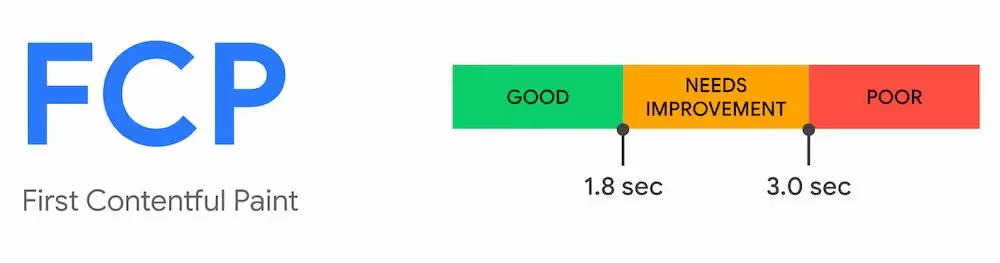
7. First Contentful Paint (FCP)
FCP measures the time from when a user requests a page until the first piece of content (e.g., text or images) appears on the screen.
Goal: The ideal FCP is under 1.8 seconds. A fast FCP helps create the perception that a page is loading quickly.
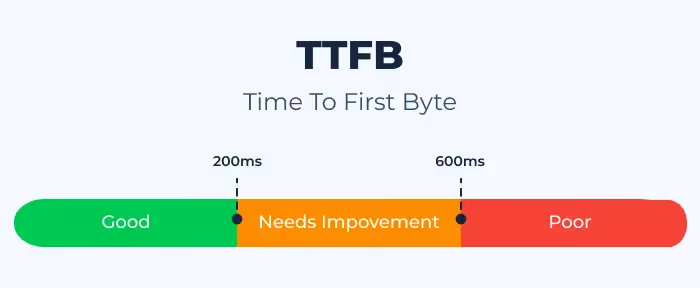
8. Server Response Time (Time to First Byte - TTFB)
TTFB measures the time from when a user sends a request until the server responds and begins loading data.
Goal: TTFB should be under 200ms. Slow server response times can negatively impact page load speed.
These metrics are decisive factors in evaluating website speed and performance, directly affecting user experience and SEO results.
Does PageSpeed Insights directly affect SEO?
PageSpeed Insights has a significant impact on SEO because page load speed and website performance are among the key ranking factors used by Google. Below are the specific aspects explaining the importance of PageSpeed Insights for SEO:
Page load speed is a Google ranking factor:
Google prioritizes websites with fast load speeds because they provide a better user experience. Since 2018, Google has officially used page load speed as a ranking factor for both desktop and mobile versions. This means that if your website loads slowly, your search result rankings may be affected.
Impact on Core Web Vitals – Key metrics in SEO:
Core Web Vitals (including LCP, FID, and CLS) have been integrated into Google's ranking algorithm since 2021. These are the primary metrics that PageSpeed Insights measures to evaluate website performance.
Websites that achieve high scores in Core Web Vitals often rank better on Google, especially when other SEO factors (such as content and backlinks) are comparable.
Enhancing user experience (UX):
Fast-loading websites provide a smooth user experience, reduce bounce rates, and increase time on site.
A great user experience not only improves conversion rates but also sends positive signals to Google, helping to boost your SEO rankings.
Impact on conversion rates:
Google research shows that if page load time increases from 1 second to 3 seconds, the bounce rate can rise by up to 32%. Slow speeds not only mean missed opportunities to retain users but also negatively impact the effectiveness of your SEO strategy.
PageSpeed Insights helps you identify and fix issues to improve speed, thereby indirectly boosting conversion performance.
Mobile optimization:
With the popularity of Mobile-First Indexing, Google prioritizes rankings based on the mobile version of a website. Mobile page load speed (one of the factors evaluated by PageSpeed Insights ) has therefore become more important than ever.
A mobile-friendly website with fast load times will have a distinct advantage in SEO.
Improving overall website performance:
PageSpeed Insights not only provides a score but also offers improvement suggestions such as:
- Image optimization.
- Minifying source code (CSS, JavaScript).
- Using caching and CDNs.
These improvements not only increase load speeds but also comprehensively optimize your website, thereby supporting more effective SEO.
PageSpeed Insights plays a crucial role in improving website speed, enhancing user experience, and supporting factors related to search rankings. To achieve effective SEO, optimizing website speed according to recommendations from PageSpeed Insights is essential.
How to use Google PageSpeed Insights to optimize your website
Google PageSpeed Insights is not just a website performance evaluation tool, but also a guide to help you improve page load speed and user experience. Here is a detailed guide:
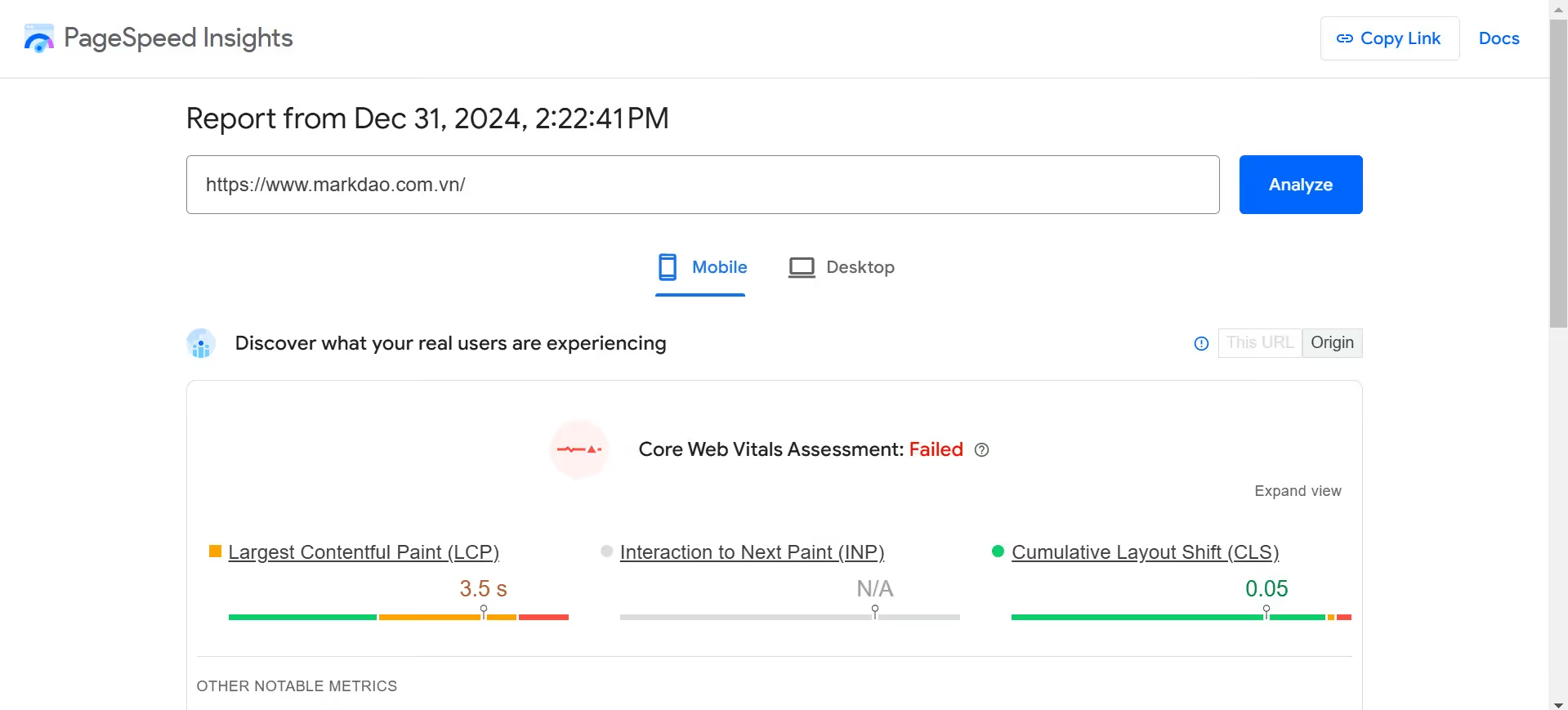
Access and analyze your URL
- Step 1: Visit the Google PageSpeed Insightswebsite.
- Step 2: Enter the URL of the website you want to check into the search box, then click "Analyze".
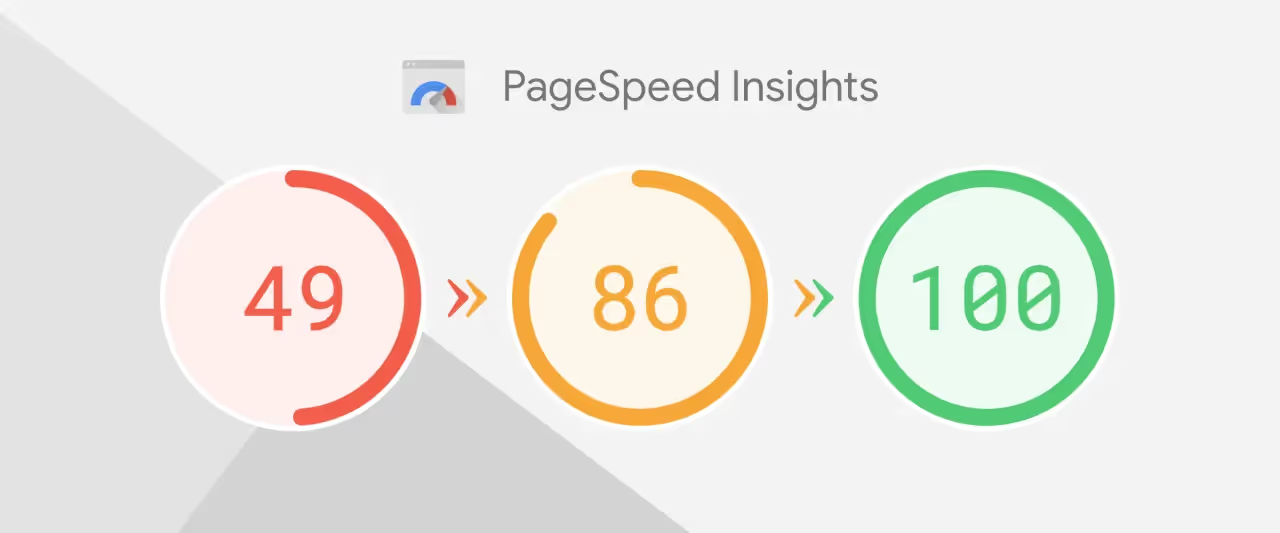
- Results: The tool will provide an overall Performance Score on a scale of 0-100 for both Desktop and Mobile.
Note:
- Score 90-100: Good performance.
- Score 50-89: Needs improvement.
- Score below 50: Poor performance, requires immediate optimization.
Understanding report metrics
When you receive the report, focus on the following sections:
Core Web Vitals:
- LCP (Largest Contentful Paint): Time it takes for the largest content element to load (recommended: <2.5 seconds).
- FID (First Input Delay): Time it takes for the page to respond to the first user interaction (recommended: <100ms).
- CLS (Cumulative Layout Shift): Visual stability of the page layout during loading (recommended: <0.1).
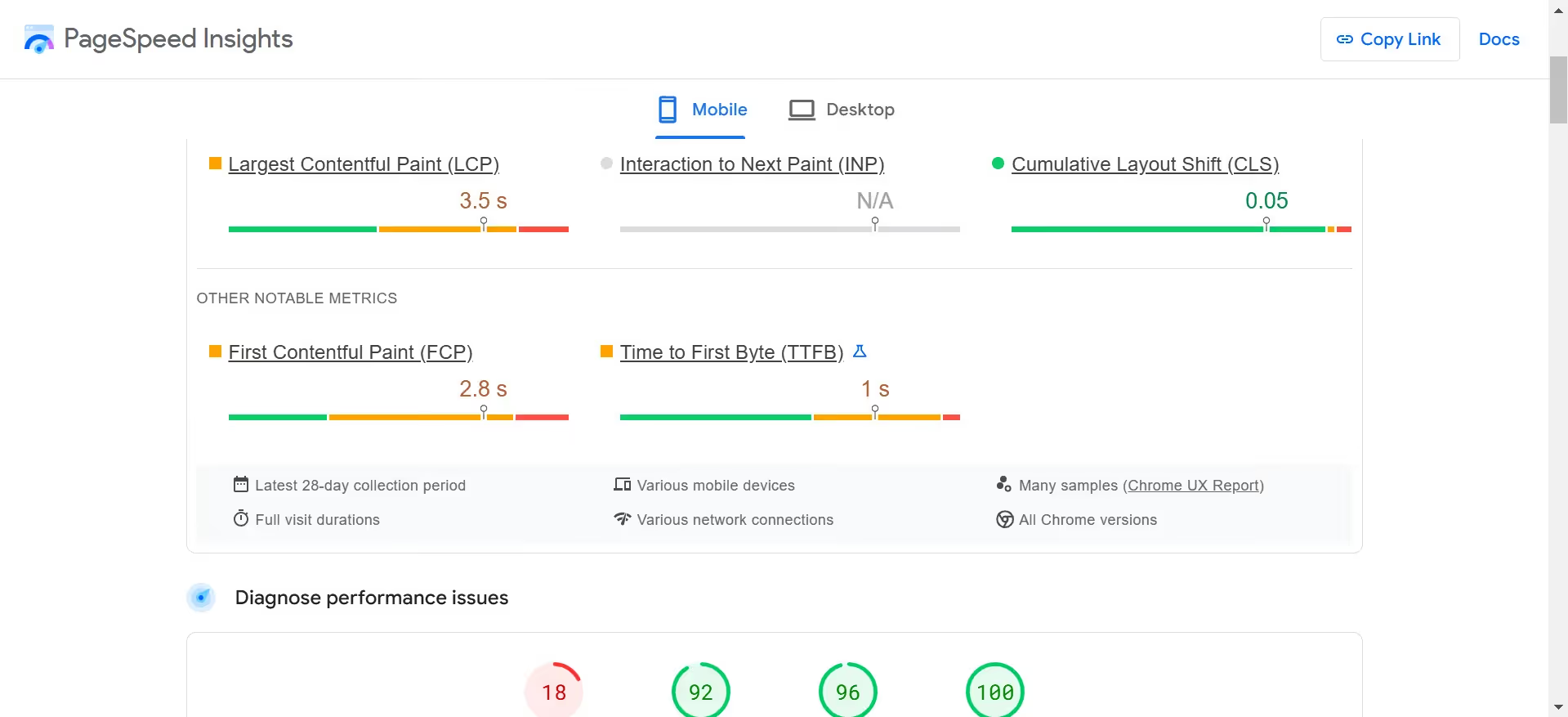
Diagnostics: Displays elements affecting performance, such as: render-blocking resources, image sizes, and unnecessary code.
Opportunities: Provide specific suggestions for optimization, such as reducing image size, compressing resources, or using caching.
Perform website optimization
Based on the results from PageSpeed Insights, you can apply the following optimization measures:
Optimize images
Common issues: Large images that are uncompressed or use outdated formats.
Solution:
- Convert to modern formats like WebP or AVIF.
- Use image compression tools such as TinyPNG, ImageOptim or integrate plugins like Smush (WordPress).
- Enable Lazy Loading to load images only when the user scrolls to them.
Eliminate Render-blocking Resources
Common issue: CSS or JavaScript files are preventing the page from loading quickly.
Solution:
- Combine or minify CSS/JS files using tools like UglifyJS, CSSNano.
- Add defer or async attributes to JavaScript to delay loading.
Enable data compression:
Common issue: HTML, CSS, or JavaScript data is not compressed.
Solution:
- Enable compression Gzip or Brotli on the server to reduce file size.
- For platforms like Apache or Nginx, update the configuration file to enable this feature.
Use browser caching:
Common issue: User browsers have to reload resources every time they visit.
Solution:
- Configure expiration times for static resources (CSS, JS, images) via the .htaccess file or a plugin like W3 Total Cache.
- Use a Content Delivery Network (CDN) to distribute resources faster.

Optimize source code:
Common issue: Source code contains many unused segments, increasing load times.
Solution:
- Use tools like PurgeCSS to remove unused CSS.
- Ensure you only load the JavaScript libraries that are truly necessary.
Reduce server response time:
Common issue: The server processes requests slowly, increasing page load time.
Solution:
- Switch to high-quality hosting or use cloud services such as AWS, Google Cloud.
- Use Redis or Memcached to speed up database processing.
Optimize fonts:
Common issue: Fonts are loading slowly or causing layout shifts.
Solution:
- Load fonts faster by adding the font-display: swap property.
- Use modern font formats like WOFF2.
Re-check performance
After applying the changes, re-test your website using PageSpeed Insights to evaluate the improvements. Don't hesitate to perform multiple rounds of optimization until you achieve the desired results.
Maintain and monitor performance
Speed optimization should be performed periodically to ensure performance does not degrade.
Use additional tools like Google Search Console or GTmetrix to monitor performance and promptly address new issues.
Conclusion
Google PageSpeed Insights not only helps you identify issues affecting page load speed but also provides specific guidance for optimization. Improving website speed not only enhances user experience but also contributes to higher SEO rankings, helping your website stand out in search results. Consider this a core tool in your long-term website optimization strategy.


