



A URL is like a "home address" on the Internet, but do you truly understand it? When visiting a website, have you ever noticed the text in your browser's address bar? That is a URL—the "key" that unlocks every door in cyberspace. So, what exactly is a URL, how do you find a website's URL, and most importantly, how can you optimize your URLs to rank high on Google in 2025? Let's join Markdao to explore everything in this article!
What is a URL?
Every time you type a website address into your browser and hit Enter, you are using a URL without even realizing it. A URL is the "key" that opens the door to any website on the Internet.
Defining URL
URL stands for Uniform Resource Locator, which refers to a unique string of characters used to precisely identify the location of a webpage, document, image, or any other content on the Internet.
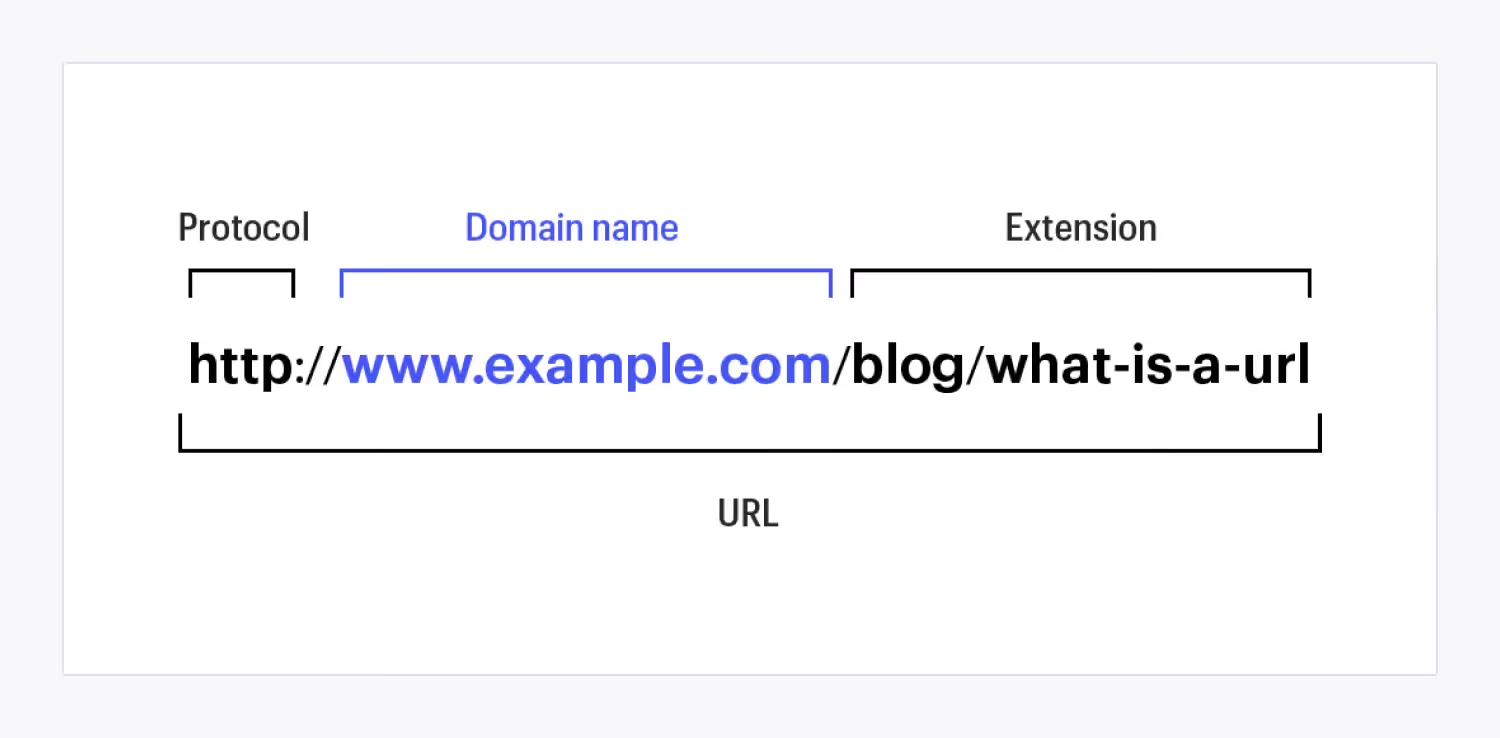
A standard URL typically consists of three main parts:
- Protocol – Usually HTTP or HTTPS, with HTTPS providing better security.
- Domain name – This is the main address of the website, such as example.com.
- Path – The part that specifies the exact location of a page or content within the website, for example /blog/url-optimization.
For example, in the URL https://markdao.com.vn/seo/toi-uu-url:
- https:// is the security protocol.
- markdao.com.vn is the main domain name.
- /seo/toi-uu-url is the path to the article about URL optimization on this website.
2 common types of URLs
1. Static URL
Static URLs are fixed links that do not change over time and do not contain dynamic parameters. This is the most SEO-friendly type of URL because they are concise, easy to understand, and help both search engines and users identify content quickly.
Example: https://markdao.com.vn/huong-dan-toi-uu-url
Advantages of static URLs:
- Easy to read and remember.
- Helps Google better understand page content, improving SEO rankings.
- Provides a better user experience.
2. Dynamic URL
Unlike static URLs, dynamic URLs often contain special characters such as ?, =, and &, and are generated automatically based on user queries.
Example: https://markdao.com.vn/index.php?id=123&type=seo
Disadvantages of dynamic URLs:
- Long, hard to remember, and difficult to read.
- Less SEO-friendly if not optimized.
- Prone to causing duplicate content issues on the website.
How do URLs affect a website?
A URL is not just a path to access a webpage; it also plays a crucial role in SEO and user experience.

- Impact on SEO rankings: Google prioritizes clear URLs that contain primary keywords and are not overly long. If a URL is too complex or irrelevant to the page content, its ranking potential will be significantly reduced.
- Improving user experience: A concise, easy-to-understand URL helps users feel more confident when clicking. If a URL is too long or contains confusing characters, users may hesitate to visit the site.
- Increasing shareability: Clean URLs are easy to share on social media, email, and messaging apps without being truncated or causing confusion about the page content.
In summary, a URL is more than just a link; it is a vital element in website optimization. By knowing how to structure and optimize your URLs properly, you not only make your site more search-engine friendly but also provide the best possible experience for your users.
3 Ways to get a website URL
Whether you want to share a webpage with friends, save important content, or use a URL for SEO optimization, obtaining the correct URL is essential. However, not everyone knows how to retrieve a URL on different devices. Below is a detailed guide to help you easily get the URL of any website, whether you are using a computer, phone, or a specific browser.
1. How to get a URL on a computer
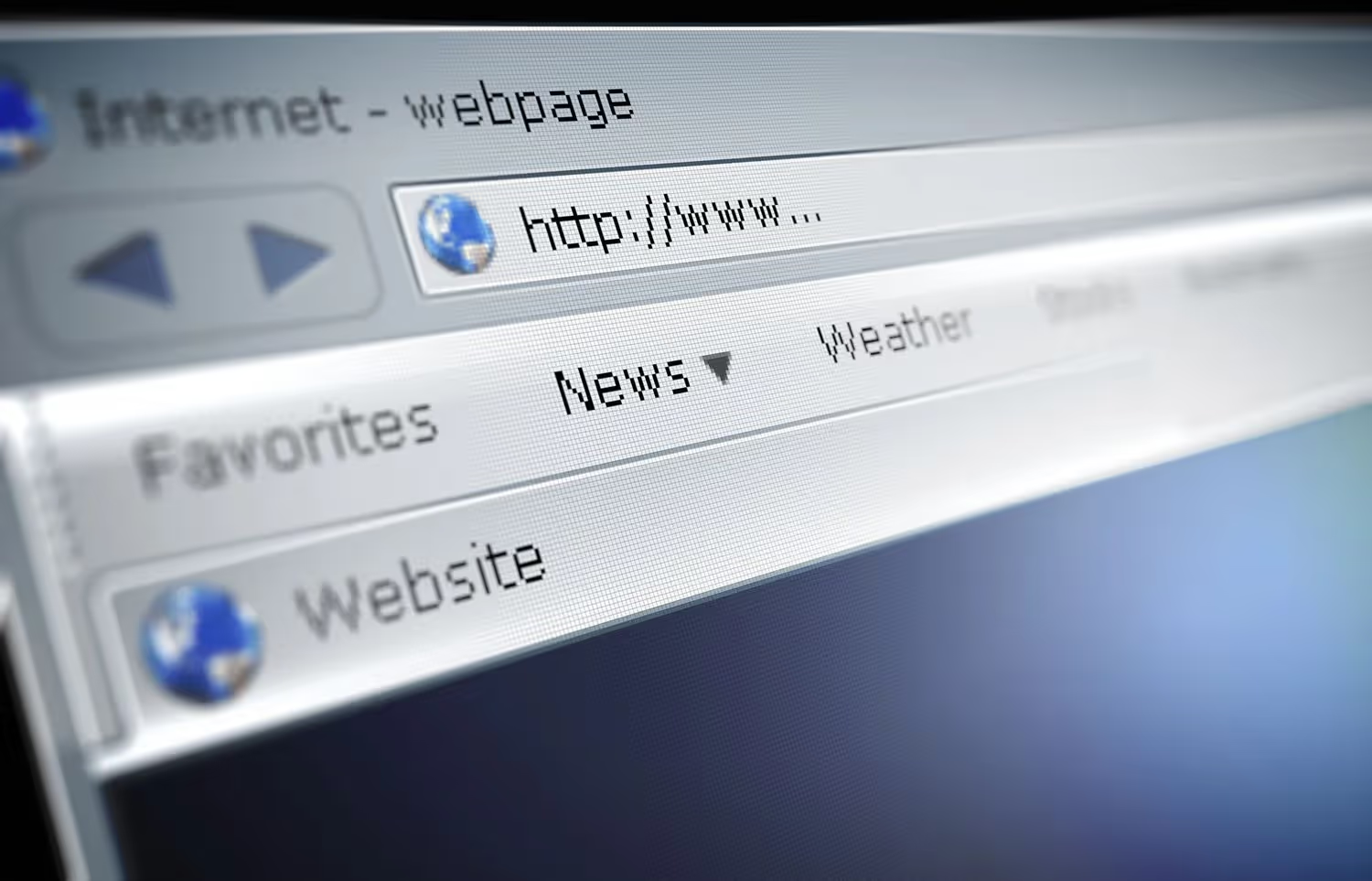
Getting a URL from the browser address bar: This is the simplest and most common way to get a website URL on a computer.
Steps to follow:
- Open your browser (Chrome, Firefox, Edge, Safari, etc.).
- Go to the website you want to get the URL for.
- Look at the address bar (at the top of the window).
- Highlight the entire URL with your mouse, then press Ctrl + C (Windows) or Cmd + C (Mac) to copy it.
- Paste the URL where you need it by pressing Ctrl + V (Windows) or Cmd + V (Mac).
Getting a URL from a link on a webpage: In some cases, you may want to get the URL of a specific link on a page instead of the current page itself.
Steps to follow:
- Hover your mouse over the link you want to copy.
- Right-click on the link.
- Select Copy link address (Copy link address).
- Paste the URL where you need it.
2. How to get a URL on mobile
Getting a URL on a mobile browser (Chrome, Safari, Edge...): Copying URLs on mobile browsers is slightly different than on a computer, but it is still very simple.
Steps to follow:
- Open your mobile browser (Chrome, Safari, Firefox...).
- Navigate to the website you want to get the URL from.
- Tap the address bar at the top of the browser, and the full URL will appear.
- Press and hold the URL until the option appears Copy (Copy).
- Select Copy to save the URL to your clipboard.
- Paste the URL into the app or wherever you need to use it.
Get the URL from a link in a post or app: If you need to get the URL of a link in a post or from an app like Facebook, Instagram, YouTube...
Steps to follow:
- Press and hold the link or the share button.
- Select Copy link (Copy link).
- Paste the URL where you need to use it.
3. How to get shortened URLs from social media platforms
Some social networks like Facebook, YouTube, and Instagram often have long or specially encoded URL formats. To get the URL quickly:
- Facebook: Tap Share > Copy link.
- YouTube: Tap Share > Copy link.
- InstagramClick Options > Copy link.
If you want to create a shorter URL, you can use URL shortening tools such as Bit.ly or TinyURL.
Things to keep in mind when getting a website URL:
- Ensure you copy the correct URL: Check to see if any part of the URL is missing, especially when copying from the address bar.
- Use HTTPS instead of HTTP: If available, prioritize HTTPS URLs as they are more secure.
- Remove unnecessary parts: When getting a URL for sharing or SEO purposes, you can remove tracking parameters like ?utm_source=... for a cleaner URL.
- Check before pasting: Before sending a URL to others or using it for SEO, open it in your browser to ensure it works correctly.
Getting a website URL may seem simple, but it plays a crucial role in sharing information, bookmarking content, and optimizing SEO. Whether you are using a computer, phone, or social media, you can copy and use URLs accurately with just a few quick steps. Use the tips above to manage and share URLs more effectively!
Guide to SEO-friendly URL optimization for 2026
An SEO-friendly URL not only helps search engines understand your page content but also improves user experience and increases click-through rates (CTR). However, not all URLs are optimized correctly. Below are the latest URL optimization rules for 2026 and common mistakes to avoid:
5 Rules for Optimizing URLs for Maximum SEO Performance
1. Include your primary keyword in the URL
Google uses URLs to understand page content, so including your primary keyword helps improve search engine rankings. However, avoid keyword stuffing or creating overly long URLs.
Good example:
- https://example.com/seo-url-optimization
- https://example.com/seo-guide-2026
Bad example:
- https://example.com/how-to-optimize-urls-to-rank-on-google-in-2026-the-best-way-today
- https://example.com/p=12345
2. Keep URLs short and readable
Short URLs are easier for users to remember and improve the experience when shared on social media or via email. Research shows that URLs under 75 characters generally perform better for SEO.
Best practices:
- Keep only the essential words and remove filler words like "and," "of," or "because."
- Avoid overly complex URLs or excessive subdirectories.
Example:
- Recommended: https://example.com/url-optimization
- Not recommended: https://example.com/blog/how-to-optimize-seo-urls-for-your-website-in-2025
3. Use hyphens (-) instead of underscores (_) or spaces
Google treats hyphens (-) as word separators, whereas underscores (_) are seen as part of the word. Using hyphens helps search engines correctly interpret the content of your URL.
Example:
- https://example.com/seo-guide (good)
- https://example.com/seo_guide (not recommended)
- https://example.com/seo guide (invalid)
4. Avoid URLs with special characters or unnecessary stop words
Special characters like ?, &, %, and = can hinder crawling and make URLs look cluttered. Additionally, stop words such as "and," "or," "of," and "with" generally add no SEO value and can be removed to keep URLs concise.
Example:
- https://example.com/url-optimization (good)
- https://example.com/how-to-optimize-website-urls-in-2025 (not optimized)
5. Ensure unique URLs to avoid duplicate content
Every page on your website should have a unique URL. Using multiple URLs for the same content can dilute your SEO value and negatively impact your search rankings.
How to check:
- Use Google Search Console to identify duplicate URL issues.
- If you have multiple URLs with the same content, use canonical tags or redirects to consolidate them.
Handling duplicate URLs and proper redirects
When should you use a canonical tag?
A canonical tag helps Google identify the primary URL for a piece of content when multiple similar pages exist. This is particularly important for e-commerce sites, where a single product may have multiple variations but share the same description.
Example:
Suppose your website has two URLs displaying the same content:
- https://example.com/san-pham/ao-thun?mau=do
- https://example.com/san-pham/ao-thun?mau=xanh
To avoid duplication, you can set a canonical tag pointing to the main URL:
<link rel="canonical" href="https://example.com/san-pham/ao-thun">
This helps Google understand that all versions of the URL point to a single primary page, preserving your SEO value.
301 vs 302 Redirects: When to use which?
Redirects help send users and search engines from an old URL to a new one. There are two common types of redirects:
- 301 Redirect (Permanent): Use this when you want to permanently move a URL to a new address without affecting SEO. For example, when changing your URL structure or merging old content.
- 302 Redirect (Temporary): Use this when a URL is only being redirected temporarily, such as during short-term promotional campaigns.
Using redirects correctly helps preserve the SEO value of your old pages and ensures users don't encounter 404 errors when visiting your site.
What tools help with checking and optimizing URLs?
When optimizing URLs for SEO, using specialized tools is crucial to ensure you are on the right track and not missing any factors that could affect your website's ranking. Below are some of the most effective tools for checking and optimizing URLs today, helping you monitor and improve your URL structure in a detailed and accurate way.
1. Google Search Console: An essential tool for SEO
Google Search Console (GSC) is a free and incredibly powerful tool that every website administrator should use to monitor their site's performance on Google. For URL optimization, GSC provides a wealth of useful information on how Google crawls and indexes your URLs.
Key features:
- Check for crawl errors: GSC will notify you if Googlebot encounters issues while crawling your pages, such as 404 errors or invalid 301 redirects.
- Duplicate URL detection: If you have pages with similar content, GSC will alert you and help you resolve the issue using canonical tags or 301 redirects.
- Improve user experience: This tool helps you analyze page load speed and provides recommendations to improve user experience, a key factor in SEO.
How to use:
- Log in to GSC, select your website, and go to the "Coverage" section to view crawl error reports and URL-related issues.
- Use the "URL Inspection Tool" to check specific URLs, see how Google has indexed them, and identify any errors encountered during crawling.
2. Screaming Frog SEO Spider: Comprehensive URL structure analysis
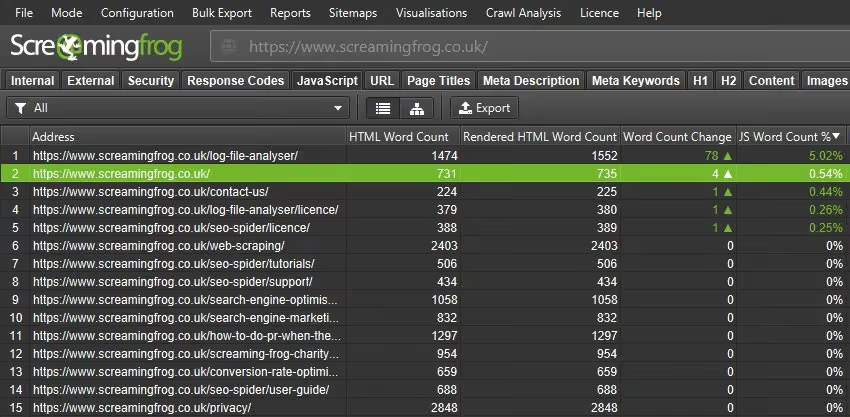
Screaming Frog SEO Spider is a powerful SEO tool that helps you analyze your entire website and check URL-related elements in detail. It is a favorite among many SEO professionals for its ability to crawl thousands of URLs at once and detect issues that need fixing.
Key features:
- Full website crawl: Screaming Frog can crawl your entire website and provide a complete list of URLs, helping you quickly identify broken URLs or those with poor structure.
- Redirect check: This tool helps you check all redirects on your website (301, 302, etc.) and identify errors related to incorrect redirects.
- Canonical tag check: Screaming Frog helps you detect missing or incorrect canonical tags, which is crucial for handling duplicate URLs.
- Analyze SEO elements on URLs: This tool also helps you check other important SEO elements such as page titles, meta descriptions, and heading tags.
How to use:
- Download and install Screaming Frog SEO Spider. Then, enter your website URL and start the crawl.
- Analyze the results to identify problematic URLs (e.g., incorrect redirects, 404 errors, duplicate URLs, etc.).
3. Ahrefs: Effective Link and URL Analysis
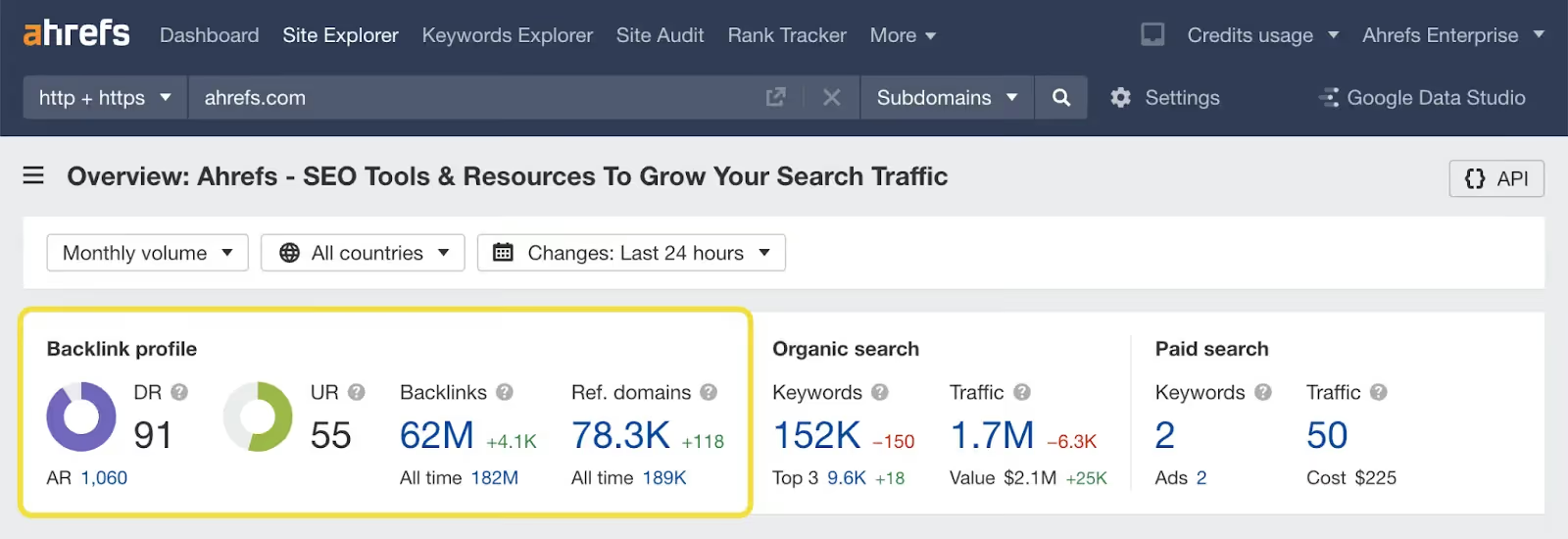
Ahrefs is a comprehensive SEO tool that helps you track and analyze critical URL factors, especially backlinks and SEO performance metrics. This tool is highly effective for identifying key URLs that impact your website's rankings.
Key Features:
- Check internal and external links: Ahrefs helps you audit both external backlinks and internal links, allowing you to identify which URLs need improvement.
- Analyze URL strength: Ahrefs allows you to track metrics such as Domain Rating (DR), URL Rating (UR), and backlink volume to evaluate the quality and ranking potential of your URLs.
- Detect broken URLs: The tool helps you discover and fix broken links, minimizing 404 errors that negatively impact user experience and SEO.
How to use:
- Log in to Ahrefs, select “Site Explorer,” and enter your website URL to analyze backlinks and URL-related SEO factors.
- Use the “Site Audit” section to detect website issues, including errors related to your URLs.
4. SEMrush: A Comprehensive SEO Tool with Powerful URL Analysis
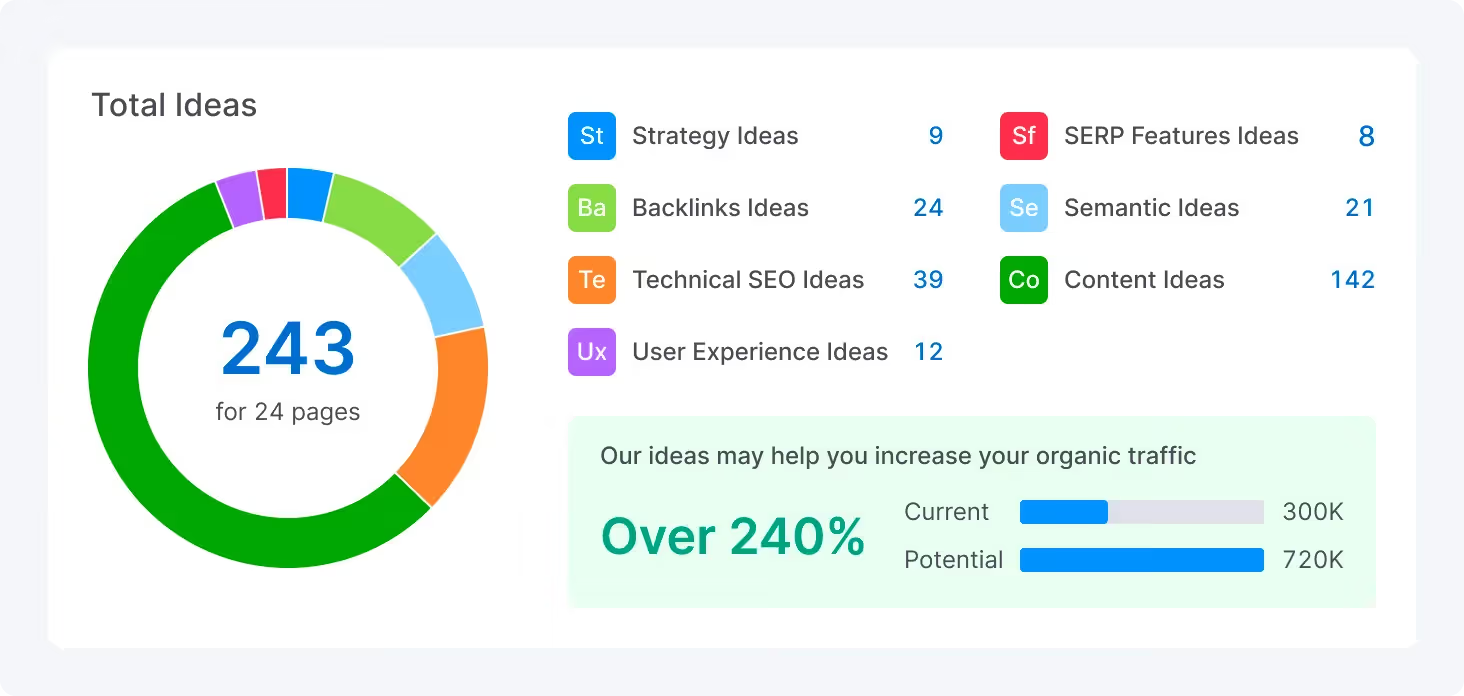
SEMrush is a leading SEO tool that helps you not only check URLs but also analyze website performance and optimize content. With SEMrush, you can track factors affecting your URLs and improve your search rankings.
Key Features:
- URL auditing and optimization: SEMrush helps you detect duplicate or non-SEO-friendly URLs and provides optimization recommendations.
- Keyword analysis: This tool helps you research keywords and check whether your URLs contain primary keywords, helping to improve your rankings.
- Broken link and redirect check: SEMrush alerts you to broken links and redirect requirements, helping you maintain an effective URL structure.
How to use:
- Log in to SEMrush, select the “Site Audit” section, and scan your website.
- Analyze the results to identify URL-related issues and optimize based on SEMrush’s recommendations.
5. Yoast SEO (WordPress): An easy-to-use SEO support tool
Yoast SEO is a popular WordPress plugin that helps users optimize URLs for posts and pages on their website. Yoast SEO is especially useful for those using the WordPress platform who want to optimize URLs easily without needing in-depth SEO knowledge.
Key features:
- URL optimization suggestions: When you create a new post, Yoast SEO suggests how to optimize the URL to align with your keywords and SEO standards.
- Canonical tag support: Yoast makes it easy to add canonical tags to each page to avoid duplicate content issues.
- URL SEO assessment: This tool evaluates your URL's optimization and provides tips for improvement, such as how to use keywords within the URL.
How to use:
- Install Yoast SEO on WordPress and create a new post.
- When creating a URL, Yoast SEO will automatically display recommendations for URL optimization and other SEO factors.
Conclusion
Optimizing URLs for SEO is a crucial step in boosting search performance and improving user experience. By applying optimization best practices and using the right tools, you can ensure your URLs are not only readable but also help your website rank higher on search engines. Don't forget to regularly audit and optimize your URLs to maintain your competitive edge and ensure long-term SEO success.


