



Bounce Rate is one of the most important metrics in SEO, helping to evaluate user engagement with your website. If this rate is too high, it can directly impact search performance and your site's ranking on Google. So what is bounce rate, how is it calculated and why is it significant in SEO? In this article, we will explore the concept of Bounce Rate, how to calculate it, and the factors that influence this metric, helping you optimize your website to improve user experience and drive SEO growth.
What is bounce rate?
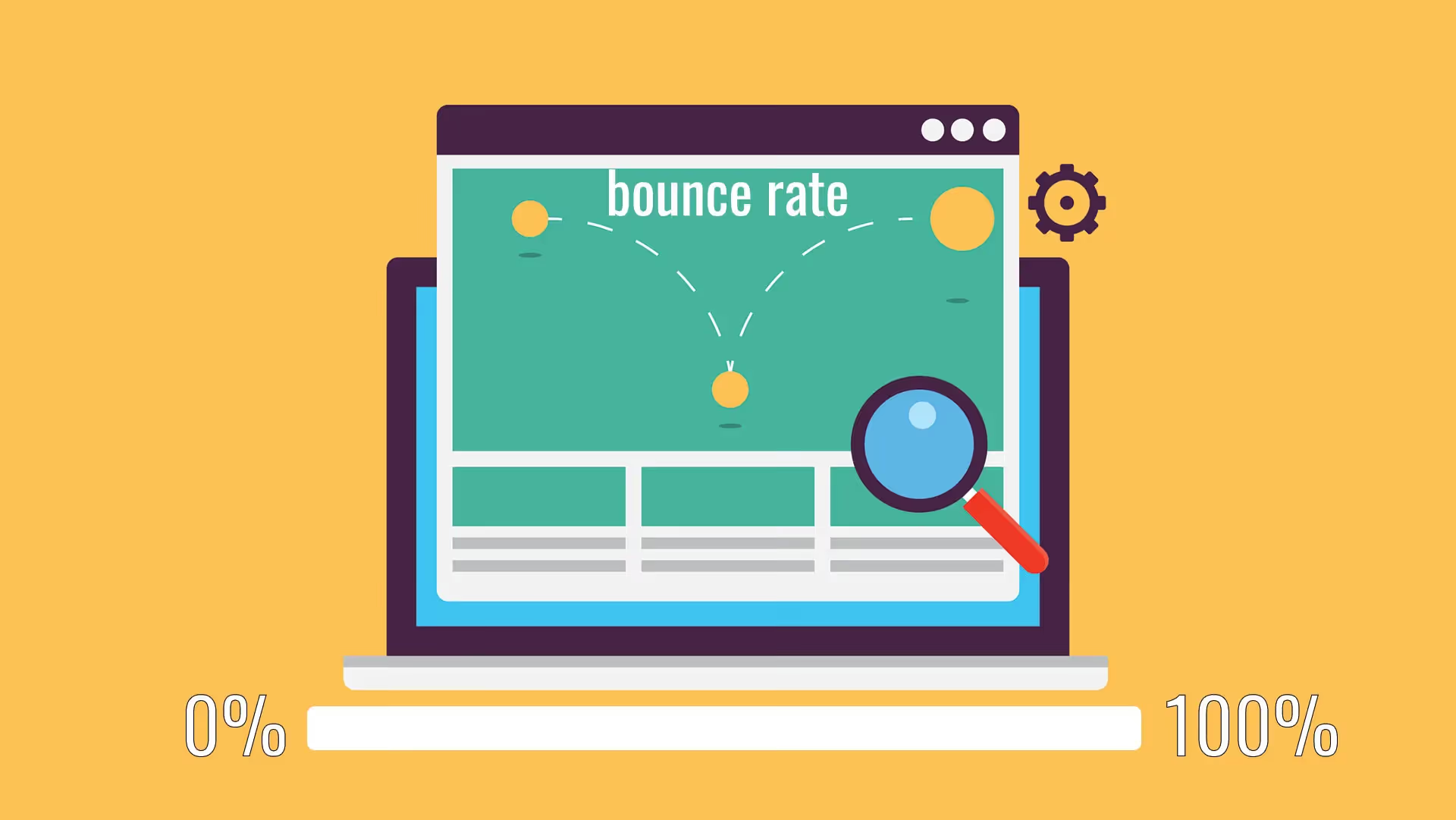
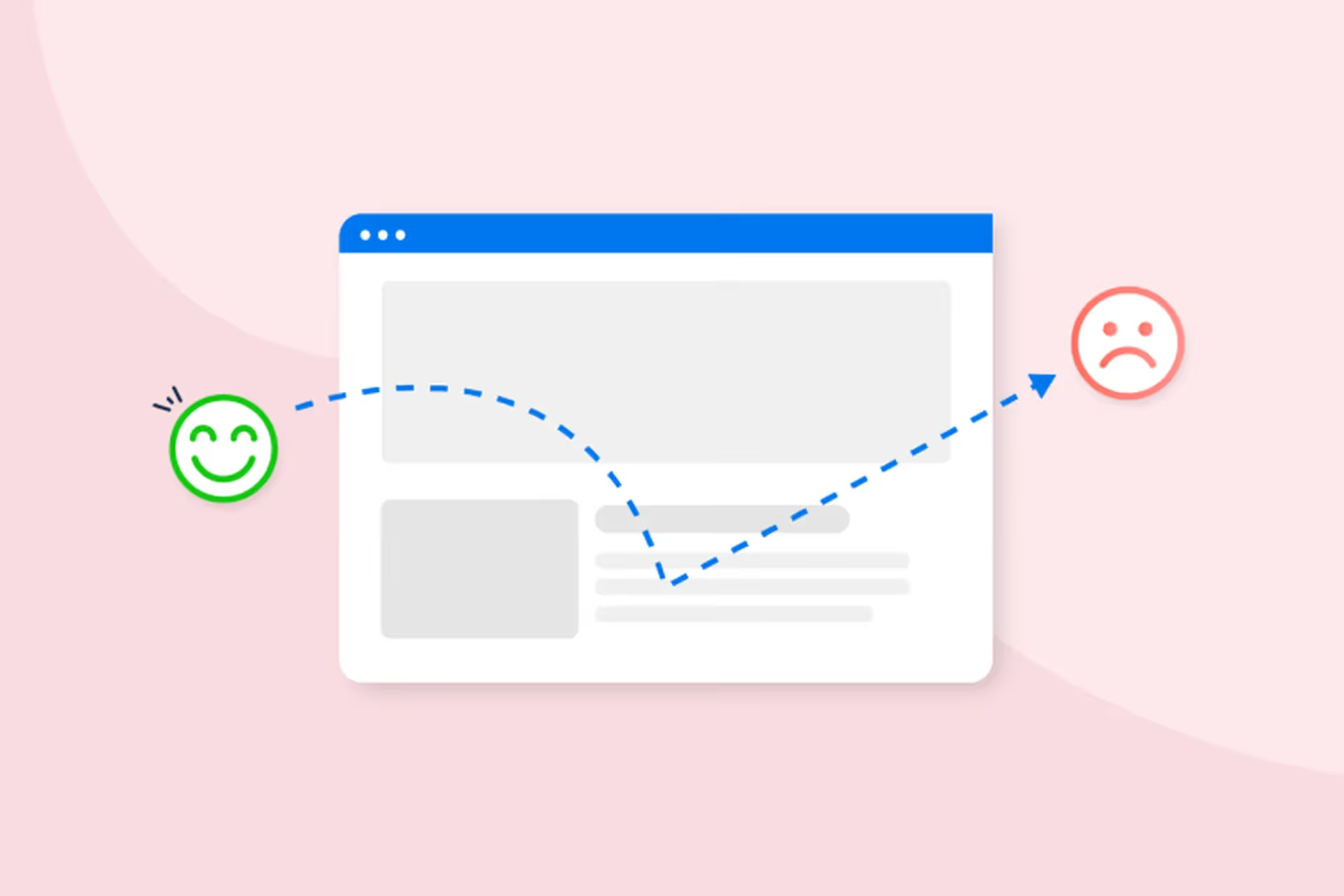
What is bounce rate? This is a key SEO metric that represents the percentage of users who leave your website after viewing only a single page without any further interaction.
In other words, if a visitor lands on your website but does not click any links, navigate to another page, or perform any actions (such as filling out a form, watching a video, etc.), that session is counted as a bounce.
A high Bounce Rate can be a sign that your website is unappealing or does not provide content that meets the user's needs.
Real-world examples of Bounce Rate
Imagine you have an e-commerce website:
- Scenario 1 – High Bounce Rate
A user searches for "buy men's sneakers" on Google.
They click on your product page, but the content isn't what they expected or the page takes too long to load → They leave immediately without making a purchase.
This is a bounce, which increases your Bounce Rate.
- Scenario 2 – Low Bounce Rate
A user clicks on a product page → views other products → reads a blog post → adds an item to their cart → places an order.
In this case, the user has interacted with multiple pages on the website, lowering the Bounce Rate.
How is Bounce Rate different from Exit Rate?
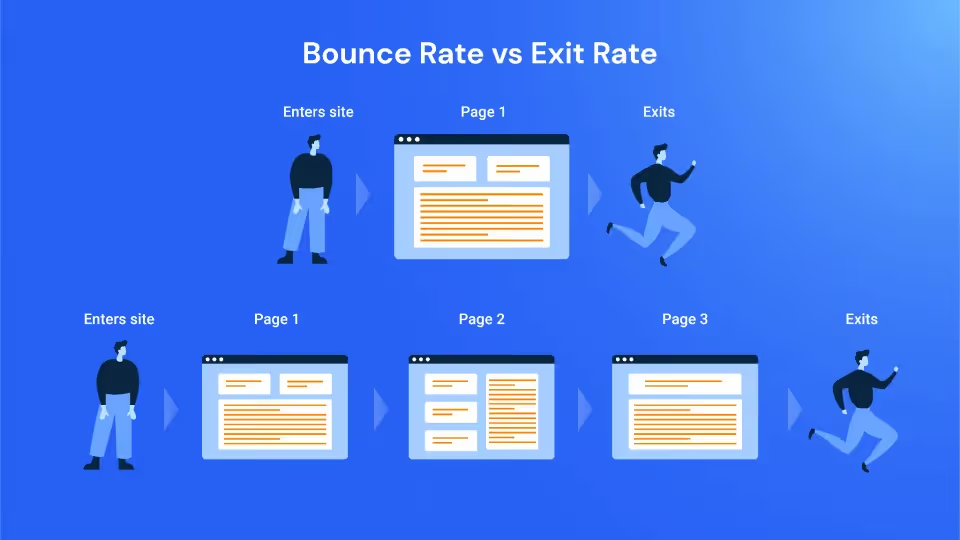
Many people often confuse Bounce Rate and Exit Rate, but there is an important distinction between these two metrics:
Example:
- A person enters trang A and leaves immediately → Page A's Bounce Rate increases.
- A person enters page A → page B → leaves from page B → Page B's Exit Rate increases, but it does not affect the Bounce Rate.
How to calculate Bounce Rate
Bounce Rate formula
The Bounce Rate is calculated using the following formula:
Bounce Rate = Single-page sessionsTotal sessions x 100%
How to measure in Google Analytics
To check the bounce rate, you can use Google Analytics 4 (GA4):
- Go to Google Analytics → Select the website you want to check.
- Go to the “Engagement” section → Select Overview.
- Check Bounce Rate for the entire site or specific pages.
Note: In GA4, Google no longer uses the term "Bounce Rate" directly, replacing it with "Engagement Rate." Bounce Rate is calculated using the following formula:
Bounce Rate = 100% − Engagement Rate
The significance of Bounce Rate in SEO
Does Google consider Bounce Rate a ranking factor?
Google has stated that Bounce Rate is not a direct ranking factor. However, this metric remains important as it reflects user experience, which indirectly impacts SEO.
If the bounce rate is too high, your website might:
- Fail to meet search intent
- Have a poor user experience
- Fails to encourage further user interaction
These factors can lower your SEO rankings on Google.
Bounce Rate affects Time on Page and Dwell Time
- Time on Page: The amount of time a user spends on a webpage.
- Dwell Time: The time from when a user clicks a search result to when they return to Google.
If the bounce rate is high, it means low Dwell Time, which signals to Google that the content is not useful, negatively impacting your SEO.
The relationship between Bounce Rate and Conversion Rate
A high Bounce Rate is often accompanied by a low conversion rate. When users leave immediately without taking any action, revenue and marketing effectiveness will decline.
Example:
- A sales page with Bounce Rate 80% → This means 80% of users leave without making a purchase.
- If you reduce the Bounce Rate to 50%, it means more people are staying longer and are more likely to make a purchase.
Therefore, optimizing Bounce Rate not only improves SEO but also boosts conversion rates and revenue.
What is a good Bounce Rate?
When people look into Bounce Rate, a very common question arises: what is considered a good Bounce Rate?
In reality, there is no fixed number for an ideal Bounce Rate, as it depends on the type of website, business goals, and user behavior. However, based on analytical data from millions of websites, we can determine standard Bounce Rate thresholds for each type of website.
Bounce Rate standards by website type
Each type of website has different characteristics and goals, leading to variations in Bounce Rate. Below are the average rates for each type of website:
1. Blog (65% - 90%)
Blogs often have a high Bounce Rate because users typically read one article and then leave.
If the article immediately solves the problem the user is looking for, they may not need to view other pages.
To reduce the Bounce Rate on a blog, you need to add internal links and calls to action (CTAs) to guide readers to related articles.
2. E-commerce sites (20% - 45%)
Lowest bounce rate among all website types, as users typically explore multiple products before making a purchase.
If the bounce rate exceeds 50%, it may be due to unappealing product pages, high pricing, or a difficult-to-use interface.
Optimizing the shopping experience (UX/UI) and adding related product recommendations can help reduce the bounce rate.
3. Landing Page (70% - 90%)
Landing pages may have a high bounce rate, as they are typically designed to provide quick information or drive a specific call to action (such as signing up, downloading documents, or placing an order).
If a landing page has a high conversion rate but also a high bounce rate, this is not necessarily a major issue.
To improve performance, you can optimize content, enhance page load speed, and conduct A/B testing to find more effective solutions.
4. Corporate websites (40% - 60%)
Corporate websites often contain many pages, such as company profiles, services, and contact information.
If the bounce rate is high, it may be due to unengaging content, poor navigation, or slow page load speeds.
Optimizing the homepage and ensuring clear navigation can help reduce the bounce rate.
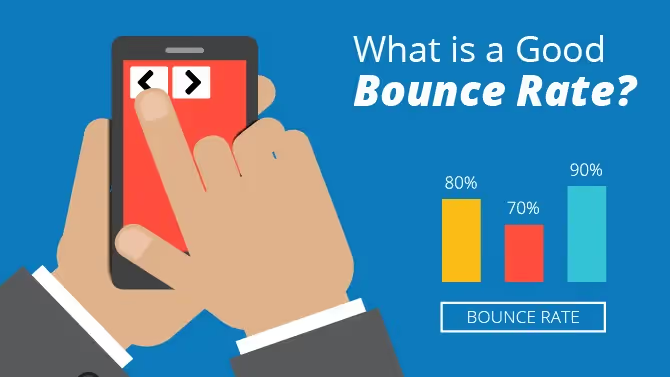
In summary: If your bounce rate falls within the average range for your specific website type, there is no need to worry. However, if it exceeds this threshold, you should investigate the cause and look for ways to optimize.
When should you be concerned about a high bounce rate?
A high bounce rate is not always a negative sign. However, if you notice an unusually high bounce rate accompanied by the following issues, you should investigate immediately:
1. High Bounce Rate + Low Conversion Rate
If your website has a bounce rate over 80% but a low conversion rate, this is a red flag.
Possible causes include:
- The page does not provide the content users are looking for.
- Lack of a clear call to action (CTA).
- Too many intrusive pop-ups or ads.
2. Sudden spike in Bounce Rate
If your website's bounce rate increases sharply over a short period, it could be due to:
- Display errors or slow page loading speeds.
- Content changes that have made it less engaging.
- SEO issues that are negatively impacting traffic quality.
3. High Bounce Rate on key pages (homepage, product pages, service pages)
If your homepage or product pages have a high bounce rate, it may be because:
- Poor interface design that is difficult to navigate.
- Content that isn't engaging enough to retain users.
- No clear call to action.
4. High Bounce Rate from paid traffic sources
If you are running Google Ads or Facebook Ads but your landing page has a high bounce rate, it could be because:
- The ads are not reaching the right target audience.
- The page content is not related to advertising.
None a single ideal bounce rate for all websites. It is important that you clearly understand what bounce rate is, determine if your bounce rate is within a normal range, and find ways to improve it if necessary.
How to effectively reduce bounce rate
If your bounce rate is too high, it may signal issues with content, user experience, or page load speed. To improve your bounce rate, you can apply the following methods.
Improve content and create engaging headlines
One of the main reasons users leave a page immediately is that the content does not meet their expectations.
How to optimize content to reduce bounce rate:
- Write engaging headlines: Headlines must be clear, attractive, and accurately reflect the article's content. If a headline is too generic or misleading, users will leave the page immediately.
- Create a compelling introduction: The first paragraph of an article needs to address the problem the user is interested in to keep them reading.
- Provide valuable content: Articles must be informative, focused, and help readers find the answers they need.
- Use readable formatting: Use subheadings, bullet points, and bold text for key ideas to make the content easy for users to follow.
- Update content regularly: Old, outdated content can reduce a website's credibility, leading to a high bounce rate.
Example: A headline like “How to effectively reduce bounce rate in just 5 steps” is more compelling than “Reducing bounce rate for websites” because it is specific and directly addresses the reader's needs.
Increase page load speed (under 3 seconds)
Page load speed is one of the most critical factors affecting user experience and SEO. If a website takes more than 3 seconds to load, most users will leave immediately, increasing the bounce rate.
How to optimize page load speed:
- Reduce image size: Use WebP format or compress images using tools like TinyPNG.
- Enable browser caching: Helps pages load faster when users return to the website.
- Use a CDN (Content Delivery Network): Distribute content from the server closest to the user to reduce load times.
- Optimize source code: Minimize unnecessary JavaScript and CSS files, and use Gzip compression.
- Check page speed: Use tools like Google PageSpeed Insights or GTmetrix to evaluate and improve performance.
A fast-loading website not only helps reduce bounce rate but also improves SEO rankings.
Optimize UX/UI for better navigation
User experience (UX) and user interface (UI) have a major impact on whether users stay on your website. If a site is difficult to navigate or the interface is unfriendly, users will leave immediately.
How to optimize UX/UI to reduce bounce rate:
- Design a simple, intuitive interface: Avoid overly complex layouts or excessive ads that distract the user.
- Ensure mobile-friendliness: Your website must display well on all devices, especially smartphones.
- Reduce the number of pop-ups: If there are too many pop-ups or they appear the moment a user arrives, they may leave immediately.
- Improve navigation: Use clear menus to help users easily find the content they need.
- Use breadcrumb navigation: Help users understand their location on the site and make it easier to return to previous categories.
When UX/UI is optimized, users have a better experience, which in turn reduces the bounce rate.
Use internal links to retain users
Internal linking not only improves SEO but also helps users discover more relevant content, keeping them on your site longer.
How to use internal links effectively:
- Place links naturally within the content: Guide users to related articles they might be interested in.
- Use relevant anchor text: Avoid generic phrases like “Click here” and use descriptive keywords instead.
- Suggest related articles: Add a list of related posts at the end of your article to give users more options to keep reading.
- Optimize website structure: A website with a well-organized internal linking system helps users navigate more easily, which in turn reduces your bounce rate.
Example: If your article is about “How to optimize On-page SEO”, you can add a link to an article on “The importance of internal links in SEO” to keep users engaged for longer.
Add clear CTAs to encourage interaction
CTAs (Call to Action) are essential for guiding users toward desired actions, helping to reduce bounce rates and increase conversion rates.
How to optimize CTAs effectively:
- Place CTAs clearly and visibly: CTA buttons should stand out and use eye-catching colors.
- Use strong calls to action: Avoid generic phrases like “Learn more”; instead, use “Get your offer today” or “Read the detailed guide.”
- Strategic CTA placement: Place CTAs at the top of the page, within the content, or at the end of the article to ensure they are easily visible to users.
- Create a sense of urgency: Use phrases like "Limited to today only" or "Only 5 free spots left" to encourage immediate action.
When CTAs are optimized, users are more likely to engage rather than leave the website immediately.
By implementing these strategies correctly, your bounce rate will decrease significantly, helping to improve SEO performance and increase conversion rates.
Conclusion
Bounce rate is an essential metric for evaluating website performance, especially in SEO. Understanding what bounce rate is, how it is calculated, and the factors that influence it will help you develop effective strategies to reduce your bounce rate and improve search performance. To effectively lower your bounce rate, you need to focus on improving content, optimizing page load speed, and providing the best possible user experience. By doing so, your website will not only keep users engaged longer but also help improve your rankings on search engines.


