



As we know, not all links provide positive value to a website when it comes to SEO. Nofollow links are an important attribute that helps webmasters control how Google evaluates and processes links. So, what is a nofollow link and when should you use this attribute? This article will help you understand the concept of nofollow links, how they work, and the situations where you should apply them to optimize your SEO strategy.
What is a nofollow link? How nofollow links work in SEO
Defining nofollow links
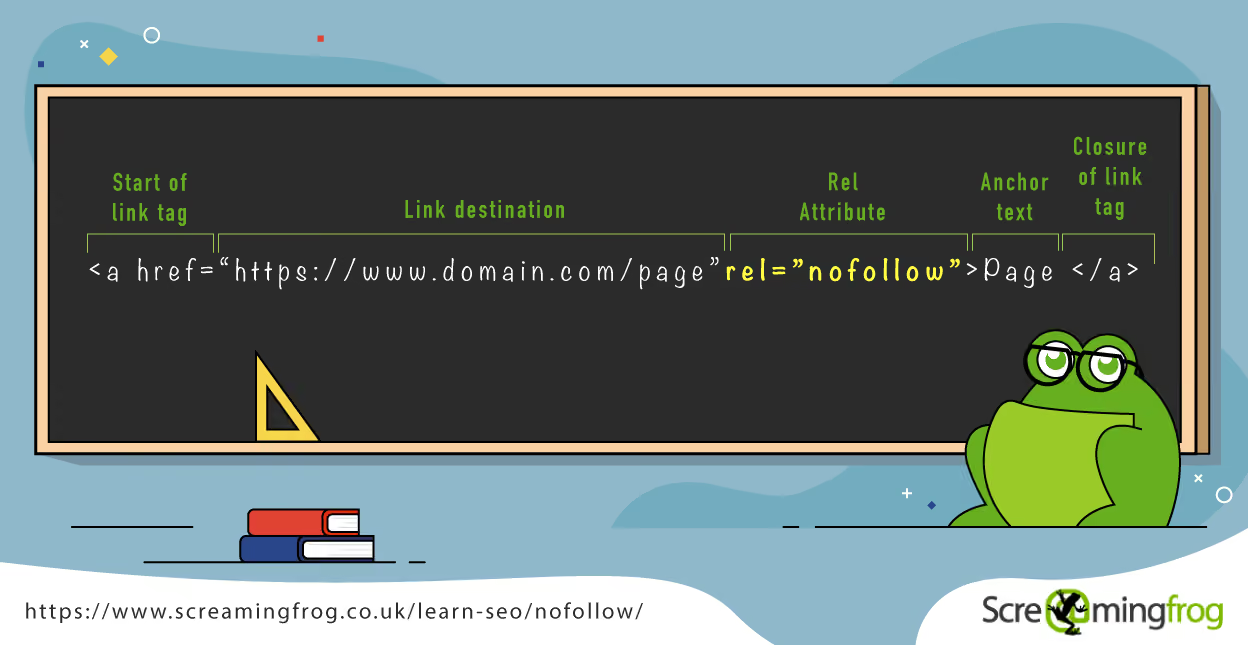
A nofollow link is a type of link with the rel="nofollow" attribute added to the <a> tag, signaling to search engines like Google, Bing, and Yahoo that they should not pass SEO value (link juice) from the source page to the destination page.
When a link is tagged as nofollow, Googlebot and other search engines will not follow (crawl) or pass your website's ranking authority to the linked page. This helps website administrators control the flow of SEO and limit the impact of unwanted links.
An example of how to create a nofollow link:
<a href="https://example.com" rel="nofollow">Example</a>
In this case, the "example.com" page will not receive any SEO benefits from this link.
The origin and reason Google introduced the nofollow attribute (in 2005)
Attribute nofollow was introduced by Google in 2005 to address the issue of backlink spam and unnatural links. Previously, webmasters could manipulate search results by building mass low-quality links from blogs, forums, and comments, negatively impacting Google's ranking system.
The main reasons Google introduced nofollow links:
- Preventing comment spam on blogs and forums: Before nofollow, many websites were bombarded with comments containing backlinks for SEO purposes.
- Limiting unnatural links: Websites could easily boost their rankings by purchasing links from other sites. Google considers this a policy violation and uses nofollow to control it.
- Improving search result quality: By not passing SEO value through untrustworthy links, Google helps create a fairer search environment.
Since 2019, Google has updated how it handles the nofollow attribute, turning it into a hint rather than a strict rule. This means Google may still crawl nofollow links, but does not guarantee that they will be factored into the ranking algorithm.
The role of nofollow links in SEO
1. Controlling PageRank flow and optimizing SEO
One of the key roles of nofollow links is to help webmasters control how PageRank (Google's ranking score) is distributed across their site.
For example:
- If you have many outbound links, you can use nofollow to preserve SEO value for more important links.
- Pages like "Terms of Service" or "Privacy Policy" usually do not need to rank on Google, so you can use nofollow to prevent the passing of PageRank.
2. Minimizing negative SEO risks
Some websites can be negatively affected by linking to sites that have been penalized by Google. Using nofollow links helps avoid ranking drops caused by linking to low-quality or spammy sites.
3. Complying with Google's requirements for paid links
Google mandates that all links placed within advertising content, sponsored posts, or PR articles should use nofollow or similar attributes like rel="sponsored". This helps your website avoid Google penalties for violating link policies.
How do nofollow links work?
1. How Googlebot handles nofollow links
When Googlebot (Google's crawler) encounters a nofollow link, it recognizes that this link should not be factored into the search engine's ranking algorithm. Before 2019, Google completely ignored nofollow link when crawling and indexing. However, after the 2019 update, Google changed how it handles nofollow, shifting it from a strict rule to an optional hint.
Below are two important stages in how Google handles nofollow links:
Before 2019:
- Googlebot would not crawl links tagged with rel="nofollow".
- No SEO value (PageRank) was passed from the source page to the destination page.
- Google did not index content from these links.
After 2019:
- Google may choose to follow or nofollow nofollow link.
- A nofollow link has become a hint, rather than an absolute rule.
- Google may index the content of the destination page if it deems the page valuable.
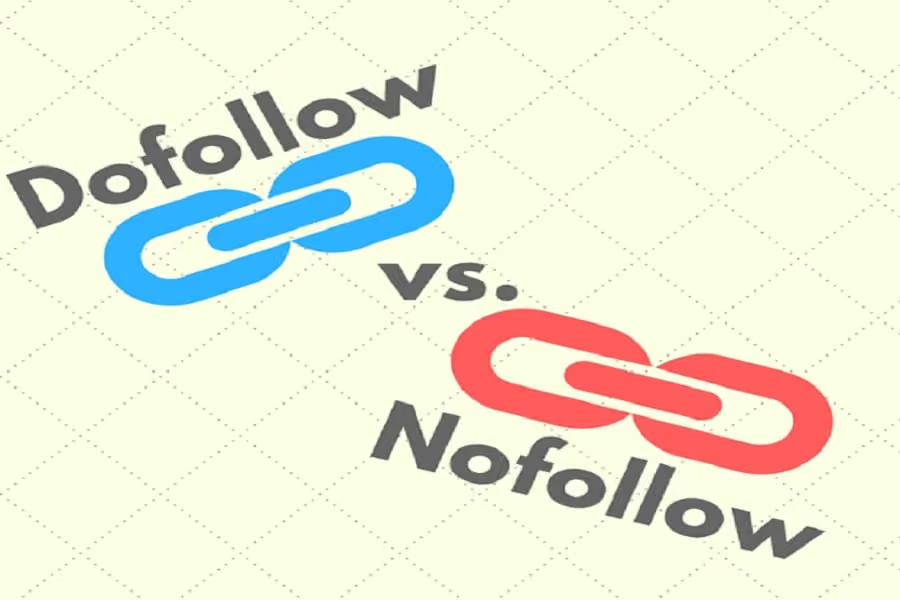
Although Google has changed how it handles nofollow links, in general, nofollow links still do not pass as much SEO value as dofollow links.
Example of nofollow link HTML syntax
- Here is how to create a nofollow link in HTML:
<a href="https://example.com" rel="nofollow">Example</a>
Or if you are using WordPress, you can add nofollow when inserting a link by selecting "Add rel="nofollow" to link" in the editor.
- Example of a nofollow link in advertising:
<a href="https://quangcao.com" rel="nofollow sponsored">View now</a>
- rel="nofollow": Does not pass SEO value.
- rel="sponsored": Used for advertising links and sponsored posts.
Nofollow links play an important role in SEO, helping to control link equity, reduce spam, and optimize backlink strategies. Although nofollow links do not pass SEO value directly, they still influence user experience and search rankings indirectly. Understanding when to use nofollow will help you manage your website better and avoid issues related to negative SEO.
When should you use nofollow links?
Nofollow links are an essential tool that helps webmasters control link equity, avoid spam-related issues, and optimize SEO strategies. So, what is a nofollow link and when should you use it? Here are 5 common scenarios where you should apply nofollow links.
When linking to untrustworthy websites
When you insert a link pointing to another website, Google may interpret it as you recommending and vouching for the quality of that page. If the destination website has low-quality content or violates Google's policies, it could negatively impact your rankings.
Reasons to use nofollow links:
- Avoid negative SEO impact when linking to websites penalized by Google.
- Prevent adverse effects from low-quality, spammy, or copyright-infringing content.
Example HTML syntax:
<a href="https://example.com" rel="nofollow">Reference here</a>
When placing links in advertising or sponsored content
According to Google's guidelines, all links within advertisements, sponsored content, or partner links must use the nofollow or sponsoredattribute. This helps Google distinguish between natural links and commercial links.
Reasons to use nofollow links:
- Avoid Google penalties for violating paid link policies
- Maintain website credibility when collaborating with third parties without impacting SEO.
HTML syntax example:
<a href="https://quangcao.com" rel="nofollow sponsored">View details</a>
When you want to prevent the passing of SEO value (link juice)
When you place a link, Google passes a portion of SEO value from your page to the destination page. However, there are pages that do not need to receive link juice, such as:
- Terms of service and privacy policy pages.
- Contact pages and registration forms.
- Links to reference sources that you do not want to impact your SEO.
Reasons to use nofollow links:
- Retain SEO authority for important pages on your website.
- Better control over PageRank distribution (Google's ranking score).
HTML syntax example:
<a href="https://example.com/privacy-policy" rel="nofollow">Privacy Policy</a>
When controlling links in comments and user-generated content (UGC)
If your website has a comments section, forum, or user-generated content (UGC), you should use nofollow or ugc to avoid spam backlinks.
Reasons to use nofollow links:
- Prevent spammers from using your website to create backlinks.
- Maintain content quality and avoid risks from malicious links.
HTML syntax example:
<a href="https://userwebsite.com" rel="nofollow ugc">Personal page</a>
When there are too many outbound links on a page
If a page has too many outbound links , SEO value will be overly diluted, reducing the overall strength of the website. Therefore, you should use nofollow for some links to preserve SEO authority.
Reasons to use nofollow links:
- Balance nofollow and dofollow links to optimize SEO performance.
- Retain SEO value for more important links.
HTML syntax example:
<a href="https://example.com" rel="nofollow">See more</a>
Understand what a nofollow link is and when to use nofollow links will help you better manage your link strategy, avoid negative SEO risks, and comply with Google's guidelines. Using nofollow links correctly not only protects your website but also helps optimize overall SEO performance.
How to effectively check and implement nofollow links for SEO
Nofollow links are an important attribute that helps webmasters control links and avoid negative SEO risks. So, how do you check and implement nofollow links correctly? Let's explore the methods below.
How to check for nofollow links on your website
To determine if a link on a webpage is a nofollow link , you can use Inspect Element or SEO tools such as Ahrefs, Screaming Frog, or Moz.
1. Checking for nofollow links using Inspect Element in Chrome Developer Tools
You can check for nofollow links directly in the Chrome browser by:
- Step 1: Open the website you want to check.
- Step 2: Right-click on the link you want to check → Select Inspect.
- Step 3: Observe the displayed HTML code. If the link has the rel="nofollow" attribute, it means Google will not pass SEO value to the destination page.
2. Check for nofollow links using SEO tools
Besides the manual method, you can use specialized tools to check for nofollow links on your website:
- Ahrefs: Helps check all nofollow links on the website, identifying both external and internal links.
- Screaming Frog: Supports crawling the entire website to quickly find nofollow links .
- Moz: Provides a link checking feature with icons that display the status nofollow/dofollow.
Example of how to use Ahrefs to check for nofollow links:
- Go to Ahrefs Site Explorer.
- Enter your website URL into the search bar.
- Select Backlinks → Filter by Link Type → Select Nofollow.
- View the list of nofollow links pointing to your website.
How to manually add a nofollow link
Implementing nofollow link helps you control the passing of SEO value, protect your website from spam, and comply with Google's policies. Below are two common ways to add nofollow link to your website.
1. Add rel="nofollow" to the <a> tag in HTML
If you want to place a link that Google does not follow, simply add the rel="nofollow" attribute to the <a> tag.
Example of a nofollow link in HTML:
<a href="https://example.com" rel="nofollow">Reference</a>
If the link is an advertisement or a sponsored post, you can add the rel="sponsored" attribute:
<a href="https://example.com" rel="nofollow sponsored">View now</a>
2. How to edit nofollow links in WordPress
If you use WordPress, you can easily add nofollow link without needing to edit HTML code.
- Step 1: When creating or editing a post, select the link you want to add the nofollowattribute to.
- Step 2: Click on the icon Edit link (Edit link).
- Step 3: Select "Add rel="nofollow" to link" in the link settings.
- Step 4: Save your changes.
Use a plugin to automatically add nofollow links:
You can use Yoast SEO or All in One SEO Pack to automatically assign the nofollow attribute to external links.
Understanding how to check and implement nofollow links will help you optimize your SEO strategy, protect your website from spam, and comply with Google's policies. Whether you use manual methods or supporting tools, managing nofollow links using them correctly will help improve SEO performance and protect the quality of your website.
Conclusion
Using nofollow links correctly not only helps you avoid violating Google's policies but also protects your website from negative SEO risks. Although Google does not pass SEO value (link juice) through nofollow links, they remain a useful tool for managing links, reducing spam, and optimizing user experience. Apply nofollow appropriately to advertising links, user-generated content, and unnecessary pages to ensure your website remains effective and safe in the eyes of search engines.


