




Google Keyword Planner (GKP) is a free and powerful keyword research tool from Google that helps you discover potential keywords, develop SEO strategies, and optimize your advertising effectively. However, to fully harness the power of GKP, you need to understand how to use this tool intelligently and easily.
In this article, Markdao will provide a detailed guide on how to leverage Google Keyword Planner to find keywords quickly and accurately, thereby boosting your website's ranking in search results.
What is Google Keyword Planner?
1. Introduction to Google Keyword Planner
Google Keyword Planner (GKP) is a free keyword research tool provided by Google, specifically designed for advertisers and SEO professionals. With GKP, users can easily search for, evaluate, and select the right keywords for their Google Ads campaigns or SEO strategies.

Using this tool helps ensure you are always targeting the right audience and increases your chances of appearing in relevant search results. It is built directly into Google Ads, allowing everyone to use it at no additional cost.
2. Benefits of using Google Keyword Planner
When using Google Keyword Planner, users can not only find relevant keywords but also gain insights into search trends and evaluate the competition level of each keyword. This plays a crucial role in building an effective SEO or advertising strategy.
First, Google Keyword Planner provides a list of related keywords based on the primary keyword you enter. This not only helps you find potential keywords but also allows you to discover trending terms, helping you stay ahead of market trends. Notably, the tool also helps you assess keyword competition, so you know which keywords are easier to target and which are highly competitive.
Additionally, GKP provides monthly search volume forecasts. This is highly useful for predicting user reach when using specific keywords in advertising campaigns or SEO optimization. You can also use this tool to estimate costs for Google Ads campaigns based on specific keywords, allowing you to manage your advertising budget effectively.
Most importantly, Google Keyword Planner helps you build a sustainable SEO strategy. Instead of relying on intuition, GKP allows you to select keywords based on real data regarding trends and search volume. This helps you focus on keywords with long-term growth potential, increasing your chances of improving website rankings and attracting higher-quality traffic.
Key features of Google Keyword Planner
Discover new keywords: One of the standout features of Google Keyword Planner is its ability to discover new keywords. This is extremely useful for expanding the list of potential keywords you can use in your SEO or advertising campaigns.

To get started, simply enter a seed keyword or your website URL into the tool. Google Keyword Planner will immediately analyze and provide a list of related keywords, including those you may not have thought of. This feature helps you not only find popular keywords but also discover long-tail keywords that have lower competition but the potential to drive high-quality traffic.
View search volume and performance forecasts: Once you have a list of keywords, you can easily view the average monthly search volume for each to gauge user interest.
Furthermore, the tool provides information on competition levels and forecasts potential traffic if you use these keywords in Google Ads campaigns. This feature gives you an overview of how keywords can help boost your SEO rankings or optimize your advertising campaigns.
Keyword filters: You can filter keywords based on criteria such as language, location, search network, and specific time ranges. For example, if you are running an ad campaign targeting a specific geographic area, you can use the filter to select the most popular keywords in that region.
These filters also help you focus on keywords that align with your advertising budget and business goals, helping to optimize campaign performance without wasting resources on irrelevant keywords.

Advertising budget recommendations: Based on cost-per-click (CPC) data and search volume for each keyword, Google Keyword Planner provides you with reasonable budget suggestions to run your advertising campaigns most effectively.
This helps you easily manage costs, ensuring your ad campaigns are not only budget-friendly but also maximize ROI by reaching the right target audience at a reasonable price. Thanks to this feature, you can create a detailed financial plan for your ad campaigns, avoiding overspending on ineffective keywords.
The simplest way to use Google Keyword Planner for keyword research
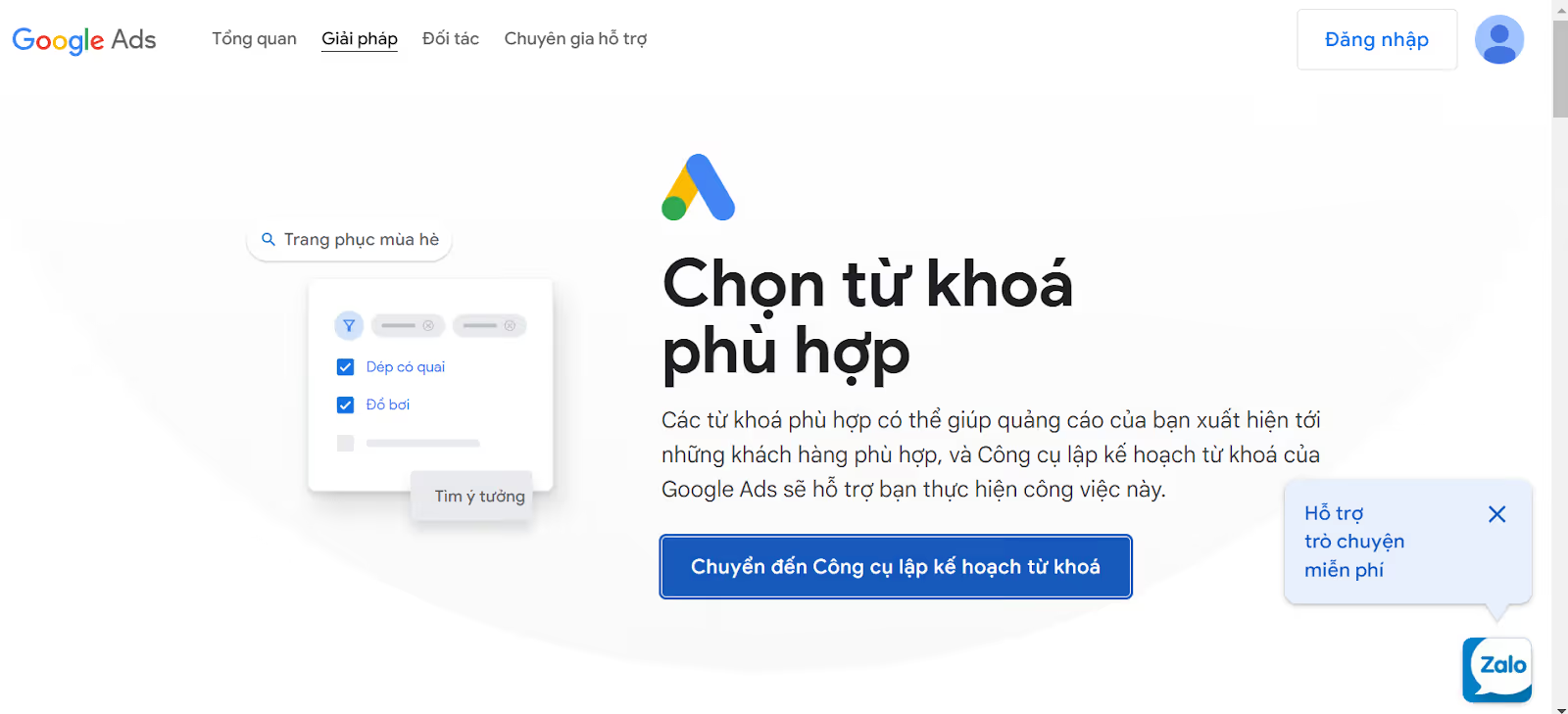
Step 1: Access Google Keyword Planner
To get started, you need to access Google Keyword Planner (GKP) through your Google Ads account. If you don't have a Google Ads account yet, simply sign up by following Google's easy step-by-step instructions.
Once logged in, you will see the “Tools and Settings” menu in the navigation bar; from there, select Google Keyword Planner under the “Planning” section.
The GKP interface is very user-friendly, making it easy for you to begin your keyword research process.
Step 2: Search for new keywords
Select “Search for new keywords”: Once inside GKP, click on the “Discover new keywords” option.
Enter a keyword or URL: You can enter a primary keyword or the URL of a website related to your product, service, or topic.
Get a list of keywords: GKP will provide a list of relevant keywords based on your input.

Step 3: Filter keyword search results
Use filters: Use filter options to refine your results, including:
- Language: Select the language you want to research (e.g., English).
- Location: Filter keywords by a specific geographic area (e.g., United States).
- Date range: Choose the time period for which you want to view keyword data (e.g., the last 12 months).

Step 4: Analyze and select keywords
View search volume: Check the average monthly search volume for each keyword.
View competition level: Understand the competition level for the keyword (high, medium, or low).
Cost estimation: View the estimated cost for advertising with that keyword (CPC).
Select keywords: Based on these factors, choose keywords with good search volume and an appropriate level of competition.
Step 5: Use keywords in your SEO and advertising strategy
Integrate keywords into content: Use your selected keywords to optimize titles, meta descriptions, and website content.
Set up Google Ads: If you are running ads, add keywords to your Google Ads campaigns to target potential customers.
Tips and strategies for using Google Keyword Planner effectively
1. Choose long-tail keywords
Long-tail keywords, also known as long-tail keywords, are more specific and detailed search phrases. Although they have lower search volume compared to short-tail keywords, they are usually less competitive and help you attract the right target audience.
For example, instead of using a generic keyword like "buy a car," you could choose a longer keyword like "buy cheap used cars in Hanoi." This increases conversion potential because you are targeting users with clearer intent.
2. Analyze competitors
A powerful strategy is to analyze the keywords your competitors are ranking highly for. You can enter your competitor's URL into Google Keyword Planner to see which keywords they are using. From there, you can optimize your content, compete on similar keywords, or find new keyword opportunities they haven't tapped into yet. This helps you guide your SEO strategy more intelligently and increases your chances of outperforming your competitors.
3. Use location and language filters
Google Keyword Planner allows you to filter keywords by geographic location and language. This is extremely useful when you want to target a specific market. For example, if you are running ads or optimizing SEO in Vietnam, you can filter results by the Vietnamese language and the Vietnam location to make your keywords more relevant to your target audience. As a result, your advertising strategy will be more precise and yield better results.
4. Monitor and update keywords
Keywords are not static – search trends change constantly over time. Therefore, it is important to regularly monitor and update your keywords to keep up with market changes. Use Google Keyword Planner to re-evaluate your keywords, adjust your strategy, and take advantage of new, emerging keywords. By doing this, you will ensure that your content and ads remain optimized and aligned with current trends.
Other effective keyword research tools available today
In addition to GKP, there are several other popular website analysis and keyword research tools that many people use, including:
1. Ahrefs keyword research tool
Overview: Ahrefs is one of the most powerful SEO tools available today, widely used by professionals for keyword research, backlink analysis, and keyword rank tracking.

Pros:
- Provides accurate data on search volume, keyword difficulty, and related keywords.
- Features highly detailed competitor analysis, helping you gain a clear understanding of your competitors' keyword strategies.
- Integrate backlink tracking and website audit tools.
Cons:
- High cost compared to other tools, making it difficult for beginners to access.
- The interface can be complex for beginners, requiring time to get used to.
Pricing: Starting from $99/month for the basic plan.
Target audience: Suitable for SEO professionals, large enterprises, or anyone looking for a comprehensive tool for keyword research and website analysis.
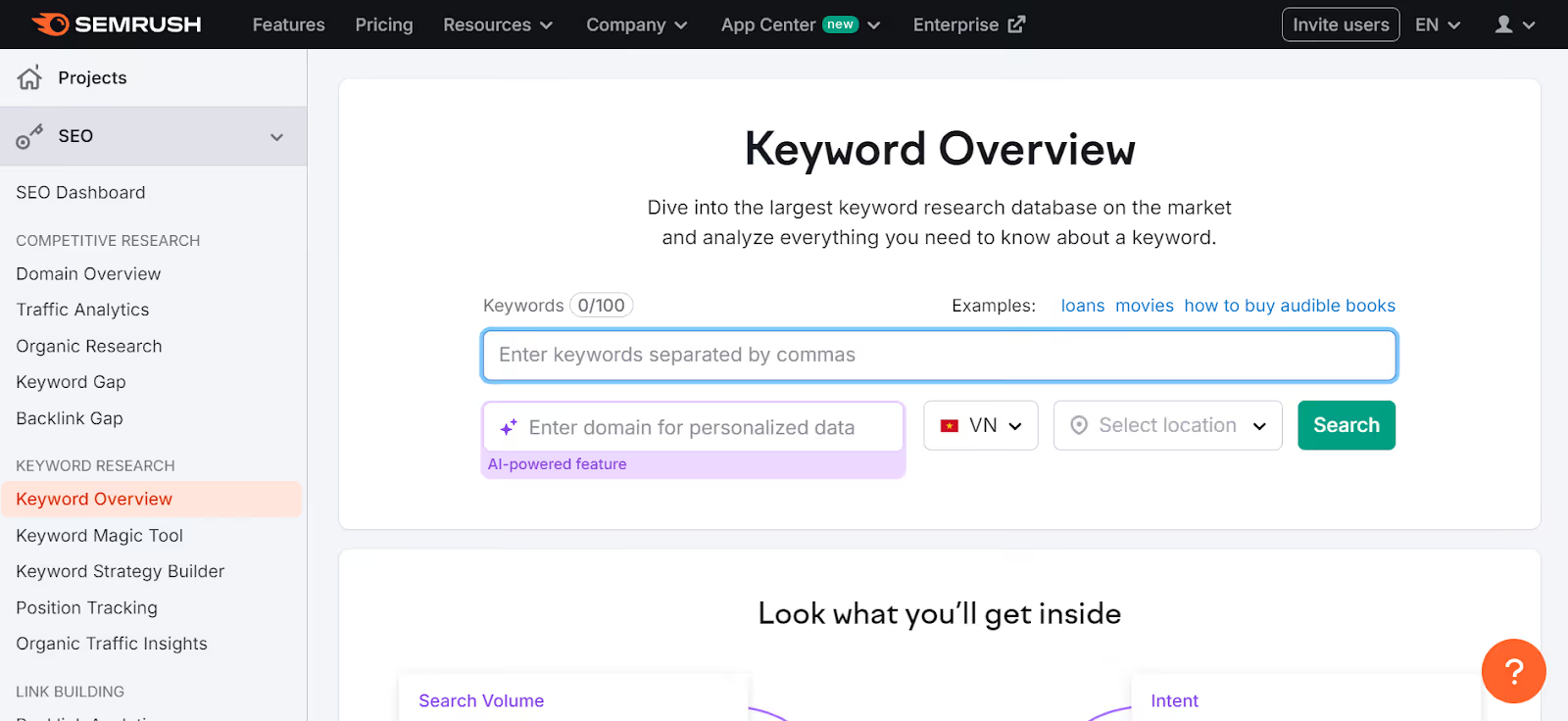
2. Keyword research with SEMrush
Overview: SEMrush is not just a keyword research tool, but a comprehensive marketing analytics platform covering SEO, advertising, social media, and content analysis.
Pros:
- A user-friendly interface that is easy to navigate for both beginners and experts.
- Provides extensive data on keywords, competitors, and advertising opportunities.
- Integrates social media analytics and PPC (pay-per-click) advertising features.
Cons:
- High cost, especially for advanced plans.
- In-depth features may be overwhelming for users who only need simple keyword research.
Pricing: Starting at $129.95/month for the Pro plan.
Best for: SEMrush is a great choice for comprehensive marketing professionals or businesses that need to analyze more than just keywords, including other media channels.
3. KeywordTool.io
Overview: KeywordTool.io is a keyword research tool that focuses on finding long-tail keywords from various sources, including Google, YouTube, Bing, and Amazon.

Pros:
- Easy to use, with a simple interface that is friendly for beginners.
- Provides related keywords from various platforms such as Google, YouTube, Bing, and Amazon, making it easy to find the right keywords for each channel.
- Offers a free version with basic features.
Cons:
- The free version only provides a limited number of keywords and does not display data on search volume or keyword difficulty.
- Lacks in-depth analytical features compared to Ahrefs or SEMrush.
Pricing: Starting from $69/month for the Pro version.
Target audience: Suitable for SEO beginners or those who need to find keywords quickly without requiring extensive detailed analysis.
Conclusion
We hope this article by Markdao has helped you better understand GKP. Google Keyword Planner is an incredibly powerful tool for keyword research, helping you optimize your SEO and advertising strategies effectively. Mastering GKP and combining it with smart tips and strategies will help you select the right keywords, reach your target audience, and stay ahead of the competition. Besides Google Keyword Planner, tools like Ahrefs, SEMrush, and KeywordTool.io also offer unique advantages, depending on your needs and budget.
Whether you are a beginner or an SEO expert, investing in keyword research is a crucial step for sustainable growth and long-term success. Start using these tools today to improve your strategy, attract the right customers, and maximize the effectiveness of every campaign.


