



302 Redirect – A temporary redirect with long-term impact! Even though it’s just a small change in the URL, a 302 Redirect can affect your SEO and user experience more than you might think. Using it incorrectly can cause your website to lose traffic, but using it the right way can help optimize performance. So, what exactly is a 302 Redirect? When should you use it, and when should you avoid it? Let’s join Markdao to find out!
What is a 302 Redirect?
A 302 Redirect is an HTTP status code used to temporarily redirect from one URL to another. When a browser or search engine accesses a page with a 302 Redirect set up, they are notified that the content has temporarily moved to a new address, but the original URL remains in the search engine's index.
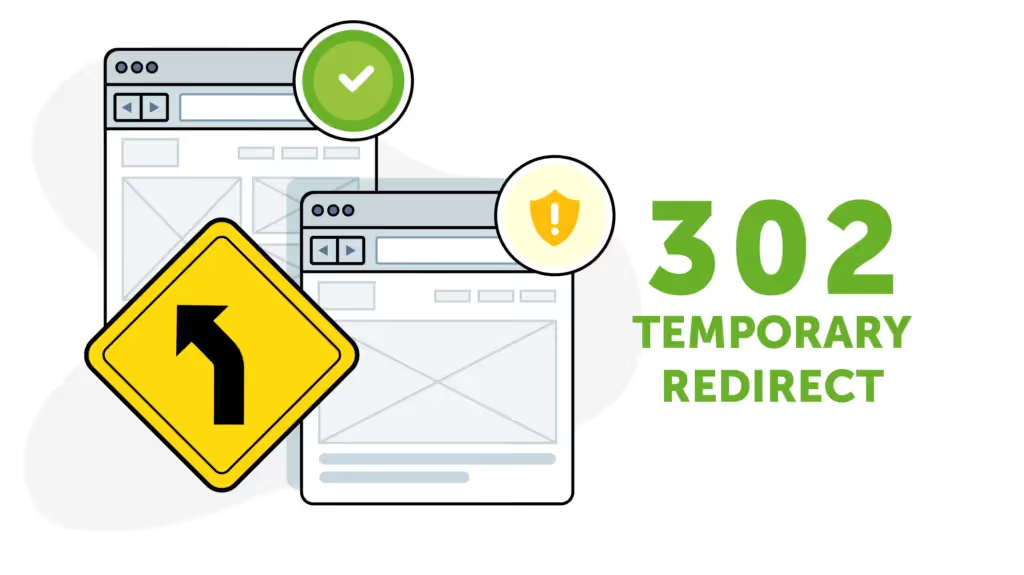
Unlike a 301 Redirect (a permanent redirect), a 302 Redirect is only temporary, meaning Google and other search engines do not update the new URL in their index and instead keep the old URL in search results. This ensures that when the website is restored to its original address, its SEO rankings will not be significantly affected.
How does a 302 Redirect work?
When a user or search bot accesses a URL with a 302 Redirect, the process works as follows:
1. User enters a URL or clicks a link – The browser sends an HTTP request to the web server.
2. The server responds with an HTTP 302 status code – Instead of displaying the content of the original page, the server informs the browser that the content has temporarily moved to a new URL.
3. The browser or search bot accesses the new URL – The browser automatically redirects the user to the new address without any manual action required.
4. Search engines process the 302 Redirect – Google and other search engines understand that this is a temporary redirect, so the original URL is kept in the index rather than being replaced by the new URL.
This is an important mechanism to ensure that user experience remains uninterrupted during temporary changes on a website.
When should you use a 302 redirect?
A 302 redirect is typically used for temporary redirects that do not permanently change the URL structure or negatively impact SEO. Common use cases include:
- Website maintenance or updates: When a page is undergoing repairs or updates, a 302 redirect helps route users to a temporary alternative page without losing the original page's ranking.
- A/B testing: A 302 redirect allows you to direct users to different page versions to test performance and user experience before committing to permanent changes.
- Running short-term advertising or promotional campaigns: When a URL needs to be temporarily changed for the duration of an event, a 302 redirect ensures users are redirected without affecting the original URL.
- Device or location-based redirection: Some websites use 302 redirects to automatically route users to a version of the page optimized for their device or country without impacting search rankings.
- Fixing temporary website errors: If a page is experiencing a temporary issue, a 302 redirect can be used to send users to another page while the problem is being resolved.
While 302 redirects have many useful applications, using them incorrectly can confuse search engines and harm your SEO. Therefore, knowing when to use a 302 redirect instead of a 301 redirect is crucial for maintaining website performance.
5 ways to set up a 302 redirect correctly
To ensure your 302 redirects work effectively without negatively impacting SEO, you need to set them up correctly based on your website's platform and server. Below are the most common methods for implementing a 302 redirect.
1. Setting up a 302 redirect on an Apache server (using .htaccess)
If your website runs on an Apache server, you can set up a 302 redirect by editing the .htaccess file:
How to do it:
- Access your website's root directory via FTP or your hosting file manager.
- Open or create an .htaccess file.
Add the following code to the file:
Redirect 302 /trang-cu.html https://example.com/trang-moi.html
- Save the file and test it by visiting the old URL to ensure it redirects correctly.
2. Setting up a 302 Redirect on an Nginx server
If your website runs on Nginx, you need to edit the Nginx configuration file:
How to do it:
- Open the Nginx configuration file (usually /etc/nginx/nginx.conf or /etc/nginx/sites-available/default).
Add the following command to the server block:
location /trang-cu {
return 302 https://example.com/trang-moi;
}
- Save and restart Nginx using the command:
systemctl restart nginx
3. Setting up a 302 Redirect using PHP
If you cannot edit the server configuration, you can perform a 302 Redirect using PHP:
How to do it:
- Open the PHP file for the old page.
Add the following code to the top of the file:
<?php
header("Location: https://example.com/trang-moi", true, 302);
exit();
?>
- Save and verify by visiting the old page.
4. Setting up a 302 Redirect using JavaScript (not recommended)
JavaScript redirects are not optimal for SEO, but they can be used when you do not have server access.
How to do it:
Add the following code to the <head> or <body> of the old page:
<script>
window.location.replace("https://example.com/new-page");
</script>
Note: Google may not treat this as an official redirect, so this method is not recommended for SEO.
5. Setting up a 302 Redirect using a WordPress plugin
If your website uses WordPress, you can easily set up a 302 Redirect using plugins such as Redirection or Yoast SEO.
How to do it with the Redirection plugin:
- Install the Redirection plugin WordPress keyword.
- Go to Tools > Redirection.
- In the Add New Redirectsection, enter:
- Source URL: Enter the old URL you want to redirect.
- Target URL: Enter the new URL.
- HTTP Code: Select 302 – Found (Temporary Redirect).
- Click Add Redirect to save your settings.
Important note when setting up a 302 Redirect
- Only use a 302 Redirect for temporary redirects – If you intend to redirect permanently, use a 301 Redirect.
- Verify redirects after setup – Use tools like Redirect Checker or Google Search Console to check if the redirect is working correctly.
- Avoid overusing 302 Redirects – If you use 302 Redirects too frequently, search engines may misunderstand your website structure, which can negatively impact SEO.
- Ensure page load speed is not affected – Too many redirects can increase page load times, negatively affecting user experience.
By setting up 302 Redirects correctly, you can maintain a good user experience while ensuring your SEO rankings remain unaffected.
Detailed differences between 302 and 301 Redirects
Both 302 and 301 Redirects are HTTP redirection methods, but they have significant differences in purpose, SEO impact, and how they function. Below is a detailed comparison table between these two types of redirects:
When should you choose a 301 Redirect versus a 302 Redirect?
- Use a 301 Redirect if:
- You have permanently changed the website URL.
- You want to maintain the SEO rankings and backlink value of the old URL.
- You are consolidating content from multiple pages into a single page.
- Use a 302 redirect if:
- You need to temporarily redirect users while performing website maintenance.
- You are testing a new version of a page and do not want Google to index it yet.
- You want to redirect users based on specific conditions (e.g., geolocation or device type).
How to fix 302 errors
A 302 error can occur when a website is unintentionally redirected temporarily or when a 302 redirect is misconfigured. This can negatively impact both user experience and your site's SEO rankings. Below are effective ways to resolve 302 errors.
1. Check the 302 redirect configuration on the server
A 302 error can occur if the web server is misconfigured, leading to unintended temporary redirects.
How to fix:
- Check the .htaccess file (for Apache):
- Access the root directory of your website.
- Open the .htaccess file and check for any lines containing a 302 redirect.
- If found, consider editing or removing them if the redirect is unnecessary.
- Check the Nginx configuration:
- Open the Nginx configuration file (/etc/nginx/nginx.conf or /etc/nginx/sites-available/default).
- Find lines containing return 302 or rewrite.
- If unnecessary, delete them or replace them with 301 for permanent redirects.
2. Check for 302 redirect errors using online tools
To accurately identify which pages are experiencing 302 errors, you can use redirect checker tools such as:
- Redirect Checker (https://www.redirect-checker.org)
- Google Search Console (to check Googlebot crawl status)
- Screaming Frog SEO Spider (to crawl your entire website and detect unusual redirects)
How to fix:
- If you find an unnecessary 302 redirect, change it to a 301 redirect (permanent redirect) if you want to maintain your SEO.
- If the redirect is not needed, remove the 302 redirect from your server configuration or content management system (CMS).
3. Check source code and plugins for 302 errors
In some cases, 302 errors can be caused by plugins or JavaScript code triggering unwanted redirects.
How to fix on WordPress:
- Check plugins related to redirects (Redirection, Yoast SEO, Rank Math, etc.).
- Deactivate all plugins and re-enable them one by one to identify the one causing the error.
- If you identify a faulty plugin, uninstall it or update it to the latest version.
How to fix it in PHP source code:
- Open the relevant PHP files and search for lines containing header("Location: ...", true, 302);.
- If the redirect is unnecessary, remove it, or replace 302 with 301 if a permanent redirect is required.
For example, instead of:
header("Location: https://example.com/new-page", true, 302);
Change it to:
header("Location: https://example.com/new-page", true, 301);
A 302 redirect error can negatively impact user experience and SEO if not configured correctly. To fix this, check your server settings, source code, plugins, and CDN services. If a 302 redirect is unnecessary, remove it or replace it with a 301 redirect to avoid losing search rankings.
Conclusion
While both 301 and 302 redirects serve to redirect traffic, Google and other search engines handle them very differently. If you need a permanent redirect and want to preserve your SEO rankings, choose a 301 redirect. If you only need a temporary redirect, use a 302 redirect. Understanding the difference between these two will help you optimize your SEO and avoid negative impacts on your website's search performance.


