



In today's increasingly competitive online business landscape, attracting users to your website is not enough; the real challenge is turning them into actual customers. This is where CRO (Conversion Rate Optimization) comes into play. A well-designed UX/UI not only improves the user experience but also directly impacts business performance.
So, what is CRO and how can you optimize UX/UI to increase conversion rates? Join Markdao as we explore 7 key principles to maximize CRO in this article.
What is Conversion Rate Optimization (CRO)?
What is CRO? CRO (Conversion Rate Optimization) is the process of improving your website or landing page to increase the percentage of visitors who take a desired action. This action could be:
- Making a purchase on an e-commerce site.
- Filling out a registration form.
- Clicking on a call-to-action (CTA) button.
- Subscribing to a newsletter.
- Downloading documents or ebooks.
In marketing, Conversion Rate Optimization plays a vital role because it helps:
- Increase revenue without needing to increase traffic: Instead of spending your budget on driving more traffic, CRO helps you make better use of your existing customer base.
- Lowering Customer Acquisition Costs (CPA): As conversion rates increase, businesses require less budget to acquire the same number of customers.
- Improving User Experience (UX/UI): A CRO-optimized website makes it easier for users to find information and shop conveniently, thereby increasing conversion rates.
- Enhancing marketing campaign effectiveness: CRO ensures that visitors from SEO, Google Ads, Facebook Ads, email marketing, and other channels are more likely to convert.
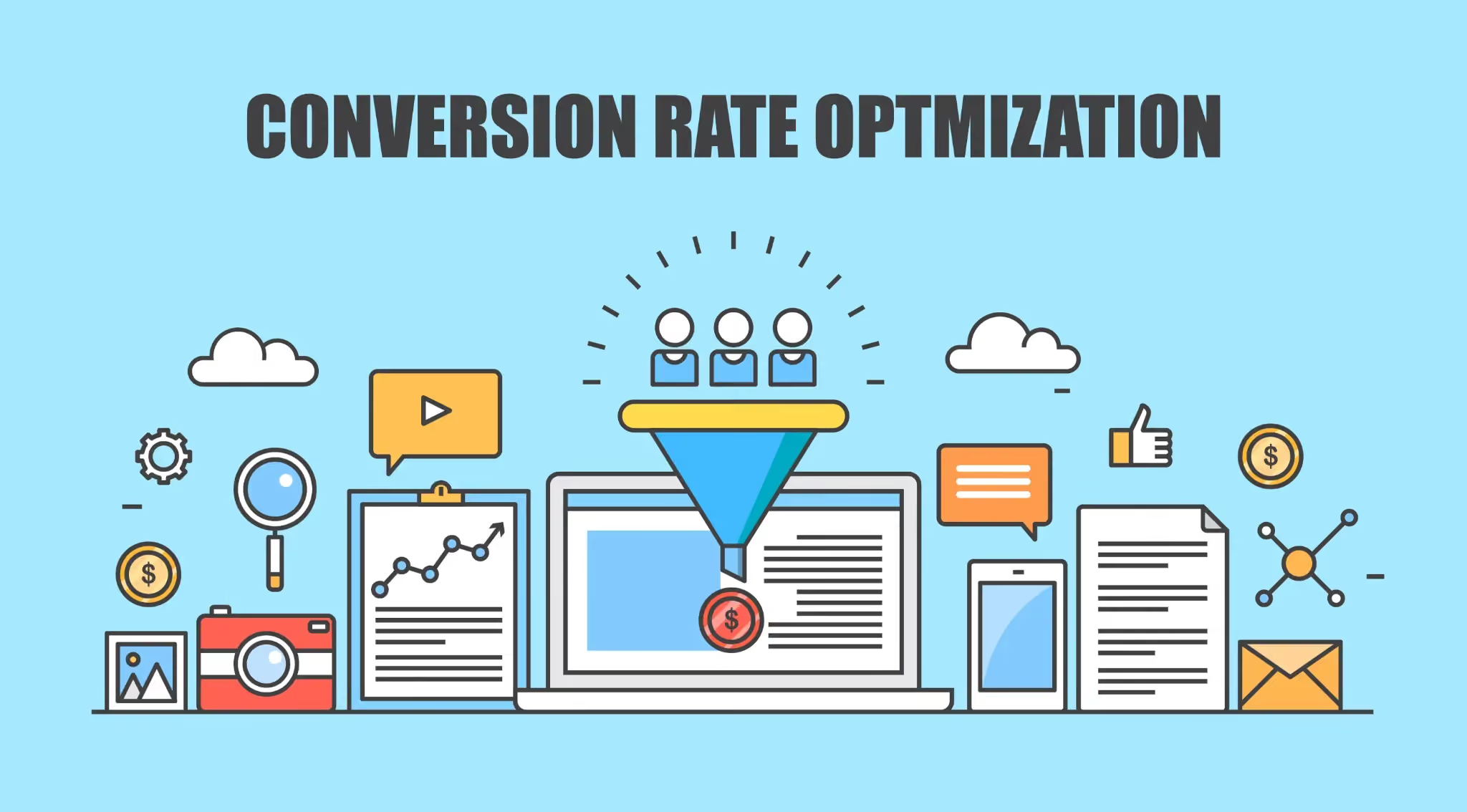
The relationship between CRO, websites, and businesses as a whole
Optimizing conversion rates not only boosts revenue but also creates long-term benefits for the business.
Increasing ROI (Return on Investment) from existing traffic
CRO helps you maximize the value of your current website visitors instead of just focusing on driving new traffic.
Example: If a website has 10,000 visits per month with a 2% conversion rate, it generates 200 customers. If you improve CRO to 3%, the number of customers increases to 300 without needing to increase traffic.
Improving Customer Experience
A user-friendly website with great UX/UI keeps customers satisfied, encourages repeat visits, and leads to referrals. If a website is difficult to navigate, slow to load, or has a complex checkout process, customers may leave immediately.
Increasing competitive advantage
Businesses that optimize CRO effectively gain a significant advantage in converting customers compared to their competitors.
Example: If two websites have the same amount of traffic, but website A has a 5% conversion rate while website B only has 2%, website A will achieve significantly higher sales.
Sales Funnel Optimization
CRO helps identify and resolve bottlenecks within the sales funnel.
Example: If many customers drop off at the checkout stage, businesses can improve this by optimizing the payment form and supporting more payment methods.
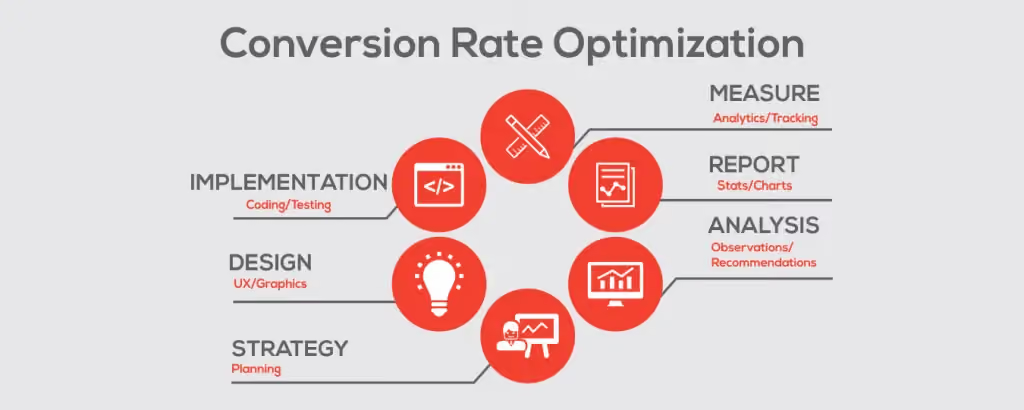
The relationship between CRO and UX/UI specifically
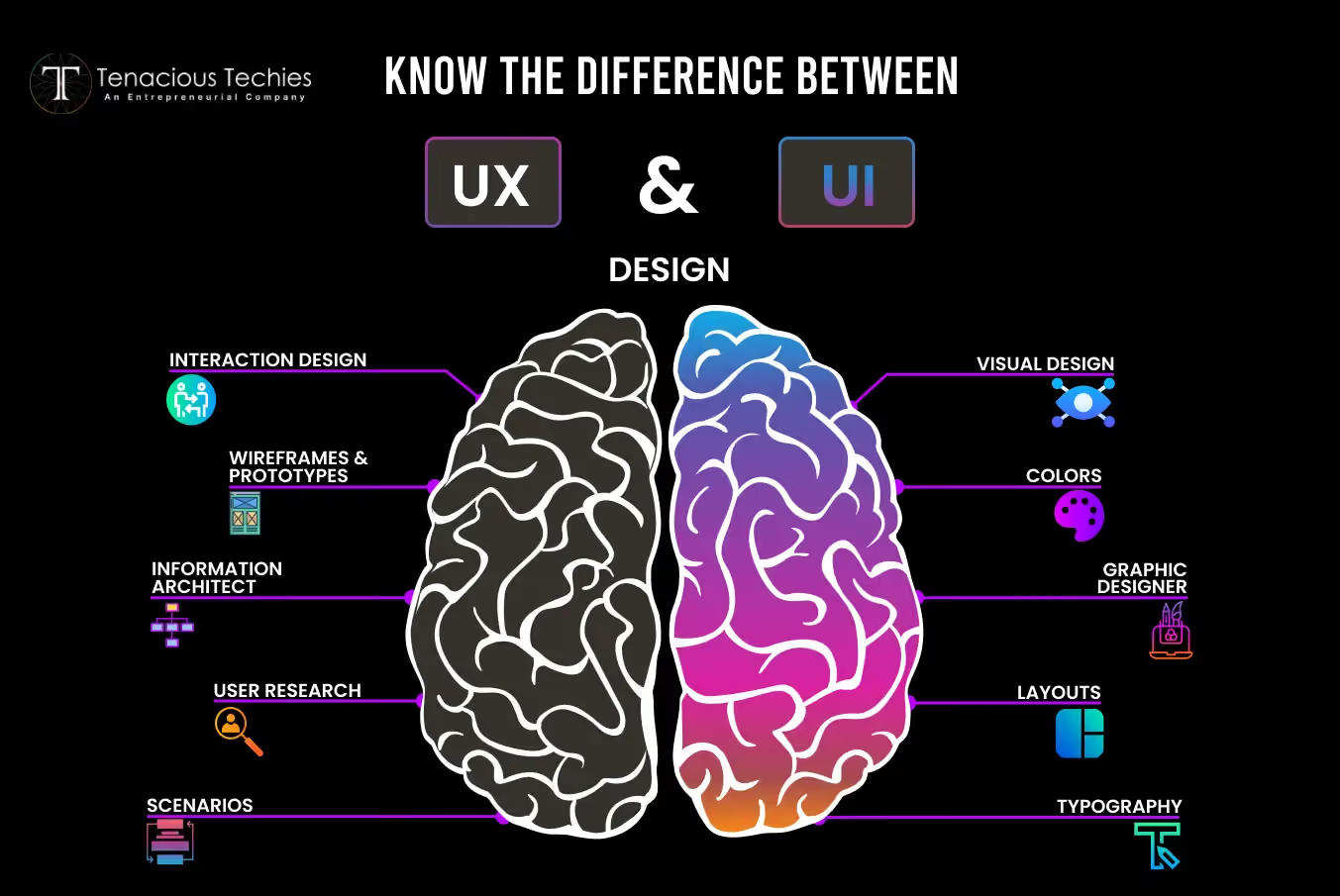
UX (User Experience) and UI (User Interface) are two factors that directly influence Conversion Rate Optimization. A website with strong UX/UI will help:
- Improve navigation: Users can quickly find the products or services they need.
- Build trust: Professional design helps establish credibility, which in turn increases conversion rates.
- Reduce bounce rate: If a website loads slowly or has a cluttered layout, customers will leave immediately.
- Optimize Call-to-Action (CTA): Clear, prominent CTAs make it easy for customers to take the desired action.
Real-world example of how UX/UI optimization boosts CRO
→ Amazon improves page load speed to increase conversion rates
Amazon once discovered that every 100ms of latency in page load speed could result in a 1% drop in revenue. Optimizing images, using a CDN, and reducing server response times can improve load speeds and increase conversion rates.
As we can see, UX/UI plays a critical role in Conversion Rate Optimization. Mastering the principles of user-friendly website design and optimizing the customer journey will help businesses achieve greater success.
7 Key Principles for UX/UI Design in CRO
Conversion Rate Optimization (Conversion Rate Optimization - CRO) isn't just about content or marketing strategy; it relies heavily on user experience (UX) and user interface (UI) design.
Here are 7 essential principles to help you improve your UX/UI and boost your website's CRO performance:
Don't let your site lag – Speed is the deciding factor
Why does page load speed affect conversion rates?
A slow-loading website can derail your entire CRO strategy. When users visit a site, they expect content to appear instantly. If they have to wait too long, they will quickly bounce and head to a competitor.
According to Google, if a page takes longer than 3 seconds to load, over 53% of users will leave. This means you are losing more than half of your potential customers simply because your website is too slow.
Beyond user behavior, page speed is a critical SEO ranking factor. A fast-loading site is favored by Google, increasing your chances of appearing in search results and attracting more high-quality traffic.
4 Main reasons why websites load slowly
There are many factors that can drag down page speed, including:
- Large image files that haven't been compressed or optimized.
- Unoptimized source code (HTML, CSS, JavaScript), which contains excessive or redundant code.
- Poor-quality hosting or slow server response times, which cannot handle your traffic volume.
- Not using caching or a CDN (Content Delivery Network) to speed up response times.
Ways to improve page load speed
To optimize page load speed, you can apply the following measures:
- Reduce image file sizes using formats like WebP or JPEG2000 instead of standard PNG or JPEG.
- Use a caching system to store static data, which helps reduce server load and increase response speed.
- Integrate a CDN (Content Delivery Network) to deliver content faster to users in different regions.
- Compress and optimize source code by removing unnecessary lines of code in HTML, CSS, and JavaScript.
- Test and optimize page load speed with tools like Google PageSpeed Insights and GTmetrix to identify issues and fix them promptly.
Avoid cluttered interface designs – Simplicity is always more effective
One common mistake in website design is trying to cram too many elements onto a single page, which overwhelms users with information. When that happens, instead of continuing to explore, they will quickly leave.
A simple interface helps customers navigate easily and find the information they need without wasting too much time. When the user experience becomes pleasant, conversion rates will also increase significantly.
UX/UI design principles to optimize CRO
- Clear layout, using whitespace effectively to keep content airy and easy to read.
- Friendly fonts with appropriate sizing, avoiding hard-to-read typefaces.
- Colors with clear contrast to help distinguish important content without straining the eyes.
- Simple, intuitive navigation to ensure users can find what they need within the first few seconds.
Example: Apple is a brand that applies this principle exceptionally well. Their website features a minimalist design with no unnecessary details, making it easy for users to focus on the products and take the desired action.
Don't let your CTA fade into the background – Make your call to action stand out
The importance of CTAs in CRO
A CTA (Call-to-Action) is the direct element that guides users to perform the actions a business wants, such as making a purchase, signing up, filling out a form, or downloading a document. If a CTA is unclear or not compelling enough, conversion rates will be very low.
How to optimize CTAs effectively
An effective CTA should meet three criteria:
- Visually prominent: The color of the CTA should have high contrast against the website background to easily grab attention.
- Use powerful language: Instead of just writing "Sign up," try "Sign up now to get 50% off."
- Strategic CTA placement: CTAs should appear at key points such as the top of the page, the end of an article, or right next to a product/service.
Example: Netflix uses a highly effective CTA with the copy “Try it free for 30 days”, making it easy for users to decide to sign up.
Don't overlook personalization – Understand your customers to boost CRO
A website offering generic content will struggle to capture customer interest. Meanwhile, if content and interface are personalized for each audience segment, the user experience becomes more engaging, leading to higher conversion rates.
Applying personalization to UX/UI
- Display content based on user behavior (e.g., product recommendations based on purchase history).
- Provide a flexible browsing experience, allowing users to customize the interface to their preferences.
- Integrate smart chatbots capable of providing real-time customer support.
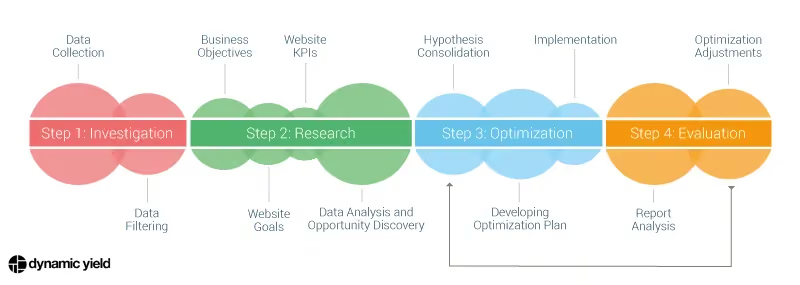
Personalization tools such as:
- Google Optimize
- HubSpot
- Dynamic Yield
Limit lengthy registration forms – Simplify to reduce bounce rates
Registration forms are a key factor in CRO, but if the design isn't intuitive, users will abandon them halfway through.
- Forms with too many fields are time-consuming.
- Lack of clear instructions when entering information.
- No confirmation provided after form submission.
Principles for optimizing registration forms:
- Reduce the number of fields and keep only the essential ones.
- Use autofill to help users complete forms faster.
- Provide confirmation after form submission to reassure users.
Examples of effective registration forms:
Facebook: A concise registration form that only requests essential information.
LinkedIn: Allows registration via Google account to save time.
Don't let customers doubt you – Build trust right from the interface
What kind of websites do users tend to trust?
- Websites with positive reviews from previous customers.
- Websites with security certifications and transparent policies.
Users only make transactions when they feel they can trust the business. You can build trust by:
- Displaying customer reviews and testimonials to increase credibility.
- Using SSL security certificates and secure payment badges to protect user data.
- Clear privacy and refund policies give customers peace of mind when shopping.
- Add social proof (testimonials, case studies) to increase credibility.
%20%C4%91%E1%BB%83%20t%C4%83ng%20%C4%91%E1%BB%99%20tin%20c%E1%BA%ADy.avif)
Not optimizing A/B testing means missing out on opportunities to improve CRO
What is A/B testing and why is it important for CRO?
A/B testing is the process of testing two versions of a website element (CTA, layout, headline, etc.) to see which one has a better conversion rate.
How to perform effective A/B testing:
- Test CTAs: Experiment with colors, copy, and CTA placement.
- Test landing pages: Compare the performance of two different landing page designs.
- Test website layout: Determine which version makes it easier for users to navigate.
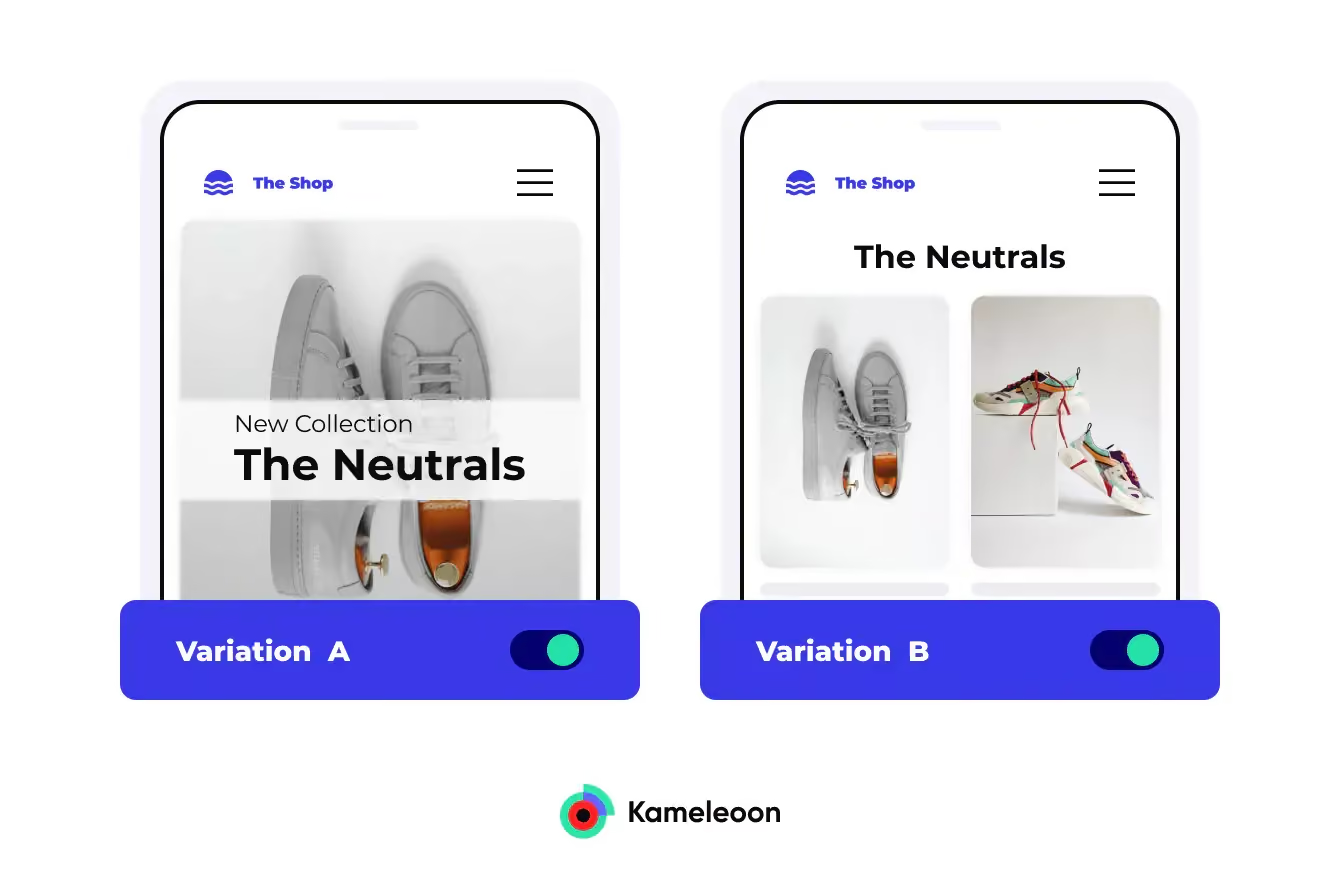
No UX/UI strategy is perfect from the start. A/B testing helps you test every element on your website to find the version that delivers the highest conversion rate. Effective A/B testing tools include Google Optimize, Optimizely, VWO.
CRO is not just about optimizing content or ads; it also requires a friendly, seamless UX/UI. Applying these 7 principles correctly will help you improve user experience, increase conversions, and achieve your business goals.
The difference between CRO and SEO: Which strategy is right for you?
CRO (Conversion Rate Optimization) and SEO (Search Engine Optimization)
are both important strategies for improving website performance, but they serve different goals.
- SEO focuses on attracting organic traffic from search engines, while CRO aims to optimize the user experience to increase conversion rates.
- In other words, SEO helps more people find your website, while CRO helps them take desired actions such as making a purchase, signing up, or filling out a form.
If your website has high traffic but a low conversion rate, CRO is the right solution to improve revenue. Conversely, if your website lacks sufficient traffic, you should focus on SEO to increase your reach. The most optimal strategy is to combine both SEO and CRO to both attract more visitors and increase conversion efficiency.
Example:
→ A newly established e-commerce business needs SEO to attract customers from Google before considering conversion optimization.
→ A landing page with 10,000 visits per month but only 50 orders (a 0.5% conversion rate). In this case, CRO will help improve this rate without needing to increase traffic.
%20v%C3%A0%20SEO%20(Search%20Engine%20Optimization).avif)
In short, should you choose SEO or CRO? Or both?
- If you are a new business → SEO first, CRO later to gain traffic and then optimize for conversions.
- If you already have stable traffic but a low conversion rate → CRO is the priority.
- If you want to maximize profit → Combine both SEO and CRO to both drive traffic and increase revenue.
SEO and CRO should not be treated separately; they should be combined for maximum effectiveness. SEO helps increase traffic, while CRO helps turn that traffic into actual customers. Choosing the right strategy depends on your website's current status and your business goals.
Conclusion
What is CRO? CRO is not just about optimizing the website interface; it is a process of improving the entire user journey to drive desired actions. Fast page load speeds, intuitive interfaces, compelling CTAs, personalized experiences, optimized registration forms, building trust, and A/B testing are all critical factors in optimizing UX/UI to improve conversion rates.
To achieve the best results, you need to combine CRO with SEO and other marketing strategies, while continuously measuring, analyzing, and adjusting. Start optimizing today to turn your website into a powerful conversion machine!


