



Have you ever spotted a unique font on a poster, billboard, or website, but couldn't identify it for your own designs? Don't worry, because now identifying fonts from images has become easier than ever!
With just a few simple steps and smart recognition tools, you can quickly pinpoint the font you're looking for. Let's join Markdao to explore the most effective ways to "hunt down" fonts from images quickly and accurately!
The benefits of identifying fonts from images
Have you ever seen a really cool font and immediately wanted to use it for your own design, only to realize you have no idea what it's called? That’s when identifying fonts from images becomes your lifesaver. Instead of spending hours searching, these tools help you identify the exact font in a flash, allowing you to:
- Save time: Instead of digging through thousands of fonts, you can simply upload an image and get an instant match. It’s fast, efficient, and stress-free!
- Maintain design consistency: By getting the exact font, you can easily create designs that align with your brand or original inspiration. This is the key to making all your work look professional and stand out.
- Diversify your design ideas: Font identification tools don't just recognize the font; they also suggest similar alternatives, allowing you to discover new styles and enrich your creative library.
In short, identifying fonts from images not only helps you easily "capture" the exact typeface you want, but also saves you time, boosts your professionalism, and expands your creative possibilities for any project.
>> Read more: How to combine fonts in website design
Methods for identifying fonts from images
Identifying fonts from images has become simple with many convenient tools and apps, allowing you to recognize fonts instantly. Below are the most popular and effective methods you can try.
1. Using online web tools
Web tools are a quick option when you want to identify fonts from images without needing to install any software. Simply upload an image, and the system will analyze it to provide the most suitable suggestions.
1. MyFonts
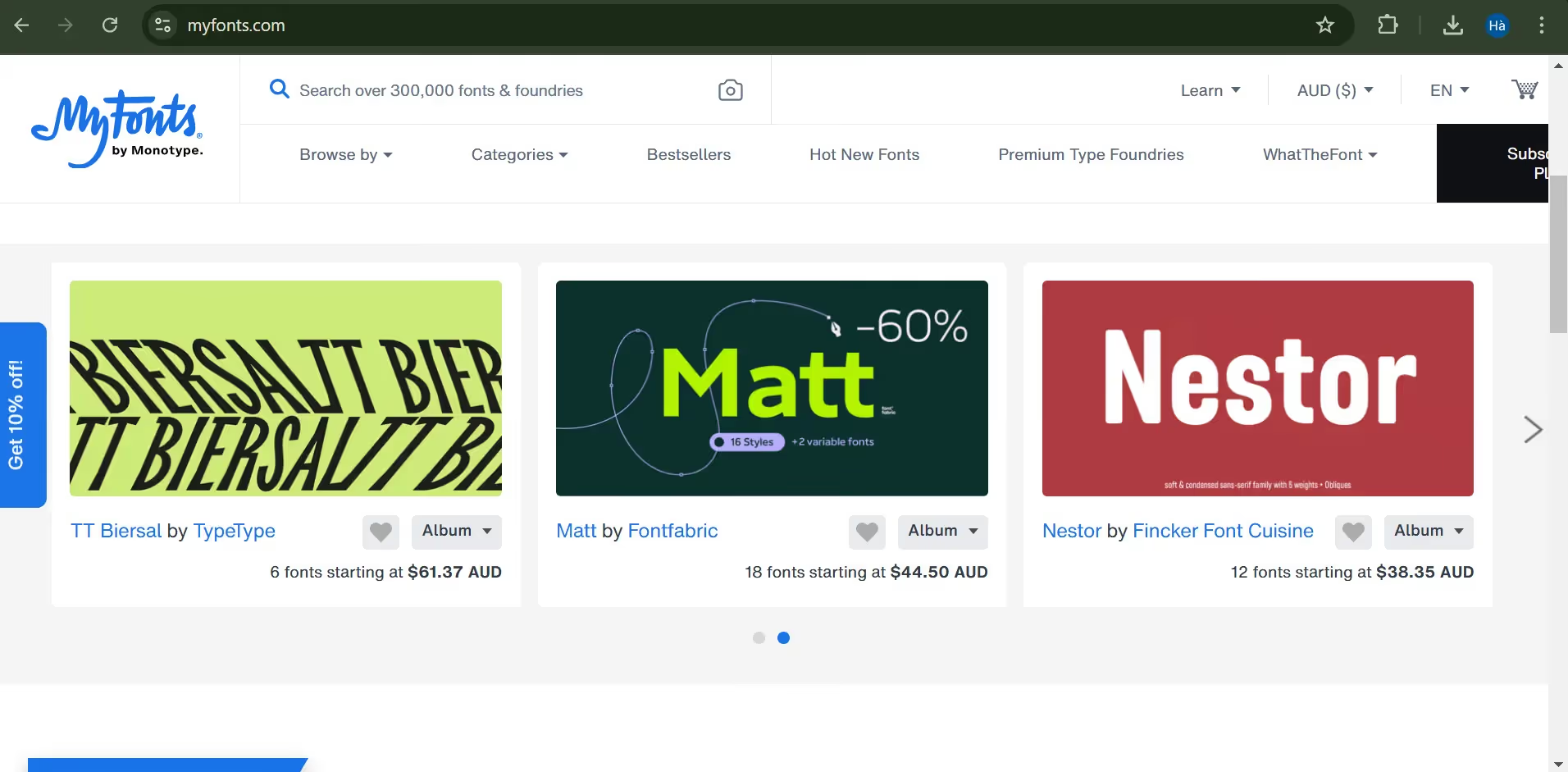
Features: MyFonts is one of the largest font libraries available today and offers the incredibly convenient WhatTheFont identification tool. With WhatTheFont, you can quickly find similar fonts from images or scanned documents.
How to use:
- Visit the MyFonts website.
- Select the “Upload Image” option and upload the image containing the text you want to identify.
- The system will automatically analyze the characters in the image and display a list of similar fonts.
- You can click on each result to view details or download the desired font.
Key advantages: WhatTheFont supports low-resolution image formats while maintaining high recognition accuracy, helping you quickly obtain the correct font without much effort.
2. WhatFontis
Features: WhatFontis is a font finder by image tool with a powerful database of over 600,000 fonts. Additionally, it can identify fonts even in images with lower resolution or slightly distorted text.
How to use:
- Visit the WhatFontiswebsite.
- Click “Upload Image” and upload the image you want to identify.
- WhatFontis will display the characters it recognizes, and you can select or edit them if necessary.
- Once finished, the tool will display a list of fonts that closely match the one in your image.
Key advantages: WhatFontis clearly distinguishes between free and paid fonts, making it easy for you to choose options that fit your budget.
3. Fontsquirrel
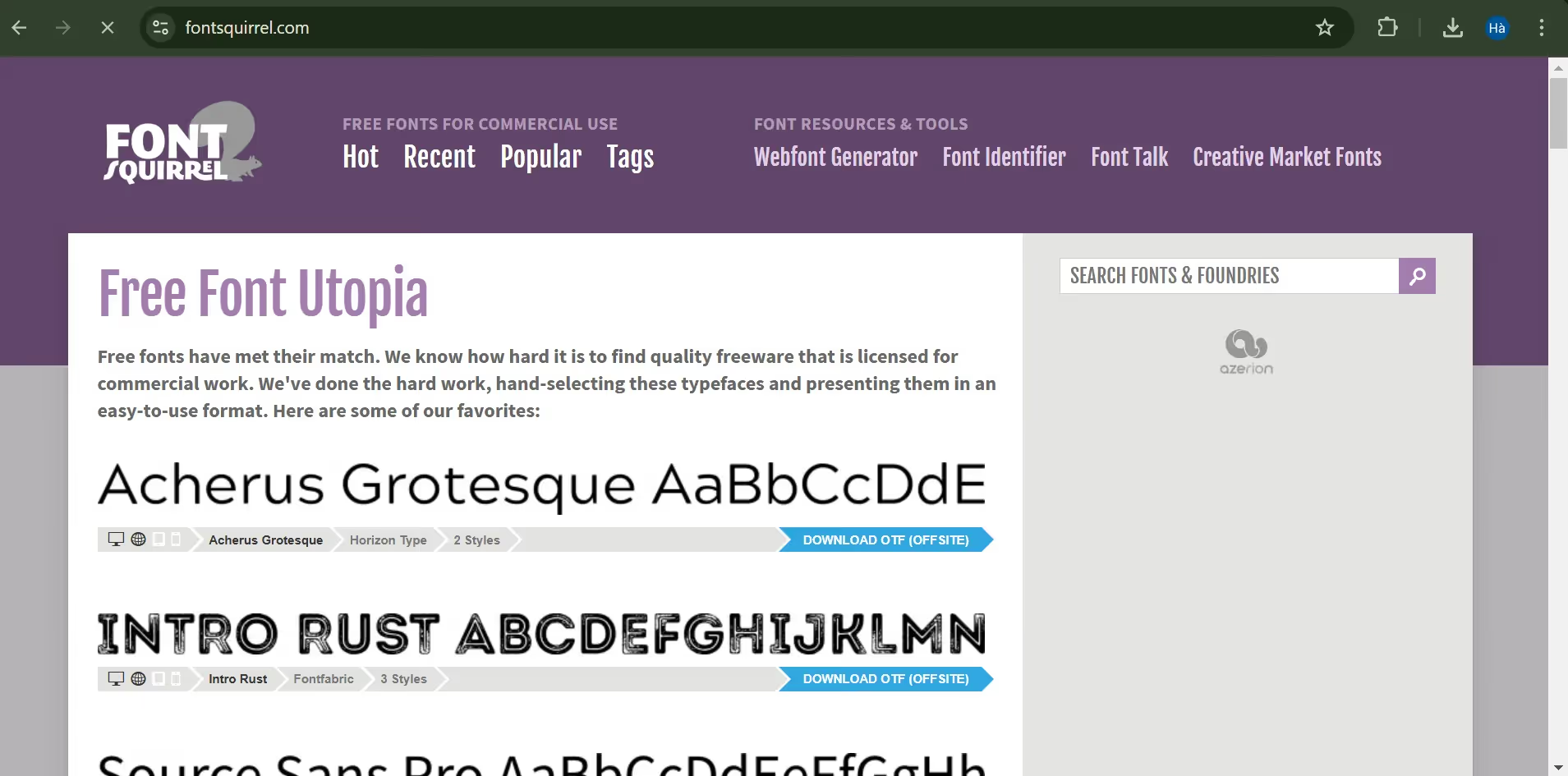
Features: FontSquirrel is a font finder by image tool that is popular for its fast identification capabilities, especially for those looking for free fonts.
How to use:
- Go to the FontSquirrel Matcherator page.
- Upload an image by selecting “Upload Image”.
- After analyzing, FontSquirrel will list similar fonts, including many free options.
Key advantages: FontSquirrel is especially useful for those looking for free fonts with high accuracy, perfect for budget-friendly projects.
4. FONT MATCHERATOR
Features: Font Matcherator, part of the Fontspring system, allows you to identify fonts from individual characters, increasing accuracy when you only have a portion of the font to work with.
How to use:
- Visit Font Matcherator.
- Select an image and upload it for the tool to identify.
- Font Matcherator will analyze each character and provide a list of matching fonts.
Key advantages: This tool is particularly useful in cases where you only have a fragment of text or an image containing only a few characters.
5. Fonts.com
Features: Fonts.com is not just a vast font library; it also features a font identification tool with the ability to identify fonts from images with flexible suggestions, making it easy for you to discover other suitable fonts.
How to use:
- Visit the Fonts.comwebsite.
- Upload the image containing the font you want to identify.
- The tool will analyze the image and display font suggestions along with links to download or purchase the corresponding fonts.
Key advantages: Fonts.com makes it easy for users to purchase or download fonts after identification, which is very convenient if you need a font for a project immediately.
2. Mobile applications
For those who are constantly on the go, mobile apps are a flexible choice, allowing you to identify fonts from images in just a few seconds from a direct photo.
1. FontSnap
Features: FontSnap is a dedicated mobile app for font identification. It supports taking photos directly, performing analysis right on your phone, and displaying suggestions quickly.
How to use:
- Download FontSnap from the App Store or Google Play and open the app.
- Take a photo or upload an image containing the text you want to identify.
- FontSnap will display the closest matching fonts and provide download options or suggestions on where to find them.
Key Benefits: FontSnap supports quick font discovery, which is especially useful for designers who need to identify fonts on the fly from various sources.
2. WhatTheFont (Mobile App)
Features: As the mobile version of the WhatTheFont tool, this app is available on both iOS and Android, offering the ability to quickly identify fonts from photos taken directly on your phone.
How to use:
- Install the WhatTheFont app from the App Store or Google Play.
- Select “Camera” to take a photo of the text or upload an image from your library.
- The app will automatically analyze and list similar fonts, which you can click on for more details.
Key Benefits: WhatTheFont can compare multiple fonts at once, making it easy to find the desired font without having to test each one manually.
Pros and cons of image-based font finder tools
Pros
Tools for identifying fonts from images offers numerous benefits, making the design process much smoother and faster. Instead of spending time searching manually, you can now simply upload an image and let the tools do the work:
- Fast and convenient: Just upload an image, and these tools will automatically identify the font you need without wasting time on manual searches.
- Extensive font library: Most font recognition tools feature a massive database with hundreds of thousands of fonts, ranging from free to paid options, ensuring a wide variety of suggestions.
- Highly versatile: Online tools allow for easy access from any device, while mobile apps offer greater convenience for users on the go, providing flexibility in any situation.
- Similar font suggestions: Some tools like WhatFontis and WhatTheFont also provide suggestions for similar fonts, making it easy to choose a suitable alternative if the exact font from the image cannot be found.
Drawbacks
However, font recognition tools and finding fonts by image are not always perfect. Here are some drawbacks you should keep in mind:
- Dependence on image quality: If the image has low resolution or the text is blurry, recognition tools may not provide accurate results.
- Potential for misidentification: In cases where a font is very common or has many similar variations, the tool may fail to distinguish it accurately and provide multiple different results.
- Limited recognition for certain languages and special characters: Some fonts that support special characters or less common languages may not be included in the recognition tools' databases.
- Costs for certain fonts: While some fonts can be identified for free, many suggestions are paid fonts that require a purchase for full usage.
Tips for improving font identification accuracy from images
To achieve the best results when identifying fonts from images, here are some tips Markdao has gathered, including:
- Choose high-resolution images: Use clear, high-resolution images so tools can easily recognize the text. The font size should be large enough for the characters to be clearly visible.
>> See more: Top 9 online image compression tools
- Avoid images with busy backgrounds: Backgrounds that are too complex or multicolored can blur the characters, making it difficult for tools to identify the font. Choose or crop images to include only the characters you need to identify.
- Use images with only the target font: If an image contains multiple font styles, the tool may struggle to distinguish between them, leading to inaccurate results. Try to use images that feature only one font style.
- Adjust lighting and contrast: Images that are too dark or lack contrast can be hard to identify. Use photo editing tools to sharpen the characters and increase brightness and contrast if necessary.
- Select easily recognizable characters: Some fonts have distinct characters that make them easier for tools to identify. If possible, upload images with unique or highly recognizable characters, and avoid letters like “o”, “i”, or “l” as they are easily confused.
- Use multiple tools for cross-checking: If you are unsure about the results, try testing with several different font identification tools. This gives you more options and increases the likelihood of finding the exact font.
Conclusion
identifying fonts from images has now become easier than ever thanks to powerful online tools and applications. Whether you are a professional designer or a creative enthusiast, accurately identifying fonts will help you save time and capture the exact style you need.
Explore the right tools, take advantage of tips to increase accuracy, and experiment with multiple solutions to expand your font collection. By combining modern tools with your own skills, you can easily discover unique fonts, enhance the quality of your designs, and leave a personal mark on all your projects.


